
Elevate Your Digital Showcase: How to Get an Interactive 3D Model on a Website
The digital landscape is shifting, and static imagery is no longer enough to capture consumer attention. Today, featuring an interactive 3d model on website is the golden standard for showcasing products. At Quince Creative, our team of 11 dedicated experts leverages over two decades of experience in 3D computer graphics to transform how your audience interacts with your brand online.
Whether you are launching a complex piece of hardware or a customizable consumer product, integrating real-time 3D can drastically increase engagement and conversion rates. Here is a comprehensive look at how our specialized service works and why it is a game-changer for your web presence.
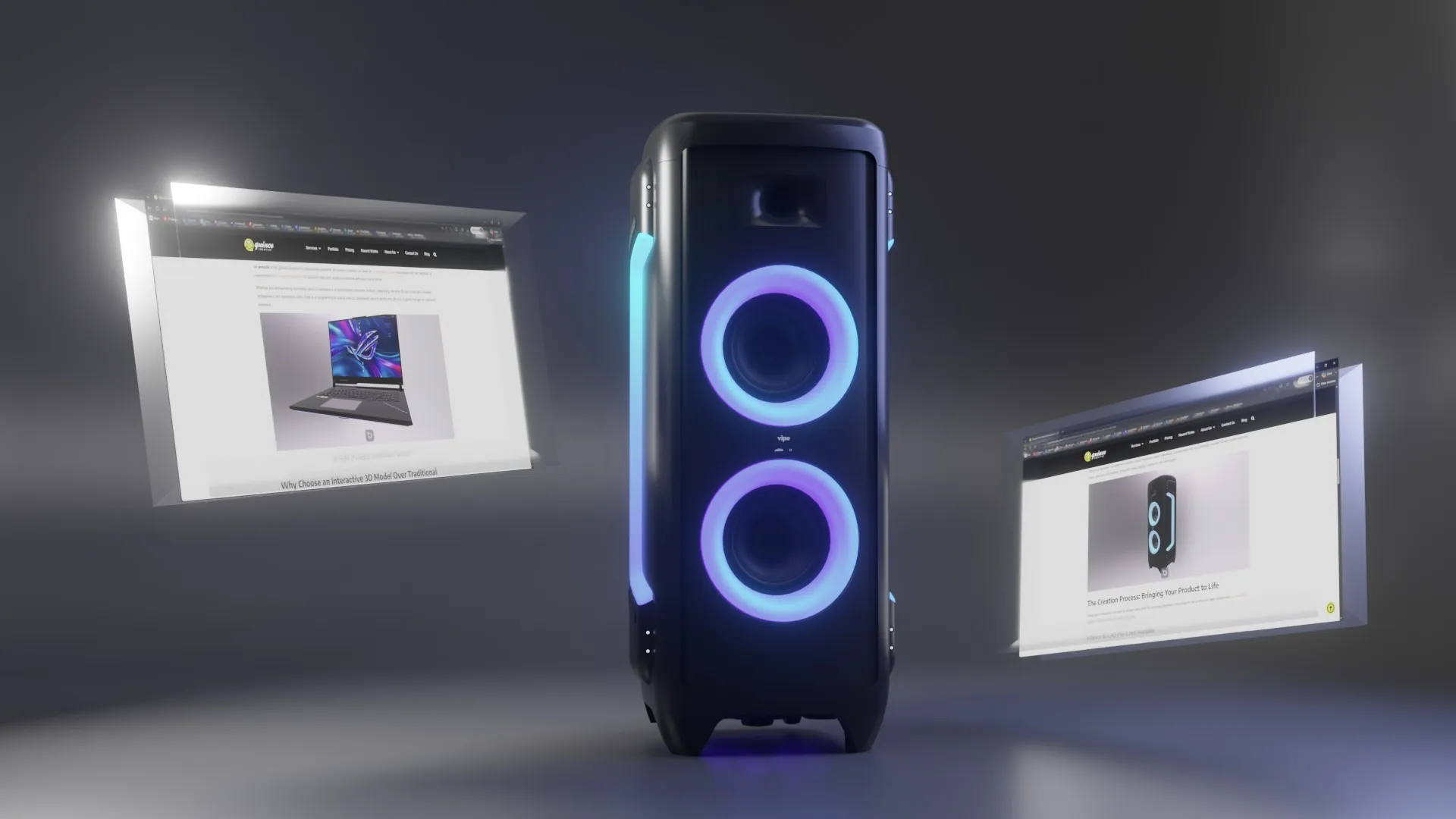
3d model of a laptop embedded on website
Why Choose an Interactive 3D Model Over Traditional Photos?
While high-quality product photography will always have its place, an interactive 3d model on website offers a distinct set of advantages that flat images simply cannot match:
- Complete Spatial Understanding: Users can rotate, zoom, and inspect the product from any conceivable angle. This tactile control gives them absolute confidence in the physical shape, proportions, and intricate details of the item.
- Increased Dwell Time: Interactive elements naturally encourage users to spend more time exploring your page, which is a powerful signal for both SEO and brand retention.
- Reduced Return Rates: When customers can thoroughly examine an item before purchasing, their expectations are accurately set, leading to higher satisfaction and fewer post-purchase surprises.
3d model of a bed embedded on website
The Technology: Powered by WebGL and Babylon.js
To deliver these seamless, high-fidelity experiences directly in the browser, we utilize WebGL technology driven by the Babylon.js engine.
WebGL allows our 3D creations to communicate directly with the user’s device graphics processor. This ensures high-performance rendering without requiring the visitor to download any cumbersome third-party plugins or external applications. We specifically engineer our solutions with Babylon.js because it provides an incredibly robust, production-ready framework. It guarantees that our interactive models run with buttery-smooth frame rates and photorealistic, physically-based lighting natively on your web pages.
3d model of a Bluetooth speaker embedded on website
The Creation Process: Bringing Your Product to Life
Deploying an interactive 3d model on website starts with the underlying geometry. Depending on the assets your team already has, our workflow adapts to ensure the highest quality digital twin.
When a 3D CAD File is Not Available
If your product is still in the conceptual phase, or you only have physical prototypes, our 3D animators will build the model completely from scratch. Using reference photographs, technical blueprints, or physical dimensions, we meticulously sculpt and texture the digital version of your product to match its real-world counterpart flawlessly.
When a 3D CAD File is Available
If your engineering team can provide existing CAD files (like STEP or IGES), the process shifts from creation to optimization. Raw CAD files are incredibly dense, mathematically complex, and designed for precise manufacturing—not for real-time web display. We expertly process these files by:
- Reducing Polygon Count: We execute complex retopology, stripping away unnecessary internal geometry and simplifying the outer mesh so it renders instantly.
- Texture Baking: We project the high-resolution details and surface imperfections from the original model onto lightweight image maps.
This rigorous optimization guarantees that your interactive 3d model on website maintains lightning-fast loading speeds without sacrificing an ounce of visual fidelity. If you only need a GLB of a STEP file with materials assigned, for a quick test or a simple viewer, Render Station converts it in your browser, though a real-time model for phones still needs the optimization described above.
Future-Proofing: Product Configurators, AR, and VR
The true beauty of investing in a web-ready 3D model is that it serves as a foundational asset for immense future scalability. Once the core optimized model is finalized, it unlocks several advanced use cases:
- Interactive Product Configurators: We can expand the Babylon.js environment into a 3D product configurator that allows users to swap colors, change materials, or add modular accessories in real-time, right on the product page.
- Augmented Reality (AR): With a single tap on a compatible device, users can project the 3D model into their actual physical space—allowing them to see exactly how a piece of equipment fits in their room or facility.
- Virtual Reality (VR): The exact same WebGL assets can be integrated seamlessly into immersive WebXR environments to create complete virtual showrooms.
Universal Cross-Browser and Device Compatibility
A major concern for any digital rollout is accessibility. Because our visualization solutions are built on native web standards, your interactive 3d model on website will boast universal compatibility.
Whether your customer is browsing on a workstation using Google Chrome, a tablet running Safari, or a mobile phone via Firefox, the 3D experience scales responsively. The underlying engine automatically detects the device’s hardware capabilities and adjusts the rendering parameters to ensure a smooth, crash-free experience across all modern operating systems and screen sizes.
Popular 3D Web Integration Platforms
- Spline: A widely used, collaborative web-based 3D design tool. It allows designers to build interactive 3D scenes natively in the browser and export them directly to websites using a simple embed code or a React component.
- Sketchfab: One of the most recognized platforms for publishing and embedding 3D content online. It acts as a universal 3D viewer that integrates seamlessly into almost any webpage, content management system, or e-commerce platform.
- Vectary: A collaborative, web-based 3D and augmented reality (AR) design platform. It provides an intuitive interface for creating 3D objects and offers export options to interface with various platforms for embedding designs directly into websites (McNally & Koviland, 2024). It is particularly noted for allowing multiple users to collaborate on a design in real time (McNally & Koviland, 2024).
- Threekit: A cloud-based 3D configurator designed primarily for e-commerce. It enables businesses to visualize and customize products in real time with interactive 3D models, often linking directly to pricing and enterprise resource planning (ERP) systems.
- PlayCanvas: A powerful, open-source WebGL game engine paired with a cloud-hosted creation platform. It is heavily used for rendering high-fidelity interactive 3D content, browser games, and complex product viewers.
- Blippar (Blippbuilder): A drag-and-drop, web-based AR SaaS platform. It allows users without deep coding knowledge to create interactive 3D content and AR experiences that can be exported to multiple devices and web views (McNally & Koviland, 2024).
- Cesium ion: A specialized SaaS platform for geospatial applications. It is used to host large-scale 3D models and generate 3D Tiles that can be integrated into web-based 3D viewers, making it ideal for urban planning and smart city visualizations.
- Modelry (by CGTrader): A platform focused heavily on e-commerce that allows businesses to manage large libraries of 3D assets, convert 2D images into 3D models, and deploy them to online storefronts using a dedicated web viewer.
When it comes to rendering interactive 3D graphics on the web without external plugins, Three.js and Babylon.js are the two undisputed titans of the JavaScript ecosystem. Both are built on top of WebGL (and increasingly WebGPU) to harness the power of the device’s graphics card directly inside the browser.
While they can achieve almost identical visual results, their philosophies, design architectures, and ideal use cases differ significantly.
Core Philosophies
Three.js: The Lightweight Animator
Three.js is fundamentally a 3D library. Its primary objective is to make it easy to get 3D content onto a web page. It provides the essential building blocks—scenes, cameras, lights, geometries, and materials—and leaves the structural architecture of your application entirely up to you. It is highly unopinionated and lightweight.
Babylon.js: The Full-Featured Game Engine
Babylon.js is a complete 3D framework and game engine. It doesn’t just display 3D objects; it provides a comprehensive infrastructure out of the box for building complex, interactive applications. It comes packed with built-in features like a physics engine wrapper, collision detection, complex input handling, spatial audio, and robust developer tools.
Key Differences
1. Feature Set and Architecture
- Three.js: Focuses purely on rendering. If you need physics, complex character animations, or advanced user interfaces inside the 3D canvas, you generally have to integrate third-party libraries (such as cannon.js or ammo.js for physics).
- Babylon.js: Follows a “batteries-included” approach. It features an integrated UI toolkit, built-in physics plugins (like Havok), advanced post-processing pipelines, and state machines for animation natively inside the core package.
2. Ease of Use and Learning Curve
- Three.js: Has a lower entry barrier for web developers. Getting a spinning cube on the screen requires very few lines of code. However, as your project scales into a complex interactive game or application, you must architect the system yourself, which increases complexity later on.
- Babylon.js: Has a steeper initial learning curve due to its extensive API surface. However, for large-scale enterprise projects or games, the framework’s strict structure saves development time because the architecture is already laid out for you.
3. Workflow and Tooling
- Three.js: Relies heavily on the open-source community for tooling. While there isn’t an official all-in-one editor, it integrates perfectly into modern web workflows and has massive ecosystem support like React Three Fiber for React developers.
- Babylon.js: Features a powerful suite of official visual tools. This includes the Babylon.js Inspector (an in-browser debugging overlay), a Node Material Editor for visual shader creation, and a dedicated playground for rapid prototyping.
Technical Comparison Table
| Feature | Three.js | Babylon.js |
| Primary Classification | 3D Library / Renderer | 3D Game Engine / Framework |
| Core Focus | Minimalist, creative coding, web design | Interactive apps, product configurators, games |
| Built-in Physics | No (requires external libraries) | Yes (native integration with Havok, etc.) |
| TypeScript Support | Via community types (@types/three) | First-class (written natively in TypeScript) |
| Bundle Size | Smaller, modular | Larger (due to built-in features) |
| Official Visual Tools | Minimal | Robust (Inspector, Node Material Editor) |
Choosing the Right Tool
When to Choose Three.js
- Creative Websites: Slick landing pages, portfolio sites, and interactive marketing campaigns where 3D elements blend with standard HTML elements.
- Data Visualization: Custom 3D graphs, maps, and abstract visual art.
- React Ecosystem: Projects leveraging React, where React Three Fiber (R3F) offers an incredibly declarative way to build 3D scenes.
When to Choose Babylon.js
- Product Configurators: Complex commercial systems where users customize materials, parts, and options with high-fidelity accuracy.
- Browser Games: Applications that require robust physics, spatial audio, complex input handling (controllers, keyboards, touch), and scene management.
- Enterprise Architecture: Large projects requiring TypeScript out of the box and rigid, predictable framework guidelines.
Transform your digital storefront today with Quince Creative, and let your products speak for themselves in three dimensions.
Related Articles
Fight of the Titans: KeyShot Studio 2025 vs Blender 5.0
Latest Trends in Using CGI for Amazon Listings and A+ Content
3D Product Videos For Furniture E-Commerce
How 3D & Augmented Reality (AR) are Revolutionizing the Future of E-Commerce
3D Product Animations for Computer Displays and LED TV Screens
The Power of 3D Product Animation for Instructional Videos



 Rachel A