
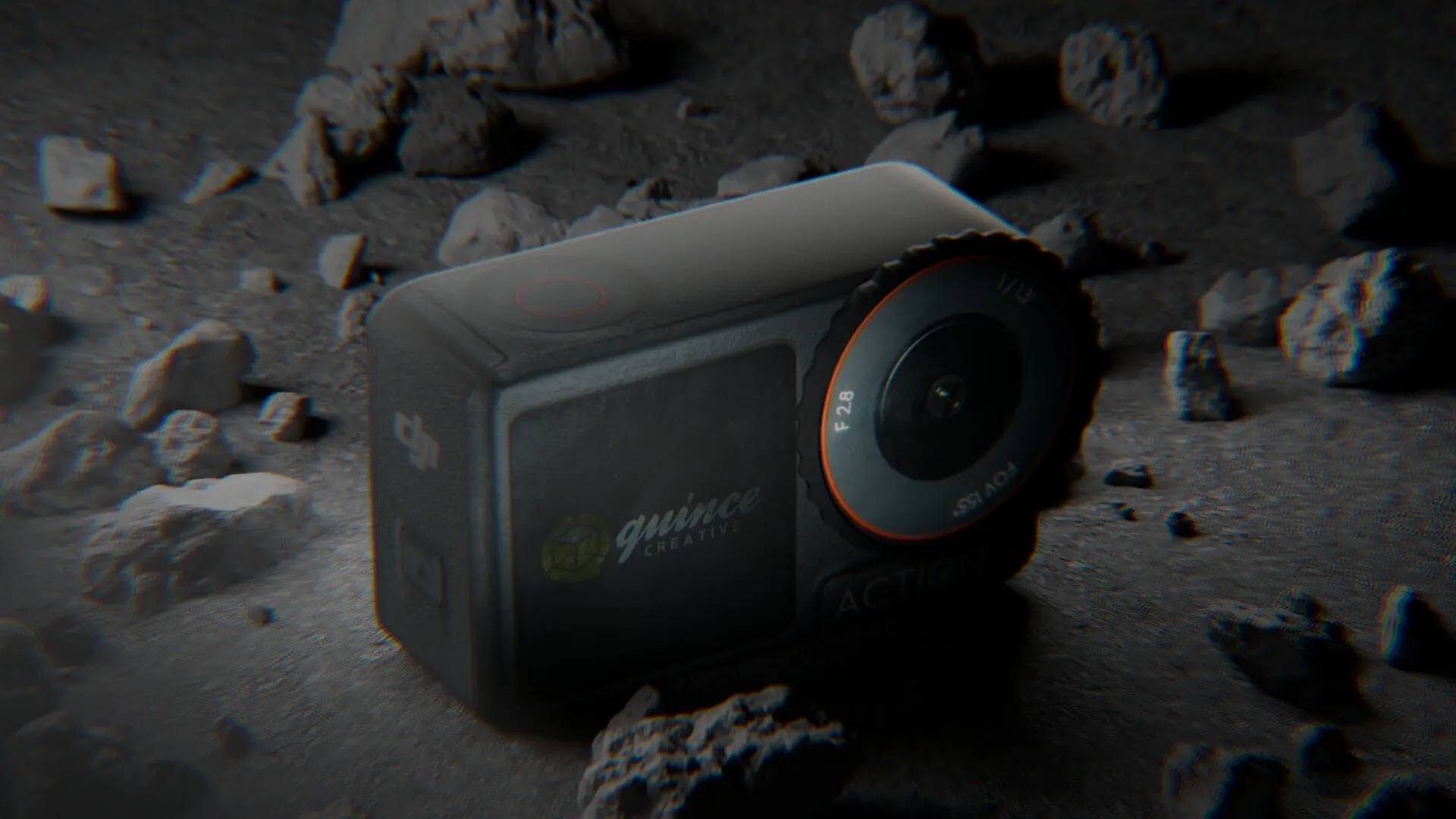
How DJI Uses 3D Product Animation to Launch a Product Almost Every Month
Teaser, Reveal, Product Page: Inside the System Behind Nine Launches a Year
It feels like DJI launches something new every week, and that’s not far off. In 2026 alone the company has shipped the RS 5, the Avata 360, the Power 1000 Mini, the Osmo Pocket 4 and Pocket 4 Pro, the Lito 1 and Lito X1, the Mic Mini 2 series, and the Osmo Mobile 8P, roughly a launch every six weeks, across drones, gimbals, cameras, audio and power.
Every one of those arrives with a full visual package: a teaser, a reveal film, a product page built from feature animation, and cutdowns for social. At our agency we’ve been building 3D product animations for hardware brands since 2012, and what actually interests us about DJI isn’t the volume. It’s that a €159 gimbal accessory and a flagship drone look like they came from the same room, in the same week. Nobody builds nine bespoke campaigns a year from scratch, DJI has built a system, and it’s one a smaller brand can copy.
Here’s how it works.
First, some context on the company
Frank Wang built DJI’s first product in a Hong Kong University of Science and Technology dorm room in 2006, and it wasn’t a drone at all, it was a flight controller board called the XP3.1, sold to hobbyists building their own RC helicopters. The name, Da-Jiang Innovations, translates roughly as “Great Frontier.”
Twenty years later, DJI holds over 70% of the global commercial and civil drone market, with consumer share reaching as high as 85% in some categories, on revenue of around CN¥80 billion, roughly US$11.5 billion, in 2025. The company has never pursued an IPO, and Wang has kept tight control of its direction.
Now the number that matters for this article. In 2026 alone, DJI has shipped the RS 5, the Avata 360, the Power 1000 Mini, the Osmo Pocket 4 and Pocket 4 Pro, the Lito 1 and Lito X1, the Mic Mini 2 series and the Osmo Mobile 8P.
That’s a launch roughly every six weeks, across five product categories. Nobody art-directs nine campaigns a year from scratch. They built a template instead.
The launch inventory: what DJI actually makes each time
| Asset | Treatment | Job it does |
|---|---|---|
| Teaser | 10–15s clip, one visual idea | Publish a date, create anticipation |
| Reveal | Short rotation on black | Show shape, materials, controls |
| Product page features | Short loops, one per claim | Prove the specs |
| Colourway set | Pre-rendered stills | Let the buyer choose |
| Comparison grid | Matched stills across the range | Position within the catalogue |
| Social cutdowns | 9:16 and 1:1 reframes | Feed the channels |
| “Shot on DJI” reels | Real footage | Prove what the camera does |
Note the last row. The product is always CGI. The footage is always real. DJI renders what the product is, and never renders what the product does. That line never blurs, and it’s the reason nobody accuses them of faking anything. Want the same kind of asset list for your own launch? Our free product launch asset planner builds it for the channels you are actually selling on, with dimensions for each format.
1. The teaser: the cheapest asset in the entire campaign
Before a DJI product exists publicly, there’s a short clip, usually under fifteen seconds: logo, date, time zone, one visual idea. What changes launch to launch is how much of the product you’re actually allowed to see.
Published: Jan 22, 2026
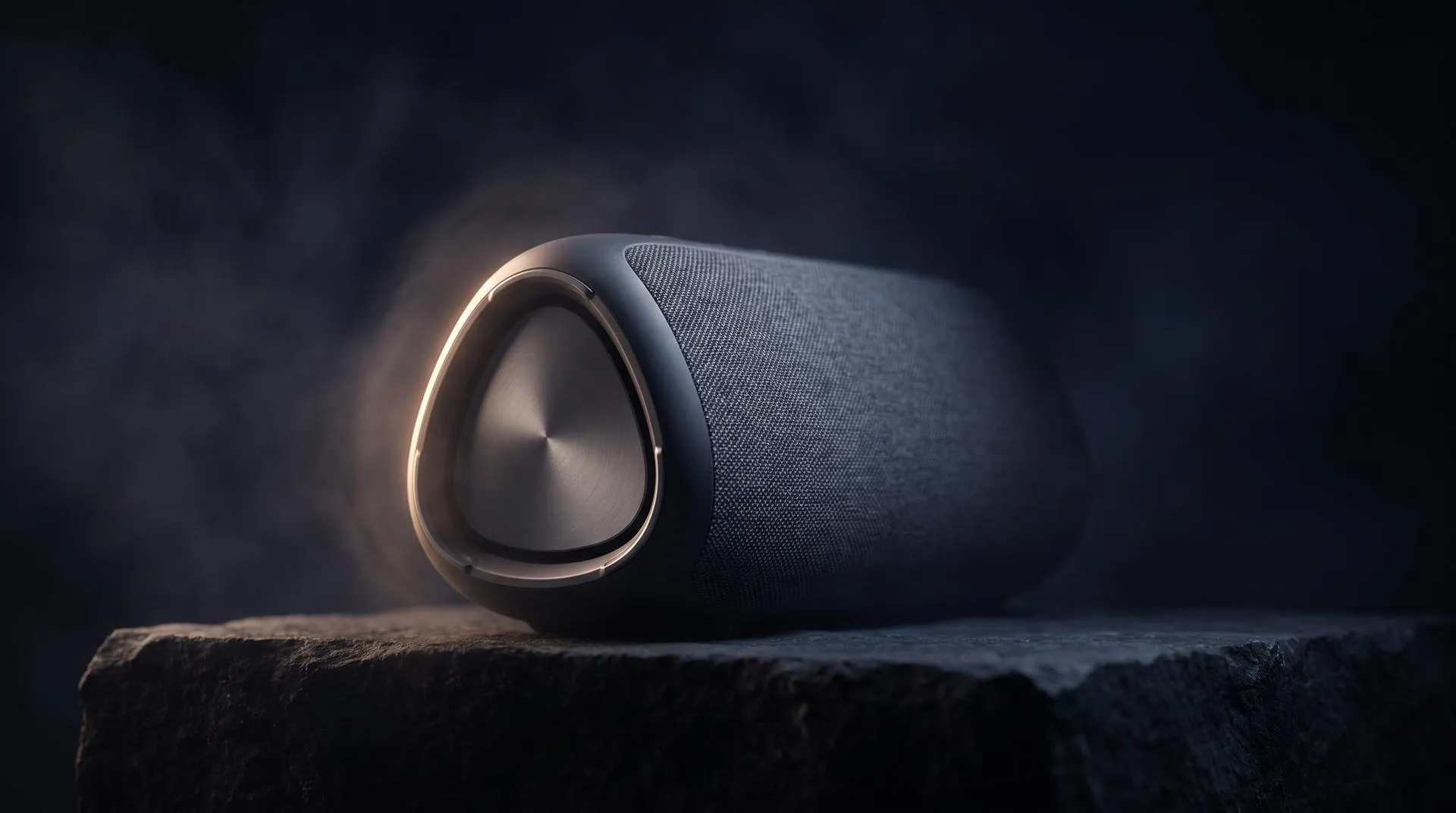
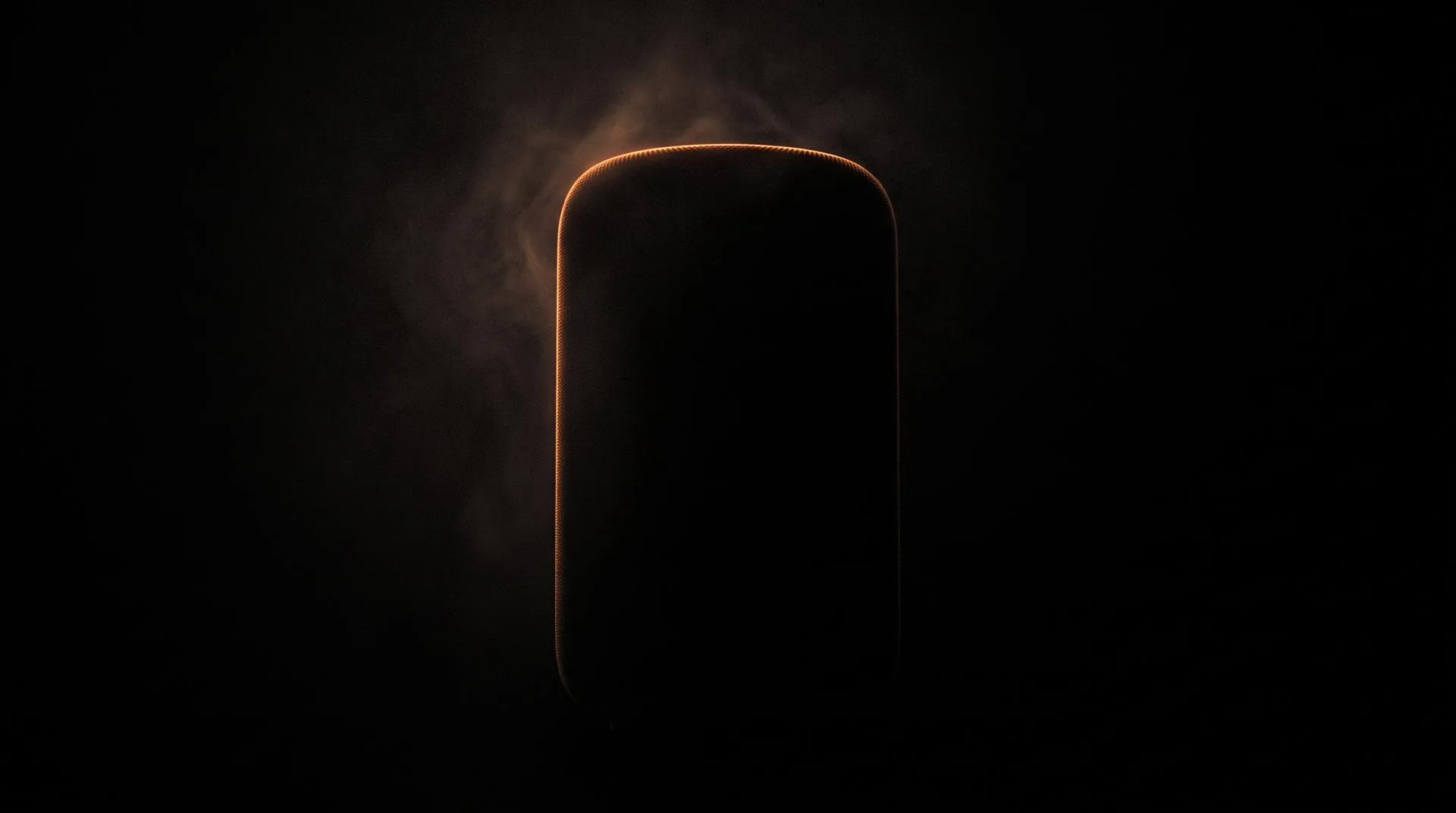
At the closed end, you get a fragment, a single lens element in macro, coatings throwing off spectral colour, or a pure silhouette with one glowing light bar. Sometimes it’s a puzzle: a transparent capsule holding a rotating name tumbler, spinning through FLIP, NEO and AVATA before landing.
Published: Apr 28, 2026
At the open end, the product is simply there. The Osmo Pocket 4 teaser shows both colourways on black, screens lit and running real footage, nothing hidden, because the teaser’s job was never to hide the product. Its job is to carry a date.
Published: May 8, 2026
The choice isn’t random. A new category or a genuinely new form factor earns the mystery treatment, since curiosity is the asset and a fragment buys a week of speculation. A successor in an established line doesn’t need it; nobody has to guess the shape of the next pocket gimbal, so showing it in full converts interest straight into pre-order intent and gets ahead of the leak photos.
It’s also a production decision. A concealed teaser needs one beautifully modelled component and can go into production while the rest of the CAD is still moving. A full reveal needs the finished model, approved colourways and correct screen content, it’s short, but it isn’t early, and it’s the version that slips when a schedule is tight.
2. The Reveal Is a Rotation, and That’s Enough
When the product lands, the format simplifies again: a few seconds of it floating, rotating, fully lit, against an empty field. No copy required, a slow turn with correct materials answers what shape it is, what it’s made of, and where the controls sit. Because the move is standardised, the same setup produces it for the next launch, and the one after that.
3. The product page isn’t a teardown gallery
Go down the Osmo 360 spec list,The feature list runs: 1-inch 360° imaging, native 8K 360° video with low-light performance, 120MP 360° photos, the Osmo magnetic quick-release ecosystem, 4K/120fps boost video, direct microphone connection, 100 minutes of continuous 8K/30fps recording, and 10-bit D-Log M colour.
Read that as a production brief rather than a spec sheet. Two sensors sit buried inside a body the size of a matchbox. The magnetic mount works through a sealed shell. Continuous recording for 100 minutes is a thermal and battery claim with nothing to see at all. Not one of those can be photographed.
The product are cleanly rendered, turning slowly, shown next to their accessories, repeated across colourways. Short loops, one idea per section.
The smartest example is the magnetic mount. When the quick-release clicks onto the base of the camera, the housing stays whole and opaque, and for about a second, two magnets and the mounting thread glow through it in a single accent blue, with small particles indicating the pull. Then the glow fades and the product is solid again.
There’s an interactive layer too: DJI’s store app offers a virtual flight you can try online for free before buying, real-time 3D doing something no video can, letting someone operate the product before they own it. Same principle as the 3D product configurators we build for brands with multiple finishes, running on the same asset that produced the renders above it.
This is the part worth studying, because it isn’t one technique. It’s a handful of them
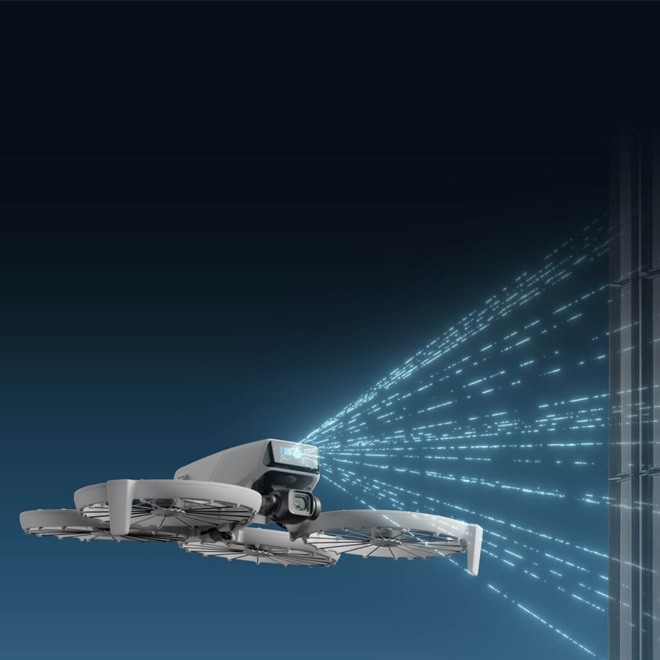
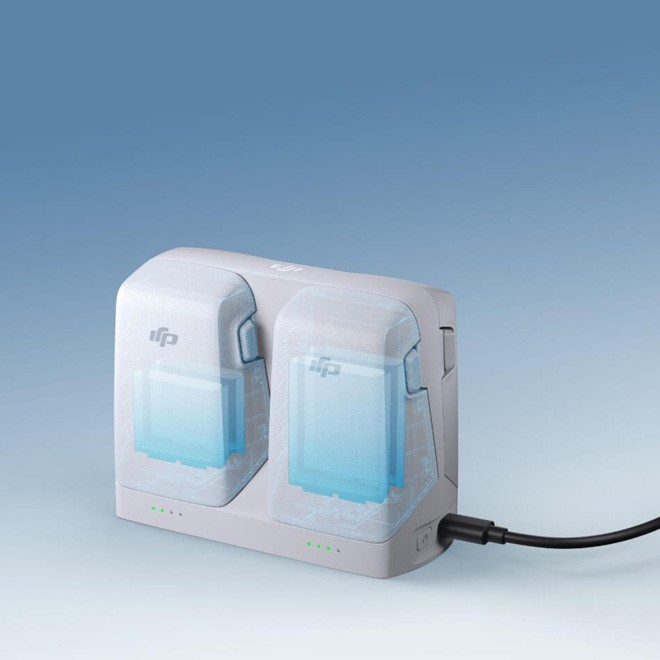
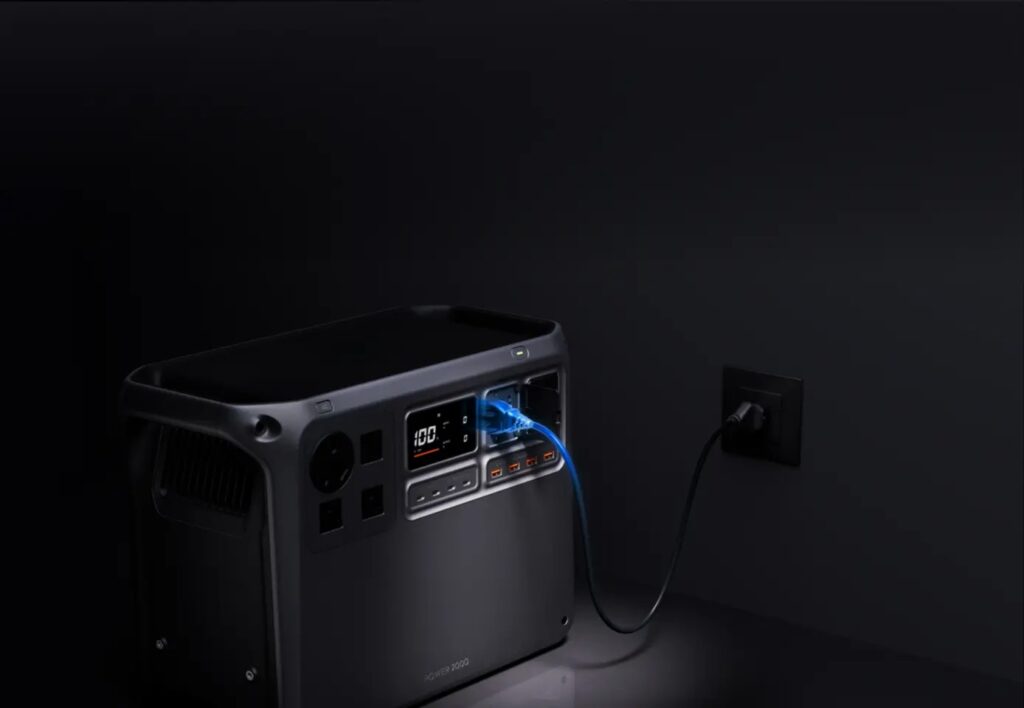
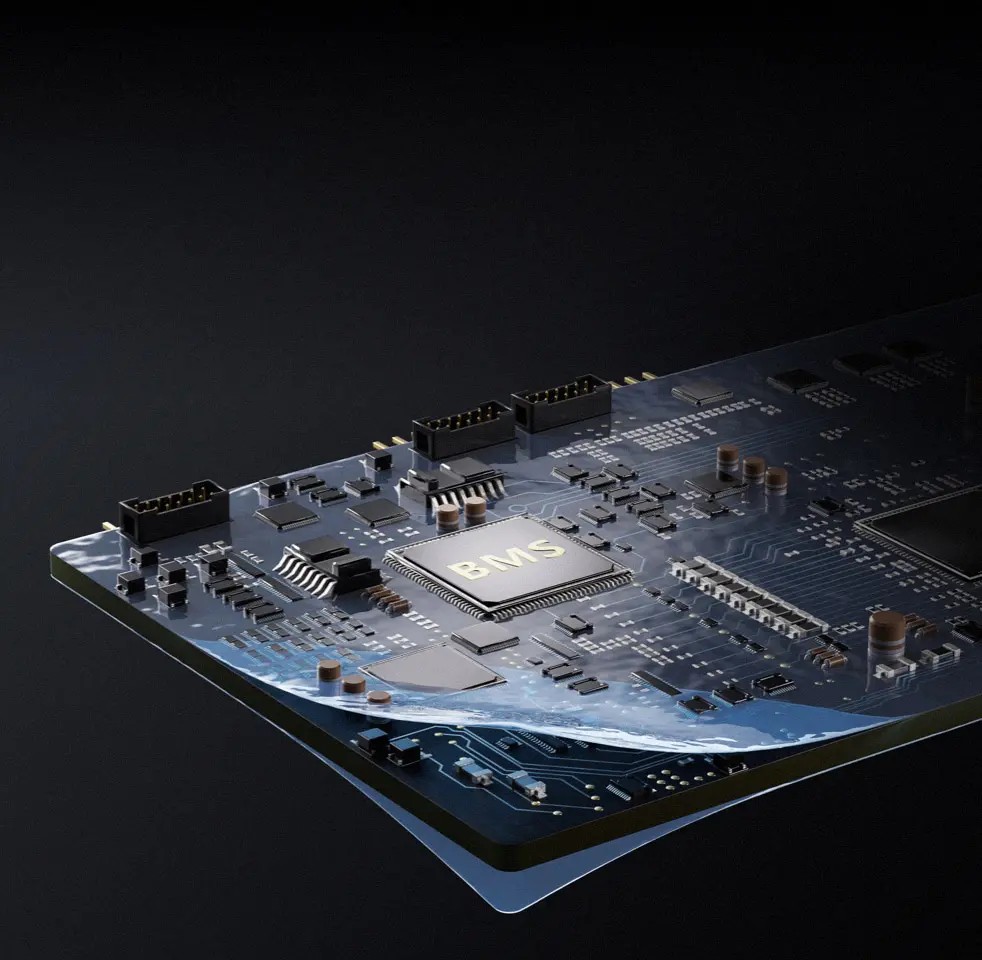
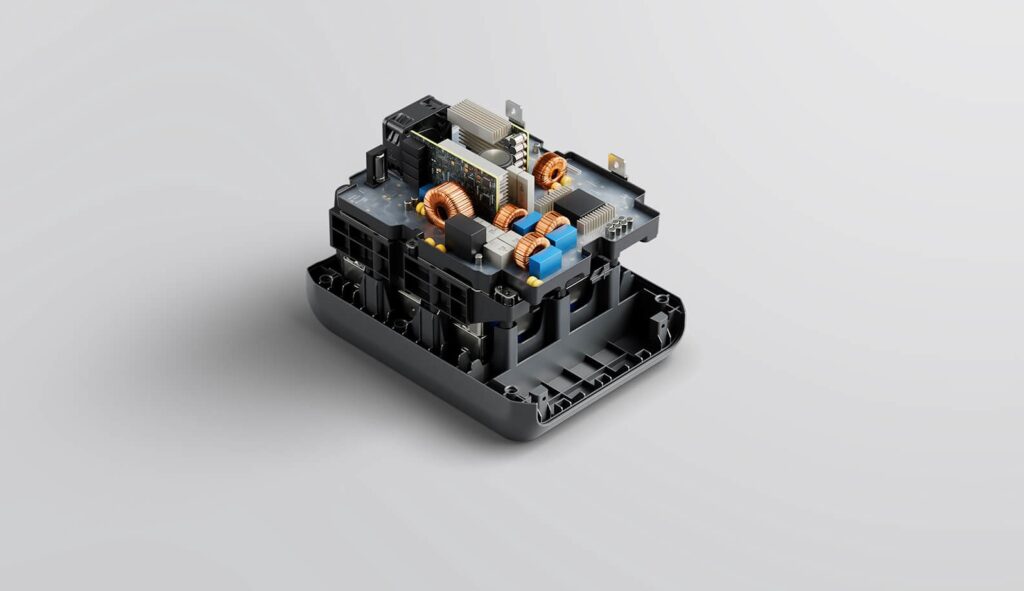
Ghosted housing. On the charging hub, the shell turns semi-transparent and the batteries glow blue inside it. Nothing is opened or exploded, the exterior model simply becomes translucent, and only the parts being discussed exist underneath.
Beams and particles. Obstacle detection has no physical appearance, so it gets an invented one: dashed cyan lines fanning from the drone toward a wall. Costs almost nothing, and works because the language is consistent.
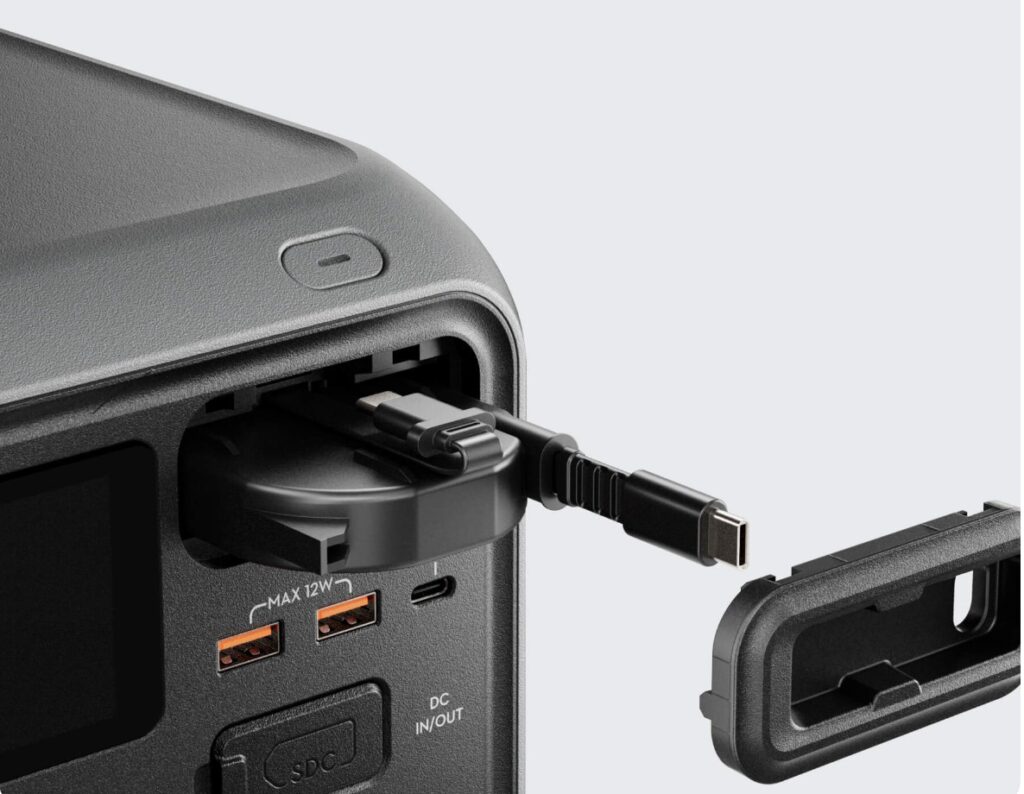
Macro interaction. A port cover peels back and a USB-C cable approaches the socket, close enough to read “MAX 12W” in the plastic. No environment, no effect, one of the cheapest shots on the page and one of the most persuasive, because it answers a real buying question.
Energy flow. The power station sits in a dark room plugged into a wall socket, blue light travelling up the cable. Here the product finally gets an environment, and it earns one: a socket is the context that makes “charging at home” legible.
Metaphor. A wave of water washes across the BMS board. Nothing about battery management is visible in reality, so the render supplies a feeling instead, protection, cooling, something kept safe.
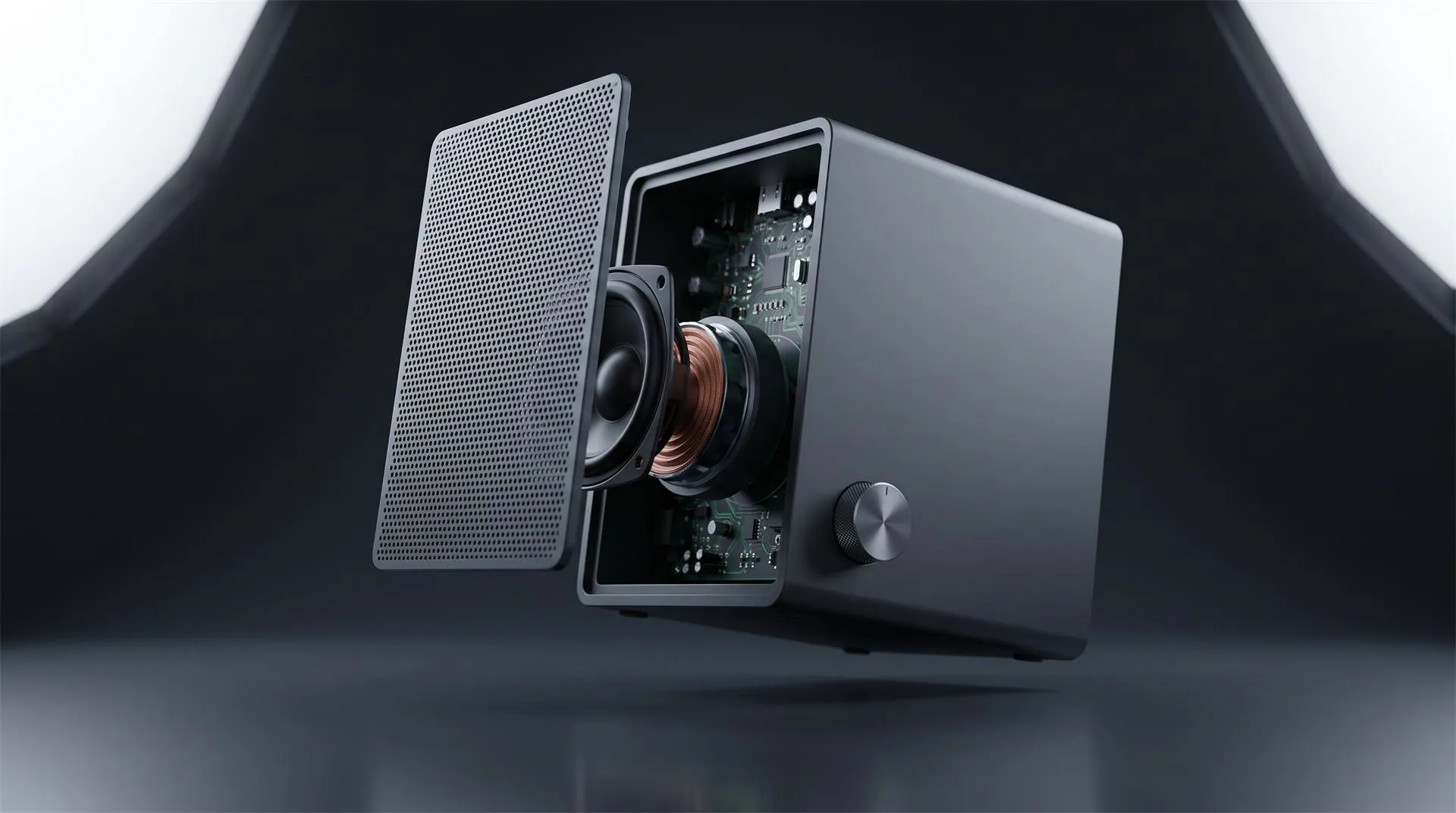
And occasionally, the real teardown. The power station’s internals lifted out of the lower shell: PCB, copper inductors, heatsinks, capacitors, all properly modelled.
One accent colour holds it together
The same cyan appears in every one of those shots, ghosted batteries, sensing beams, flowing charge, water over the board, and never on the product itself. Blue means this is an explanation, not the object. The audience learns it in about two seconds, and after that DJI can drop a diagram into any shot without confusing anyone.
What it means for your budget
| Technique | What it needs | Cost |
|---|---|---|
| Ghosted housing | Exterior model + 2–3 internal parts | Low |
| Beams / particles | Exterior model only | Low |
| Macro interaction | Exterior model, close detail | Low |
| Energy flow | Exterior model + simple environment | Medium |
| Metaphor (water, light) | Exterior model + simulation | Medium |
| True exploded internals | Full internal CAD | High |
Only the last row pushes you into the “very technical object” bracket on our pricing calculator a $2,000 modelling line instead of $200–$800. Most brands assume they need it for every feature, DJI probably uses it once per product.
Planning your own launch?
At Quince Creative, our team brings over 20 years of specialised 3D CGI and animation expertise to hardware launches, from teaser loops and reveal films to full product-page animation and interactive configurators. Send us a STEP file and a launch date, and we’ll come back with a plan within 12 hours.
Related Articles
3D Product Animation Trends in 2026: What Brands Are Doing Now
Product Launch Video for Physical Products: Structure, Examples and Cost (2026)
Product Teaser Videos for Physical Products: What to Show, How Long and How to Make One From CAD (2026)
It Is 2026, Apple Puts AI in Every Device, and It Still Launched Its New Hardware With 3D Animation
3D Product Explainer Videos: Examples, Cost and How They Are Made (2026)
How Oura Uses 3D Product Animation to Sell a Titanium Ring
 Rachel A