
3D Product Animation Trends in 2026: What Brands Are Doing Now
Updated October 2026.
Most trend lists about 3D animation are written about the animation industry. New character rigs, stylized film looks, motion capture tools. All interesting, and almost none of it useful if your job is to launch a speaker, a monitor or a medical device next spring.
This list is written from the buyer’s side. Over the past year we published teardowns of launch films and product pages from Apple, DJI, Oura, Logitech and others, to see what brands with serious budgets actually do when a physical product goes to market. None of them are our clients. We studied their public launch material. Five patterns kept repeating.
None of the five needs an Apple budget. For each one, we will say what it costs to adopt and when you should skip it. And if you have an in-house designer producing good KeyShot stills but no animator, you are closer to most of these than you think.
1. Is AI replacing 3D product animation?
No. AI moved into the pipeline and stayed out of the product shot. That is the clearest pattern of the year, and it comes from the brands best placed to do the opposite.
Apple has more AI capability than almost any hardware company, and its 2026 launch films still present the product as CAD-based 3D, with geometry, finishes and mechanisms that match the engineering. We went through the reasons in why Apple still launches in 3D, not AI. The short version: a 3D scene can be re-rendered with a new camera, a new color or a new format, and the product stays identical every time. A generative model cannot promise that.
The counterexample is just as instructive. When we compared a Logitech Rally Bar film with Samsung’s AI-generated ads, the AI footage showed bent wires and deformed pins in chip close-ups, and objects that disappeared between scenes. On a product whose selling point is precision, that is an expensive kind of mistake.
Where AI does earn its place is upstream: concept exploration, mood boards, storyboards, background plates. The line to hold is that an AI image of your product is a picture, not a scene, which is why an AI product image cannot become a 3D video.
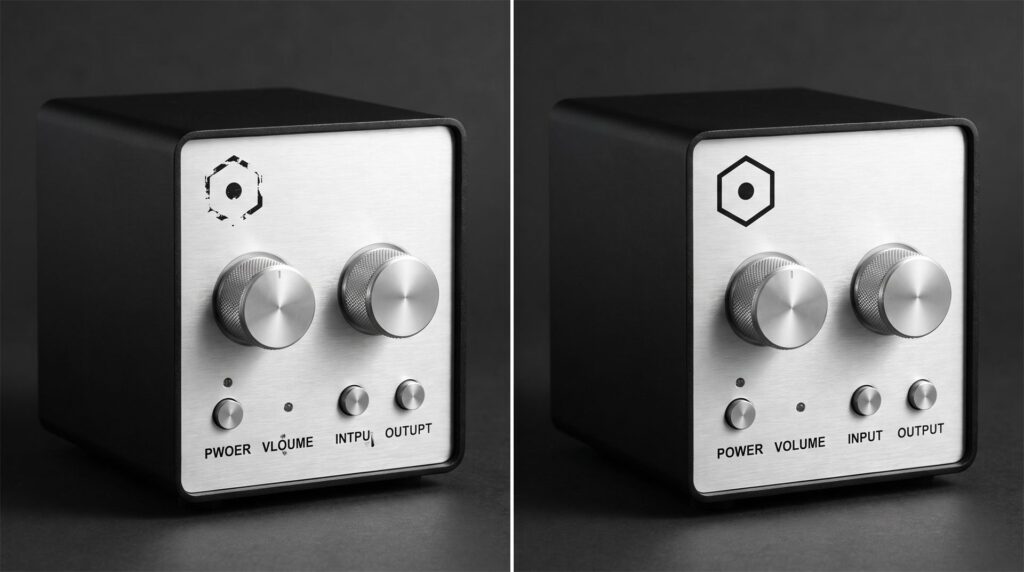
Same device, same angle. A generator guesses at the printed details, so logos break and labels turn into near-words. A 3D model carries the real artwork as a texture, so it is identical in every shot.
2. Are brands still making one launch video?
The brands that launch often have stopped making videos and started building systems. A launch is no longer one film. It is a fixed inventory of assets, produced from the same 3D model, on a template.
DJI is the plainest example. By our count in the teardown, it shipped a product roughly every six weeks this year, and each launch arrives with the same set: a 10 to 15 second teaser, a reveal rotation, feature animations, color variants, a comparison grid and social cutdowns. The details are in how DJI uses 3D product animation. Nothing in that inventory is bespoke, which is exactly why the pace is possible.
The logic underneath is that one master model feeds everything: catalog stills, 360 views, marketplace image sets, exploded views, the hero animation, colorways, and web or AR versions. We laid out that math in our piece on building a reusable 3D product asset library.
Two honest caveats. If you launch one product every two years, you do not need a system. You need one good film. And the system only works if you own the 3D scene. Receiving rendered images and a finished video does not mean you received the model and scene file behind them, so agree on that in writing before the first project, not when you need the second.
If your designer already builds scenes in KeyShot, that scene is the first asset in your library. You are not starting from zero.
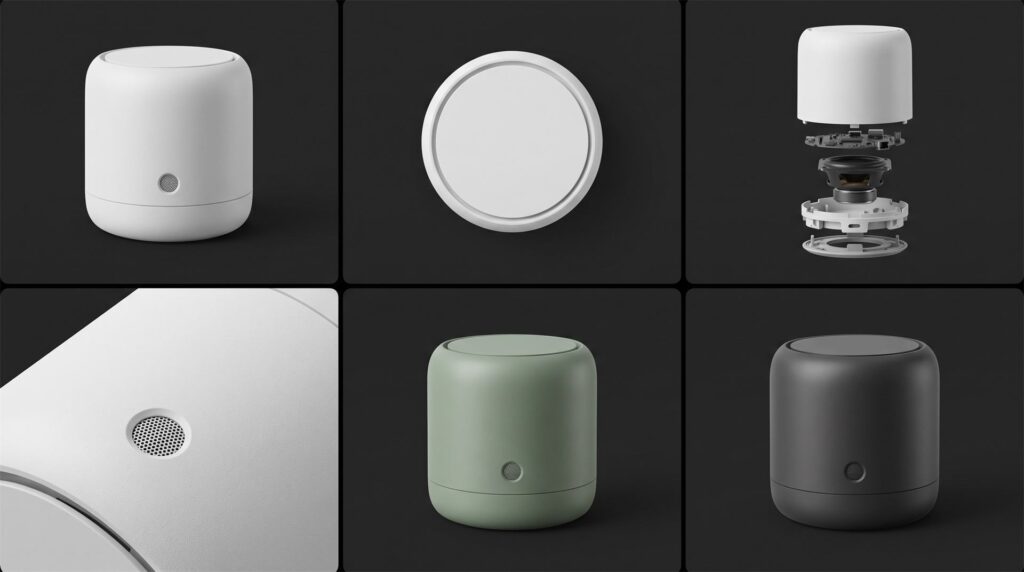
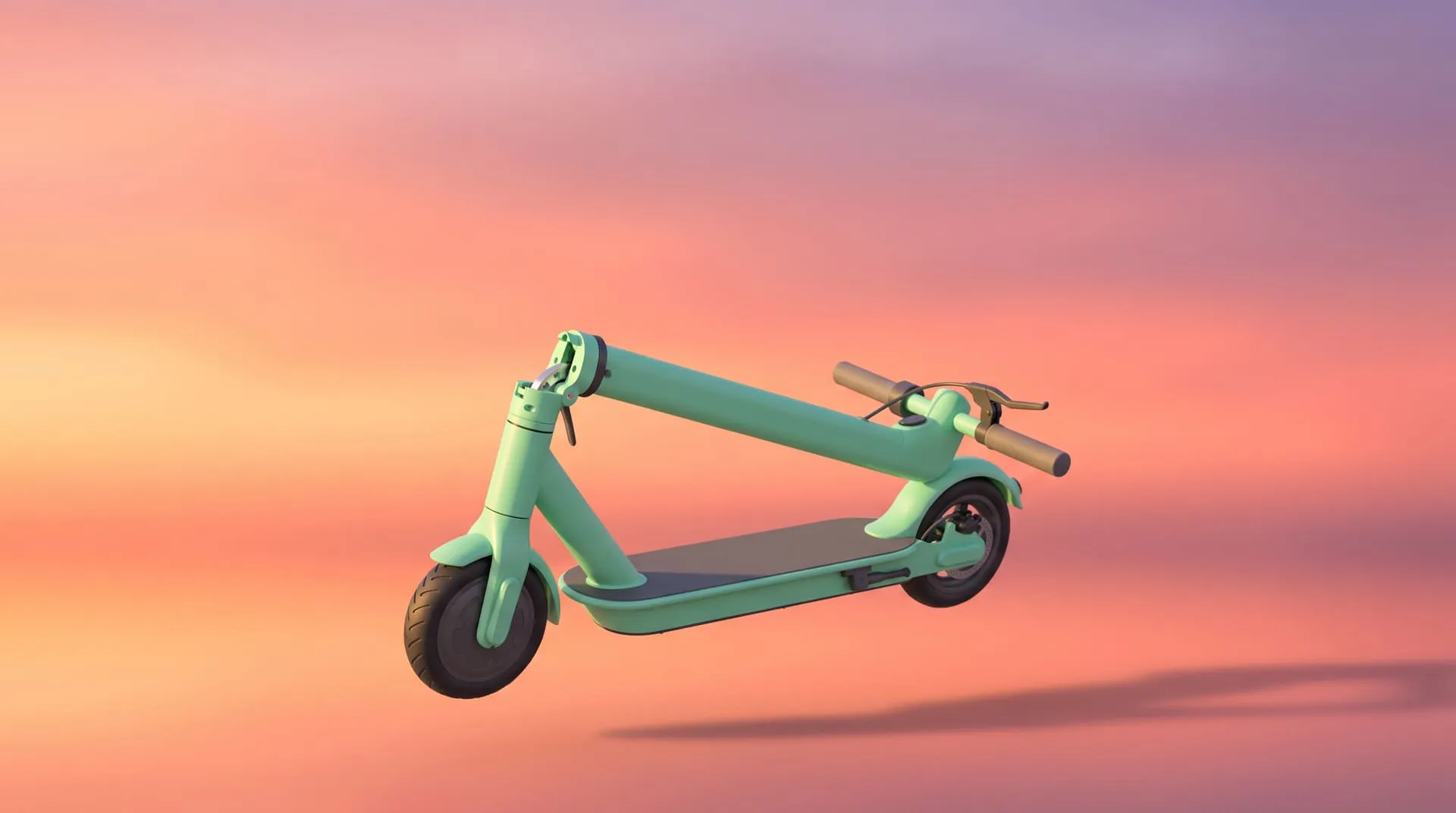
One model, six outputs. The second launch costs less than the first because most of this already exists.
3. Is everything in a launch film CGI now?
No. The pattern is a rendered product and real footage of what the product does. The DJI teardown put it in two sentences: the product is always CGI, the footage is always real. The hardware is rendered, because rendering gives total control over materials and light. The result the hardware produces is filmed, because that is where credibility lives.
The same teardown found a quieter habit worth copying: one accent color reserved for explanatory graphics, so the viewer can always tell an overlay from the actual hardware. It costs nothing and it keeps a technical film honest.
For your own launch, the rule of thumb is simple. Render the object. Film the outcome. If your product takes a photo, cleans a floor or plays sound in a room, show the real thing happening.
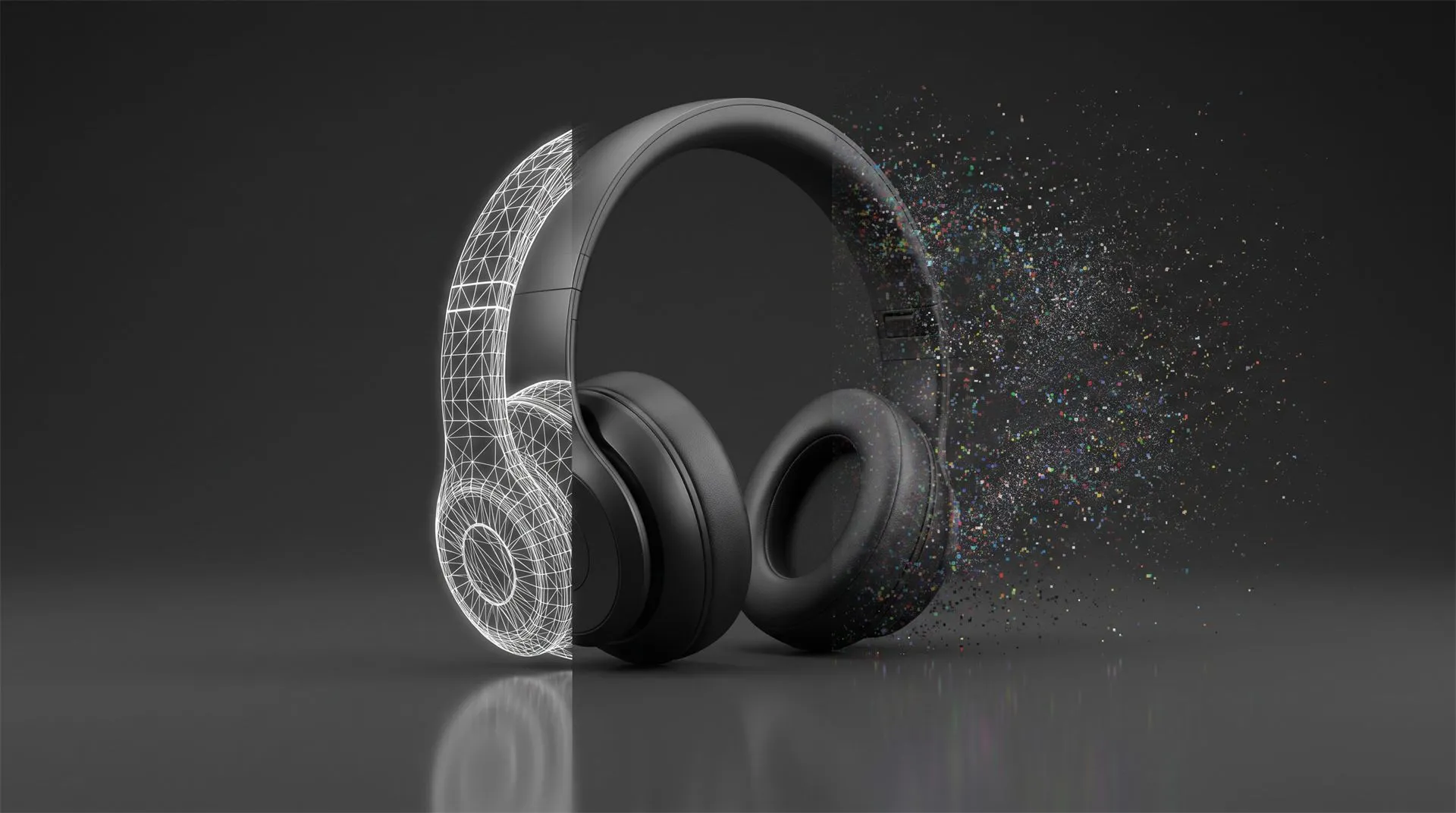
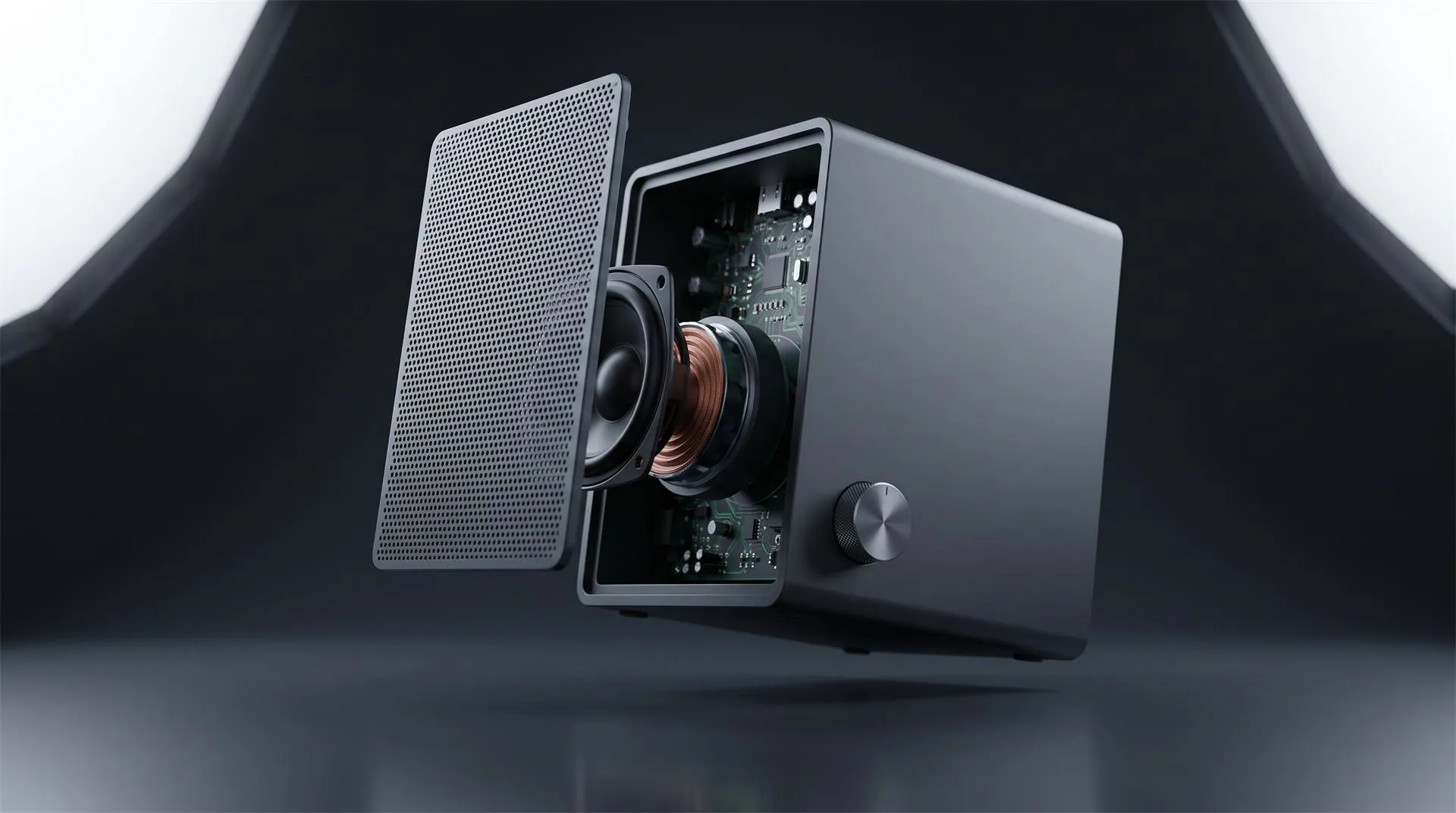
On budget, the techniques that reveal internals without a full rebuild, such as a ghosted housing, particles or macro moves, stay relatively inexpensive. The cost climbs when every internal component has to be modeled. In our pricing that is the difference between $200 for a model built from your supplied CAD and $2,000 for a very technical object built without it.
And if the product already exists and films well, footage of real people using it does work that CGI cannot. Not every launch needs a render.
4. Where is 3D showing up on the product page?
In two or three short loops, placed only where a still image cannot do the job. The surprise in our teardown of Oura’s product page was how little moves. Three animated sequences on the entire page: a six second sensor reveal, a charging loop, and little else. The finish selector is six pre-rendered stills, not a live 3D configurator.
That restraint is the trend. Motion goes where the value is hidden, and everything else stays a fast, static image.
Two practical notes if you plan this. Page loops have to work silent, because that is the condition browsers set: Chrome’s autoplay policy states that “muted autoplay is always allowed,” while sound depends on the visitor’s interaction. And if you do need true real-time 3D, for a configurator or AR, the delivery format is glTF, which Khronos describes as “the JPEG of 3D” and which has been an ISO/IEC international standard since 2022. Google’s open source model-viewer exists to “easily display interactive 3D models on the web & in AR” from that format.
Be honest about whether you need it, though. For a single product in a handful of finishes, pre-rendered stills per finish are simpler to build and simpler to maintain than a configurator. Oura made that choice with far more budget than most.
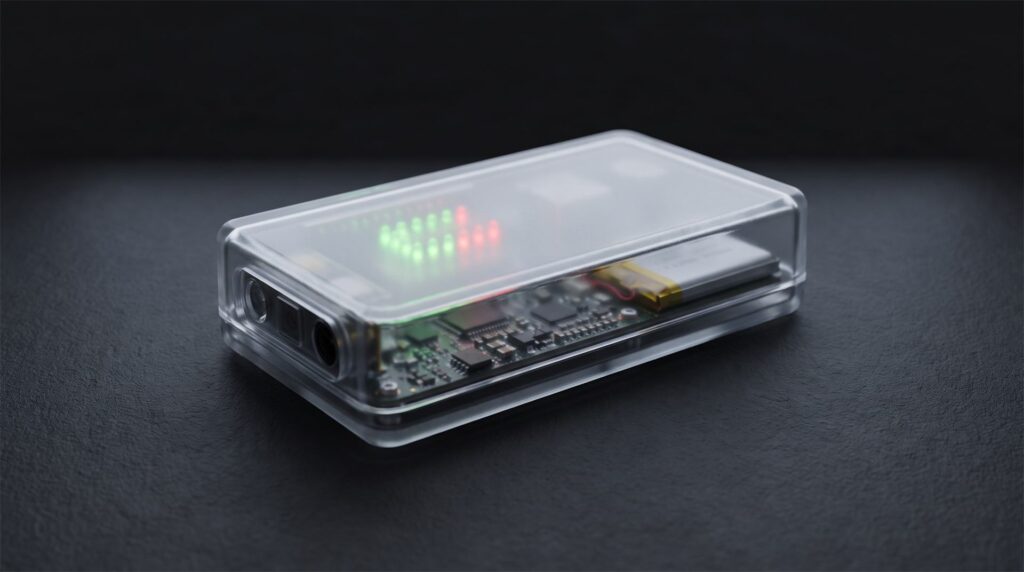
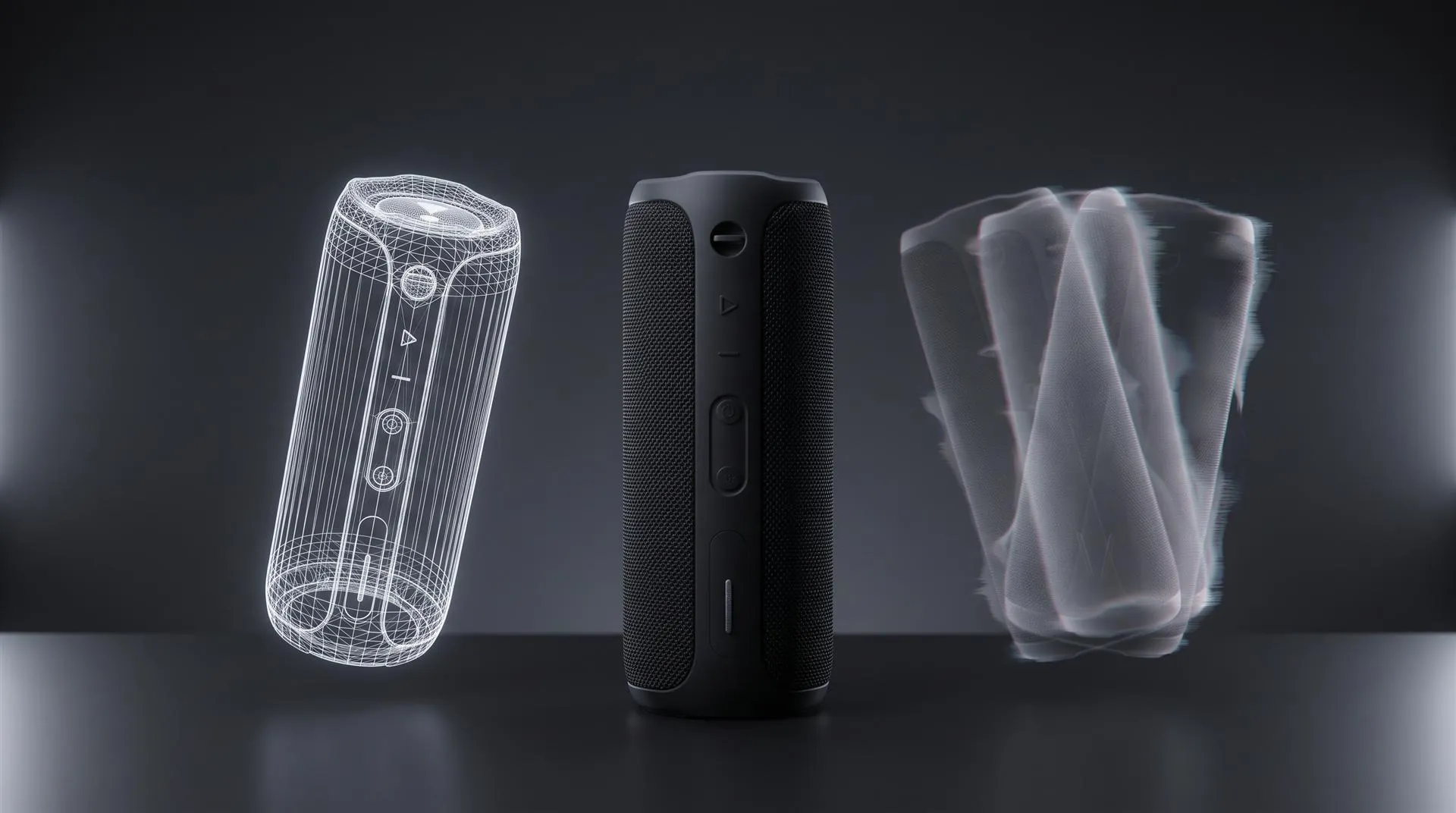
A ghosted housing shows what is inside without modeling every internal part in full. It is one of the cheaper ways to earn a loop on the page.
5. Is a vertical version just a crop?
No. Vertical is now planned as its own deliverable, and often the first one. TikTok’s own ad specifications list 9:16 as the recommended format, with 1:1 and 16:9 as the alternatives. The feed is vertical, so the ad is vertical.
What changed this year is the order of operations. Brands used to finish a 16:9 film and cut it down. Now the vertical version is composed inside the 3D scene from the start, because a product that reads well across a wide frame often stacks badly in a tall one. We covered the ad side of this in 3D product ads for Meta and TikTok: fifteen to thirty seconds, the hook in the opening frames, and one master asset turned into many variants through camera, color and format.
The production fact to plan around is that changing aspect ratio means reframing the camera in the scene. It is real work, not an export setting, which is why each extra ratio is a separate line: $250 on a video, $100 on a stills set.
The honest limit: for some products and audiences, user-shot footage and live action still outperform polished 3D in paid social. Test both before committing a quarter’s budget to either.
The five trends at a glance
| Trend | What it looks like | Skip it if | What it costs to adopt |
|---|---|---|---|
| AI upstream, CAD in the product shot | Concepts and mood boards from AI, final product pixels from your CAD | You only need mood content with no product accuracy | A short CAD-based animation is $1,200 with your CAD supplied |
| A launch system, not a launch video | The same asset inventory every launch, from one master model | You launch once every couple of years | A stills set from an existing model is $550 |
| Rendered product, real footage | Hardware in CGI, results filmed | The product exists and films well on its own | The rendered half is priced like any animation, the footage is yours to shoot |
| 3D on the product page | Two or three silent loops where stills fall short | Photos already answer every buyer question | A 10 to 30 second loop sits in the same $1,200 band |
| Vertical as its own deliverable | 9:16 composed in the scene, not cropped | You do not run paid social | $250 per extra aspect ratio on video, $100 on stills |
Those totals are additive. The $1,200 animation is $200 for a model from your supplied CAD, $500 for a 10 to 30 second length, and $500 for a plain background. The $550 stills set is $200 for the model, $250 for up to ten images, and $100 for a plain or transparent background. Without usable CAD, the model runs $400, $800 or $2,000 depending on complexity. With CAD supplied, a roughly 30 second animation typically takes about 10 to 15 days, and a set of around ten stills up to a week.
Which of these applies to you?
-
Does the product physically exist yet? If not, CAD-based animation is the only accurate way to show it. Start with trend 1 and keep AI for the mood board.
-
How many launches or SKUs are coming in the next 12 months? Three or more, and the system in trend 2 pays for itself. One, and it does not.
-
Does your product produce a result you can film? If yes, film it and render only the hardware, as in trend 3.
-
Is the value visible from the outside? If the reason to buy is hidden in the housing, one or two page loops from trend 4 are worth more than a longer film.
-
Do you run paid social? If yes, list the vertical version in the first brief, as in trend 5, not as an afterthought.
What to prepare before your next launch
-
Your CAD assembly or KeyShot scene, with the part structure intact
-
A list of every asset you produced for the last launch, which is your inventory
-
Colorways and finishes by actual spec
-
Every channel and aspect ratio you will publish in, listed upfront
-
Real footage you already have, or can shoot, of the product doing its job
-
Brand rules for on-screen graphics, including one color reserved for explanation
-
A written agreement on who owns the 3D scene and model after delivery
Common mistakes
Letting AI generate the product itself. Use it for everything around the product. The moment it invents your port layout, you have published an inaccurate product image under your own brand.
Commissioning a film and never securing the scene. The system in trend 2 is impossible if the model stays with the vendor. Owning the video is not owning the 3D file.
Animating everything on the page. Oura’s page moves in three places. Motion everywhere reads as noise and slows the page.
Treating vertical as a crop. A different aspect ratio needs the camera reframed inside the scene. Budget and schedule it as its own deliverable.
Building a configurator for one product. Pre-rendered stills per finish do the same job for less.
Rendering the result instead of filming it. Viewers forgive a rendered product. They do not forgive a rendered outcome presented as real.
FAQ
What are the main 3D product animation trends in 2026?
AI used for concepts but not for the product shot, launch systems built on one reusable model, rendered products combined with real footage, a few short loops on the product page, and vertical video planned as its own deliverable.
Is AI replacing 3D product animation?
Not for the product itself. Generative tools do not work from your CAD geometry, so details drift between shots. Brands use AI for concepts, mood and backgrounds, and keep the product in CAD-based 3D.
How much does 3D product animation cost in 2026?
With a usable CAD file supplied, a 10 to 30 second animation on a plain background is $1,200 with us. A stills set of up to ten images from an existing model is $550. Longer films, built 3D environments and models made without CAD cost more.
Do I need an interactive 3D configurator on my product page?
Usually not. For one product in a few finishes, pre-rendered stills per finish are simpler. A configurator makes sense when the number of combinations is too large to render in advance.
How long does a product animation take?
With a usable CAD file supplied, a roughly 30 second animation typically takes about 10 to 15 days.
Is this only for big brands?
No. The big brands are useful because their patterns are visible. The underlying idea, one accurate model reused across every channel, scales down to a single product and a small team.
Where to go from here
Send us your CAD file or KeyShot scene and tell us what you are launching and where. We will tell you which of these five are worth your budget, and which ones you can safely ignore this year.
Related Articles
Product Launch Video for Physical Products: Structure, Examples and Cost (2026)
3D Product Demo Videos for Physical Products: Examples, Cost and Process
CGI vs AI for Product Visuals: Key Differences, Cost and When to Use Each (2026)
3D Product Explainer Videos: Examples, Cost and How They Are Made (2026)
How Much Does 3D Product Rendering Cost in 2026? Per-Image Prices, What Drives Them and How to Pay Less
AI Product Video Generators vs 3D Animation: What They Get Right and Wrong for Physical Products (2026)
 Rachel A