
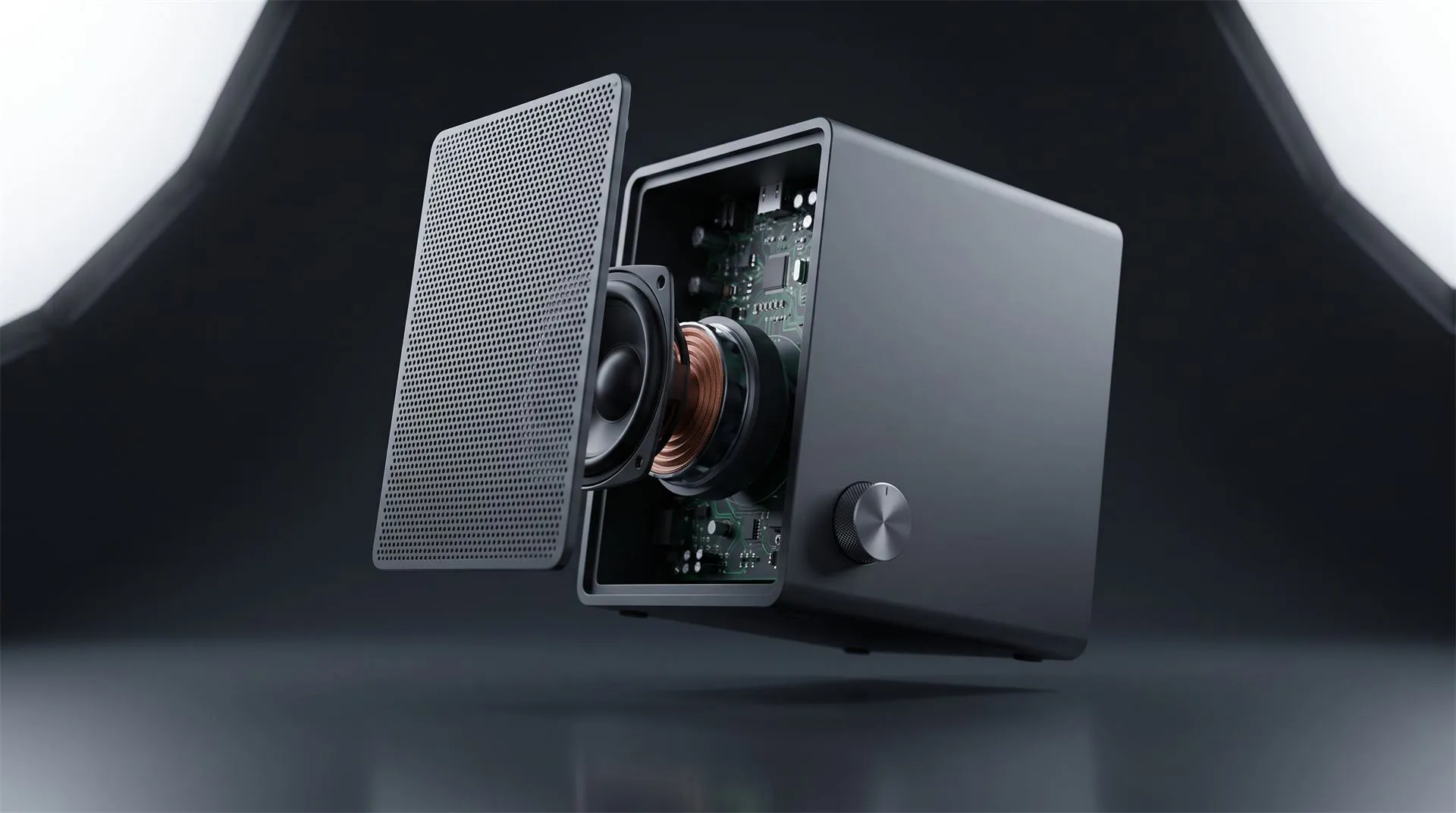
3D Product Explainer Videos: Examples, Cost and How They Are Made (2026)
You have a product that needs explaining. Not sold, not shown off, explained. The reason someone should buy it is a motor, a filter stage, a seal, a chipset, a layer of insulation, and all of it lives inside a housing that nobody is going to open in a store.
So you book a videographer. They light it beautifully. They shoot it from eight angles. And the footage shows exactly what the product looks like from the outside, which was never the problem.
That is the gap a 3D product explainer video fills. It can cut the housing away, slow the mechanism down, hold a part in mid air, and label it, because there is no physical camera and no physical limit. This article covers what one is, when 2D is the smarter buy, five real examples, and what it costs.
What is a 3D product explainer video?
It is a short animated video, built from your product’s 3D data, that exists to make one thing about the product understood. Not a launch film, which sells a feeling. Not a turntable, which shows shape. An explainer answers a question the buyer is actually stuck on: how does it work, how does it install, what is inside, why is this one different.
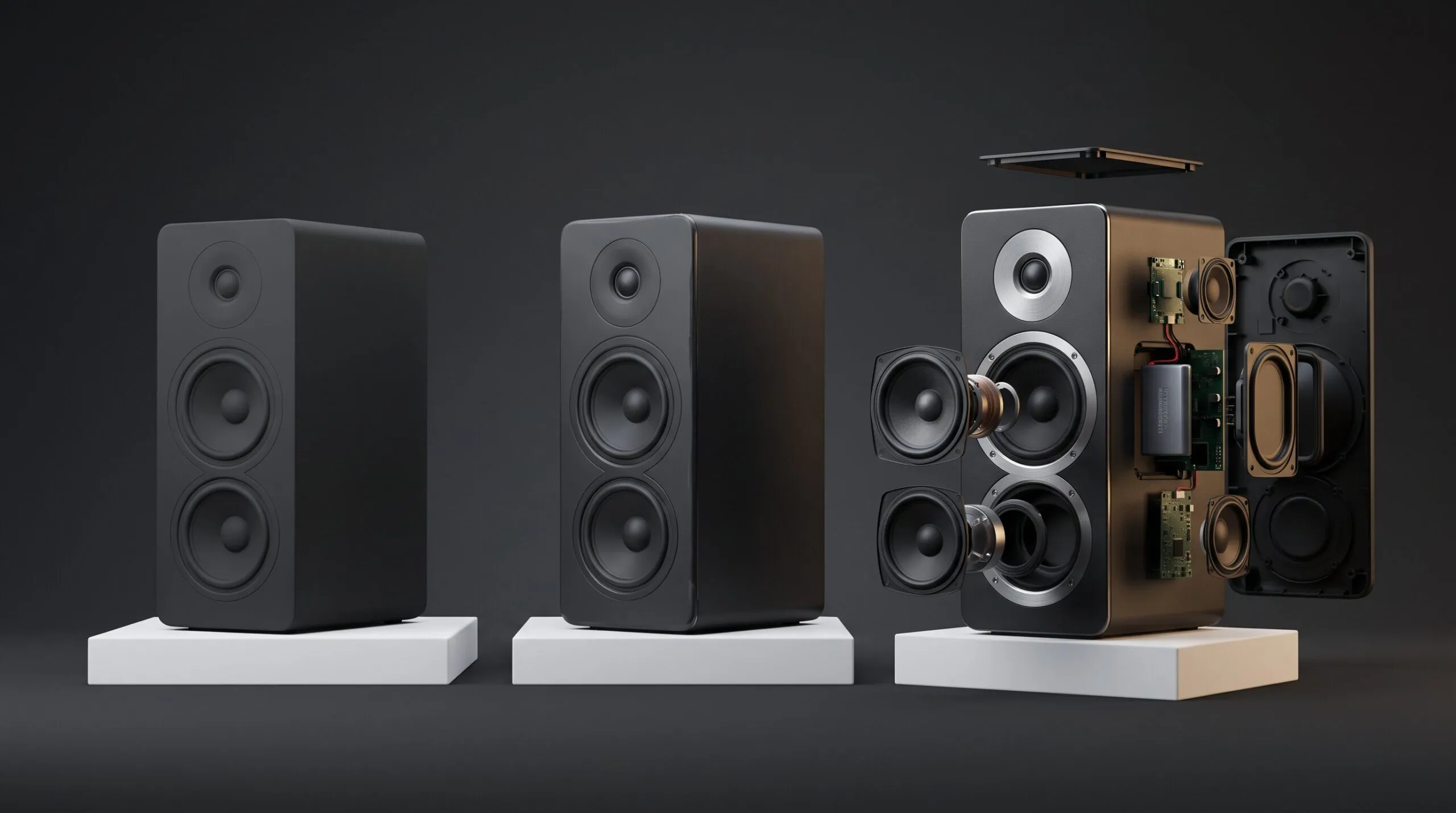
The practical difference from filmed video is control. You decide what is opaque and what is transparent, where the camera goes, what moves and what holds still, and how slowly a mechanism runs. A cutaway that would require destroying a production unit costs nothing extra in 3D, because the geometry is already there.
Most of these videos land between 30 seconds and two minutes. Longer than that and you are usually making a training module, which is a different job with a different script.
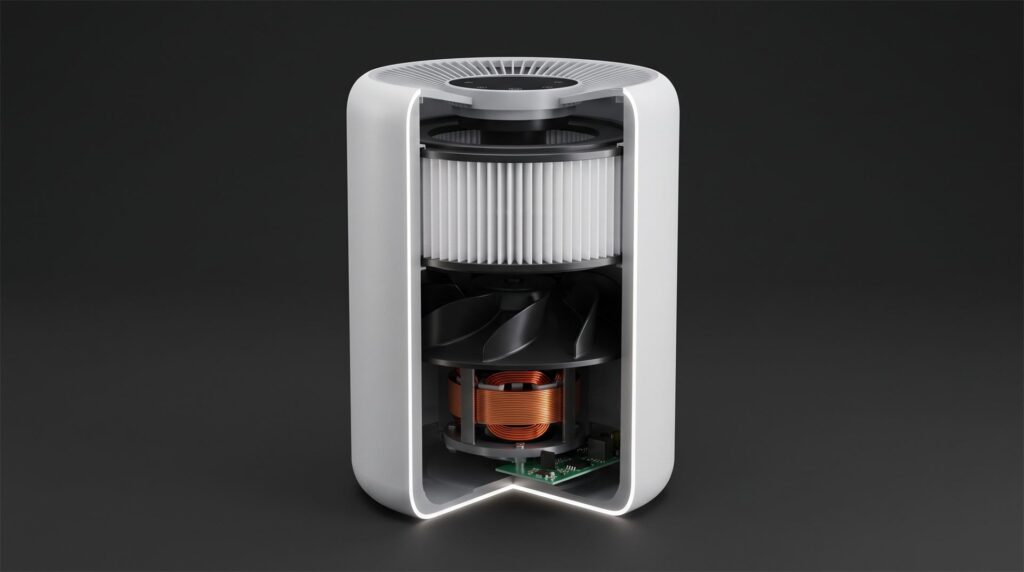
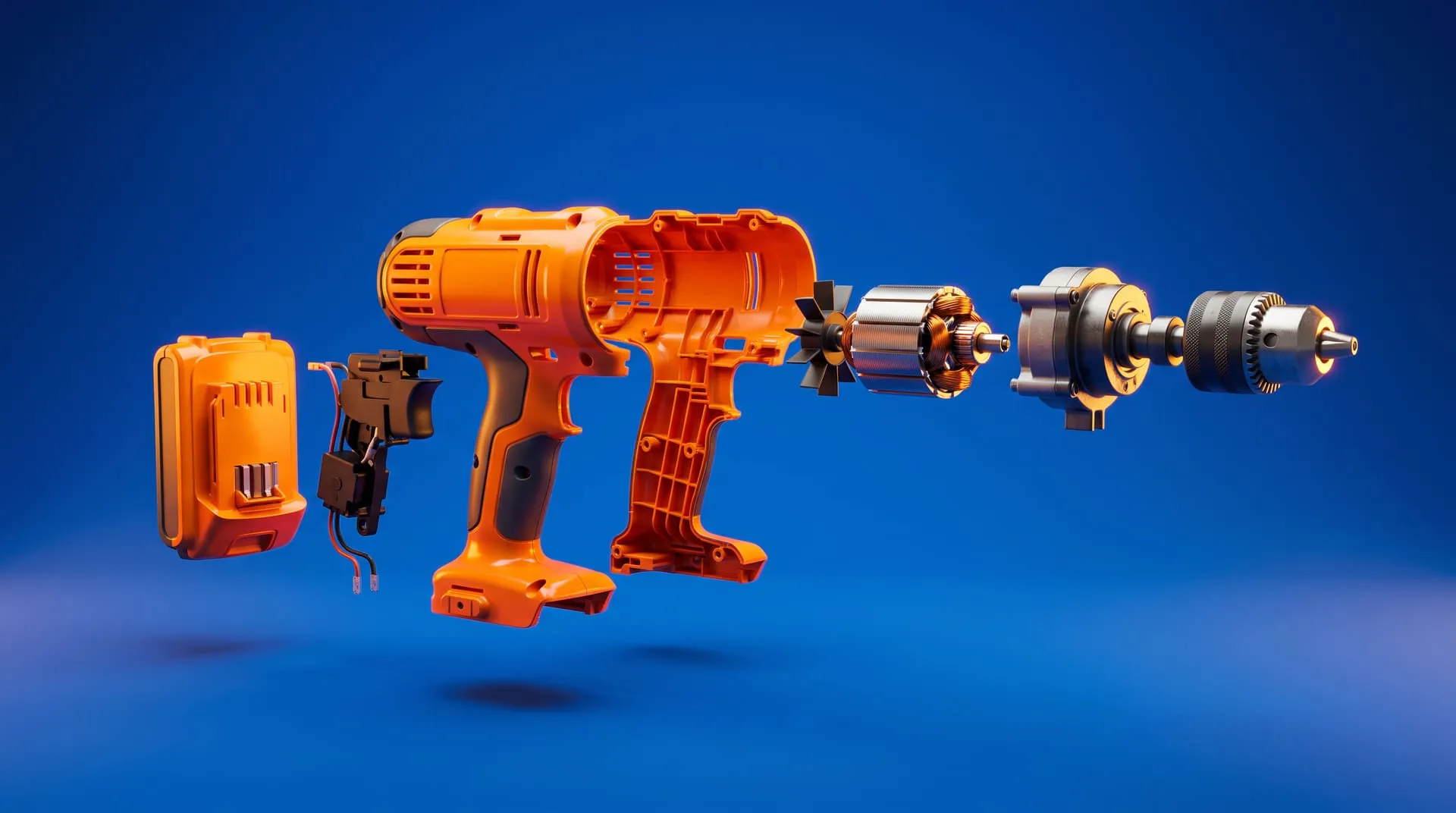
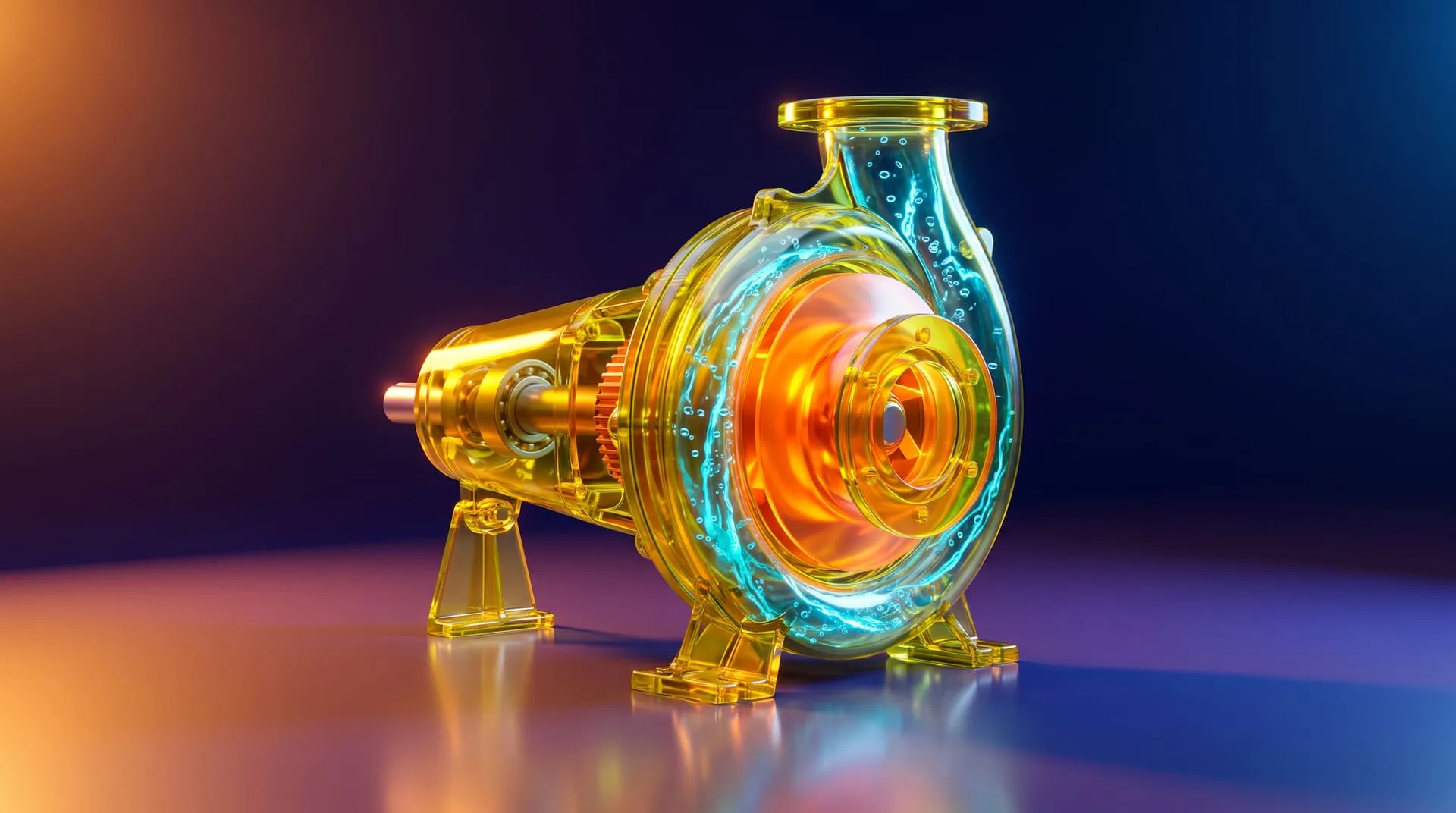
A cutaway like this costs nothing extra once the model exists. Getting the same shot with a camera means destroying a production unit.
2D vs 3D explainer: which one fits your product?
If your product is physical and the thing you are explaining is inside it, you need 3D. If you are explaining a process, a service, or software, 2D is usually the better buy. This is the single most useful decision in this article, and plenty of brands get talked into the expensive option when the cheap one would have worked.
A flat 2D animation is excellent at concepts: steps, flows, comparisons, abstractions, anything where a simplified icon communicates faster than a photoreal object. It is worse at physical credibility. A 2D illustration of your rangehood does not prove your rangehood exists or that its internals are laid out the way you claim.
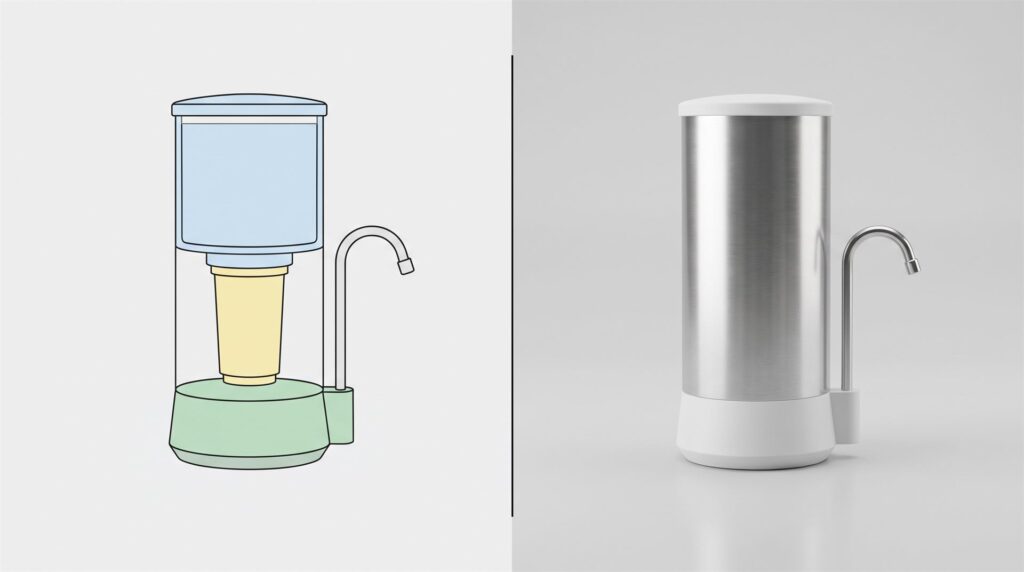
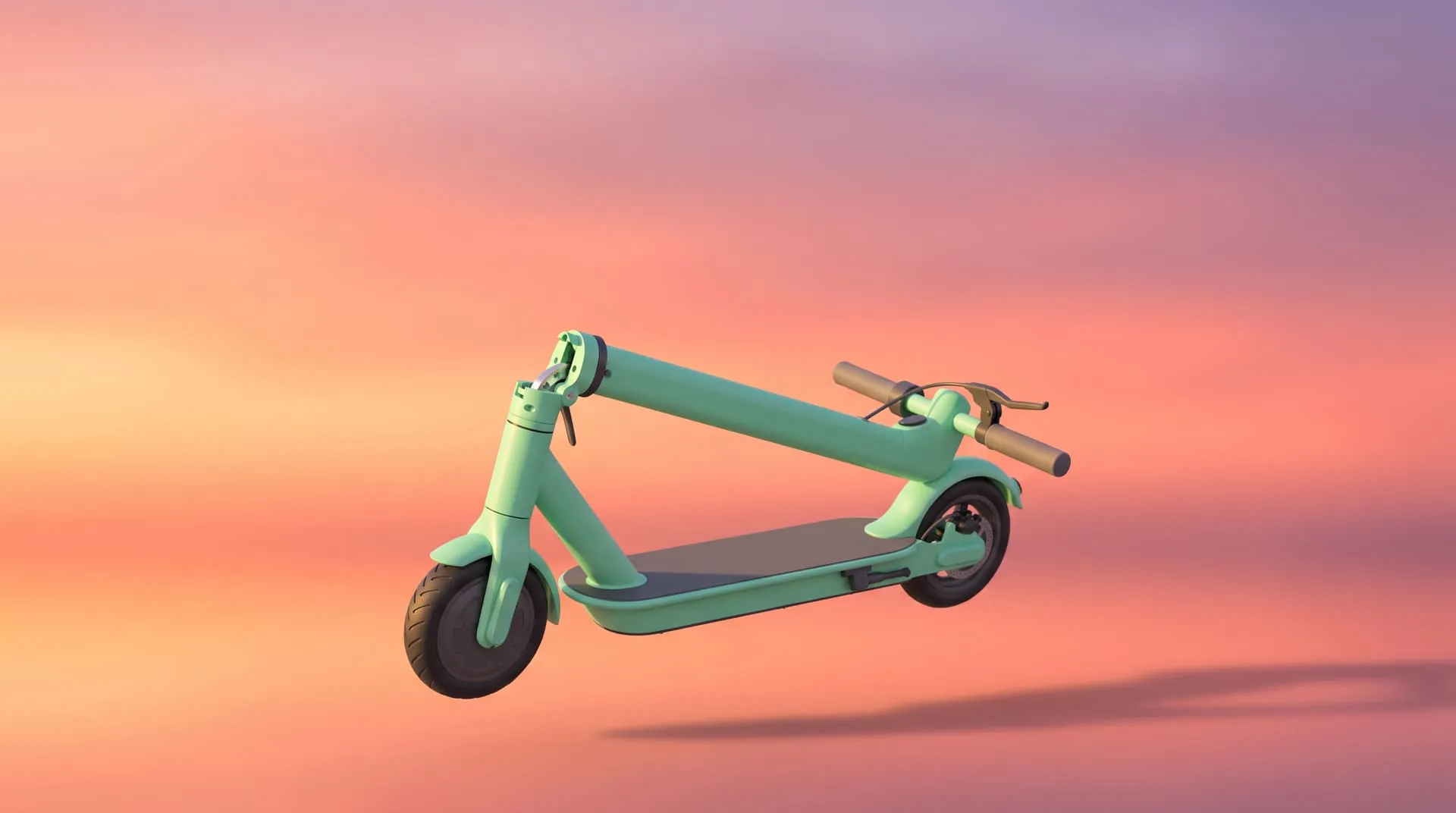
The same product, two rendering styles. The flat version explains a concept. The rendered version argues that the object is real.
| 2D explainer | 3D product explainer | |
|---|---|---|
| Best for | Software, services, processes, abstract concepts | Physical products, mechanisms, assemblies |
| What it can show | Steps, flows, simplified diagrams | Real geometry, internals, cutaways, materials, exact finishes |
| Physical credibility | Low, it reads as illustration | High, it reads as the actual product |
| Model reuse afterward | Little, artwork is per scene | High, the same 3D model feeds stills, ads, manuals and later videos |
| Relative cost | Lower for simple flat work | Higher upfront, priced per model, length and background |
| Relative timeline | Usually faster | Longer, because a model has to be built or prepared first |
We do not sell 2D animation, so take this as a recommendation rather than a pitch: if what you are explaining is a signup flow, a subscription model, or a service process, hire a good 2D motion designer and spend less. Coming to a 3D studio for that is paying for geometry you do not need.
Where 3D earns the premium is reuse. A 2D explainer is finished when it is finished. A 3D build leaves you with a model that keeps producing, which is worth reading about separately in our piece on 3D animation for instructional videos.
When is 3D the right call?
- The value is inside the housing. Filtration stages, damping, insulation, thermal design, a sealed mechanism. If a buyer has to take your word for the internals, a cutaway is the argument.
- The product does not exist yet. Pre-launch, pre-tooling, or under embargo. You cannot film a unit that has not been manufactured, but you can animate the CAD file that will manufacture it.
- There are color and material variants. Once the model and lighting exist, additional finishes are a render setting rather than a second photo shoot with a second physical sample.
- Assembly or installation has to be shown. Parts separating in the correct order, in the correct direction, is far clearer than a sequence of still diagrams, and it travels to installers and distributors as one file.
- You are making a direct comparison. Showing your construction against a generic competitor construction is possible in 3D and close to impossible to film fairly.
If none of those five apply, and you mainly need the product to look attractive on a plain background, you may want stills rather than a video. They cost a fraction of an animation on every line item.
Examples from our portfolio
Five projects where the job was explanation, not decoration.
A rangehood ventilation system, explained by flying the camera through it. For Schweigen’s EnviroShield, the animation moves the camera through the product to show its internal workings alongside its compatible motor unit, and uses color and lighting shifts to make hot and cold insulation performance visible. It runs 1 minute 43 seconds in 4K, cut for YouTube, Instagram and Facebook. Ventilation performance is invisible by nature, which is exactly when animation stops being a nice-to-have. See the project.
A hearing aid, where the product is smaller than the story. Audien sells direct to consumer hearing aids including the Atom One, Atom 2 and Atom Pro 2. Over more than five years we have produced photorealistic renders, packaging visuals, lifestyle imagery and animations, delivered as layered, reusable files with product, shadow and background separated so their team can recombine them without commissioning a new render for every variation. With a product that sits inside an ear canal, scale and internal detail have to be built, not photographed. See the project.
Pro audio gear, explained as hookup diagrams. For Mackie, part of LOUD Audio, we have worked since 2022 on cinematic teasers for unannounced products, confidential pre-launch renders, product line stills, and animated technical diagrams and hookup illustrations used inside marketing videos. Signal flow between devices is a genuinely confusing thing to explain in words, and an animated diagram settles it. See the project.
A TV, explaining five technologies at once. The Philips OLED launch animation runs 1 minute 7 seconds in 4K with sound design, built entirely from a 3D model, and communicates OLED picture quality, Dolby Vision IQ, a 120Hz refresh rate, AMD FreeSync Premium and Roku integration. It also had to satisfy four separate sets of brand guidelines covering logo usage, wordmark colors and legal trademark language. Multi-technology products are where explainers earn their keep, because each feature gets its own beat instead of a bullet list. See the project.
Home products, including a mechanism that had to be right. Across three launches for Cosmo we produced animations and render sets for a water dispenser, a mattress line and a reclining massage chair, where the mechanical structure needed real technical accuracy in the model. A recliner mechanism is a moving assembly, and a viewer notices immediately when movement is faked. See the project.
How a 3D explainer is made, from CAD file to final video
The short version: your CAD becomes a clean model, the model gets materials and lighting, the motion gets approved cheaply before it gets rendered expensively. The sequence runs brief, CAD cleanup, model approval, look development, animatic, preview render, final render.
The order matters more than the names. The animatic stage, a rough moving version with no final materials, is where you catch a wrong assembly order or a confusing camera move for free. Approving motion after final rendering is what makes projects expensive, because every fix is a re-render.
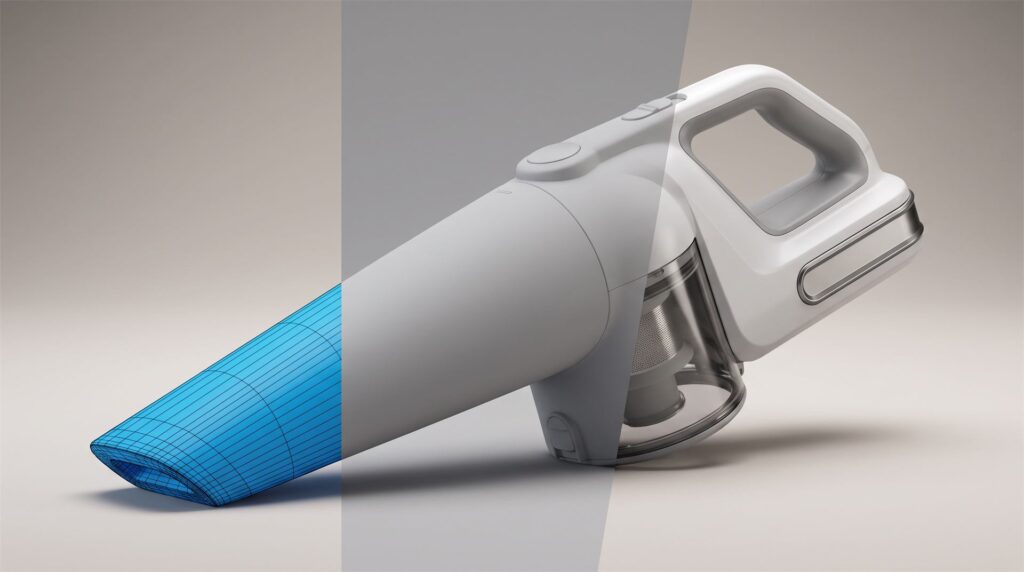
Geometry first, materials and lighting second. The expensive mistakes are the ones caught after this point.
We have written up that pipeline stage by stage, including what a change costs at each point, in what 3D product animation is and how it is made. Rather than repeat it here, the explainer-specific notes are these:
Write the script before the storyboard. An explainer is an argument with an order. If nobody has written the sentence the video is supposed to prove, the animation will drift into showing off geometry. Once you have that sentence, our free storyboard creator lays out the reveal, rotation and feature shots with estimated durations.
Decide narration early. A voiceover changes the runtime, the pacing and the shot count. Adding it after the animation is locked means recutting.
Pick your labels early too. On-screen callouts have to be legible at the aspect ratio you actually publish in, and they multiply if you localize.
The part that moves on screen, whether that is a camera push, a housing turning transparent, or a component sliding out, is handled as timed animation on the model itself. In a renderer like KeyShot, the official manual documents part animations that “affect your model’s position, orientation, and visibility in the scene,” which is the same mechanism behind every cutaway and exploded shot in the examples above.
Checklist: what to send the studio
- The CAD file or 3D model, with the assembly structure intact if anything needs to come apart. A native assembly or a STEP file keeps that structure, and NIST describes STEP as the standard “broadly used for sharing engineering and manufacturing data” across CAD systems. A single merged mesh export does not keep it.
- The one sentence the video has to prove, written down
- A parts or feature list, in the order you want them explained
- Materials and finishes for visible parts, by actual spec
- Brand guidelines, including any third party logos and required legal wording
- Whether you need a voiceover, and in which languages
- Every aspect ratio and resolution you need, listed upfront
- Your real deadline
- Written confirmation of who owns the 3D scene and model after delivery
How long does it take and what does it cost?
Our pricing is additive, so you can see what each decision costs. The model, the length and the background are separate line items, and explainers usually sit in the 31 to 60 second or 61 to 120 second bands because there is something to actually explain.
| Scenario | Model | Length | Background | Total |
|---|---|---|---|---|
| You supply a usable CAD file, 31-60s, plain background | $200 | $1,000 | $500 | $1,700 |
| No CAD file, moderately complex product, 31-60s, plain background | $800 | $1,000 | $500 | $2,300 |
| You supply CAD, 61-120s, simple 3D environment | $200 | $2,000 | $2,000 | $4,200 |
If there is no usable CAD file, the model has to be built: $400 for a simple object, $800 for moderately complex, and $2,000 for a very technical one. Add-ons are priced separately, including $100 for a voiceover, $250 for 4K, and $250 for each extra aspect ratio.
On timing, a roughly 30 second animation with a usable CAD file supplied typically takes about 10 to 15 days. Longer explainers take longer, and the honest answer is to ask for a schedule against your launch date rather than assuming a multiple. You can work through the combinations yourself on our pricing page.
Common mistakes
Assuming the finished video means you own the 3D scene. Receiving the rendered video and images does not automatically give you the model and scene file behind them. For explainers this matters more than usual, because the same model should be feeding your manual, your listing images and next year’s revision. Get it in writing before the project starts.
Treating 9:16 and 1:1 versions as crops. A vertical cut is not an automatic resize of the horizontal export. The camera has to be reframed inside the scene so the product and any on-screen labels still read at that shape, which is why each extra ratio is its own $250 deliverable.
Publishing it somewhere search engines cannot read it. If the explainer sits on your product page, it is worth following Google’s video indexing guidance, which asks for a stable thumbnail URL, a standard embed element, and structured data consistent with the actual video. A video nobody can index is a video working at half value.
Explaining five things instead of one. The explainer that works answers the single question your sales team keeps repeating on calls. Everything else belongs in a different asset.
Approving the look before the motion. Signing off on beautiful frames while the sequence is still wrong guarantees expensive re-renders.
Leaving the script until after the animation exists. The video is an argument. Write the argument first.
FAQ
How much does an explainer video cost?
For a 3D product explainer from us, a 31 to 60 second video with a usable CAD file supplied and a plain background comes to $1,700, and the same length without a CAD file starts at $2,300. Longer pieces and built 3D environments push it higher. Simple 2D explainers from 2D studios generally cost less, because no 3D model is involved.
Can AI create an explainer video?
Not an accurate one of your specific product, at least not from a prompt or a single image. Generative video tools do not work from your CAD geometry, so product details drift and stay inconsistent between shots, which is fatal for a video whose whole purpose is to explain the product correctly. They are useful for concept exploration and mood. We went through the limits of this in detail in why an AI product image cannot become a 3D video.
What is the best explainer video?
There is no single best one, and any studio that names its own work is answering a different question. The best explainer for you is the shortest video that makes one specific buyer objection disappear. If you can state what that objection is, you can judge candidate examples yourself, which is more useful than a top ten list.
How long should a product explainer video be?
Most work between 30 seconds and two minutes. Under 30 seconds you are making a teaser, over two minutes you are usually making training material.
Do I need a voiceover?
Not always. A clear visual sequence with on-screen labels often works better on social, where sound is off by default. Narration helps when there is a genuine argument to make or an order of operations to follow.
Can you make an explainer if our product is not manufactured yet?
Yes, and this is one of the strongest reasons to use 3D. If the CAD file exists, the video can exist. One caveat on where it runs: Kickstarter’s rules for hardware and product design projects state plainly that “We do not allow photorealistic renderings” and require creators to show a working prototype, so an explainer built from CAD belongs in your pre-launch marketing rather than on the campaign page itself. If you are timing this against a launch date, our Kickstarter launch planner works backwards from it to show when to book it.
Where to go from here
Send us the CAD file and the one sentence you need a buyer to understand. We will tell you what it would take, what it would cost, and whether a set of stills or a 2D animation would do the job for less.
Related Articles
3D Product Demo Videos for Physical Products: Examples, Cost and Process
Exploded View Animation From CAD: What It Takes, What It Costs, and When You Do Not Need a Studio
Industrial 3D Animation: How Equipment Makers Explain Machines You Cannot Film (Examples, Cost, Process)
3D Product Animation Trends in 2026: What Brands Are Doing Now
How to Choose a 3D Product Animation Studio: A Buyer’s Checklist
You Have a KeyShot File but No Animator. Here Is How to Get a Product Video Made

 Rachel A