
Exploded View Animation From CAD: What It Takes, What It Costs, and When You Do Not Need a Studio
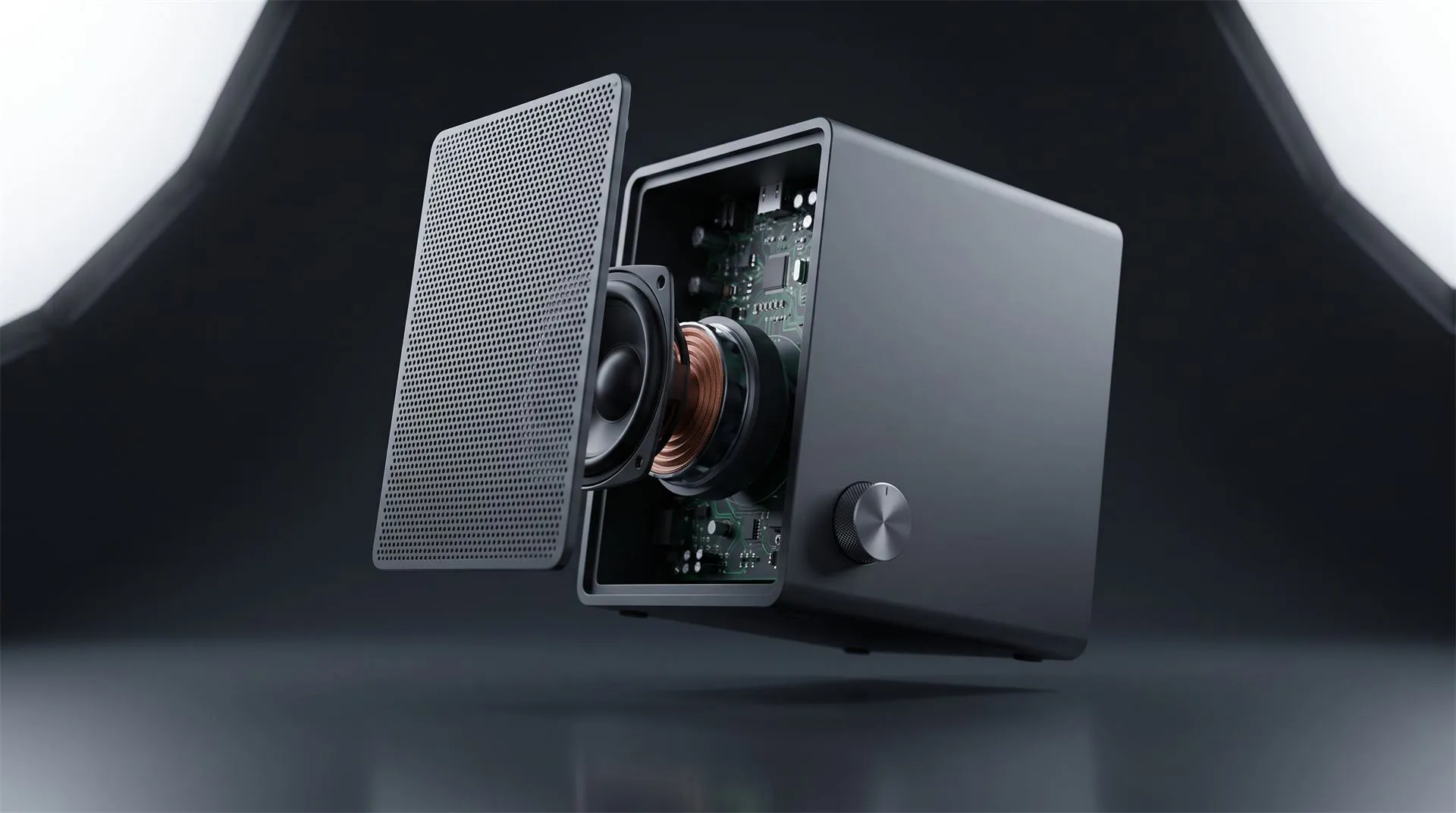
You have a product with real engineering inside it, and a sales problem: nobody can see the engineering. The outside is a box, a housing, a clean shell. The reason someone should pay more for yours than for the cheaper one is hidden under that shell.
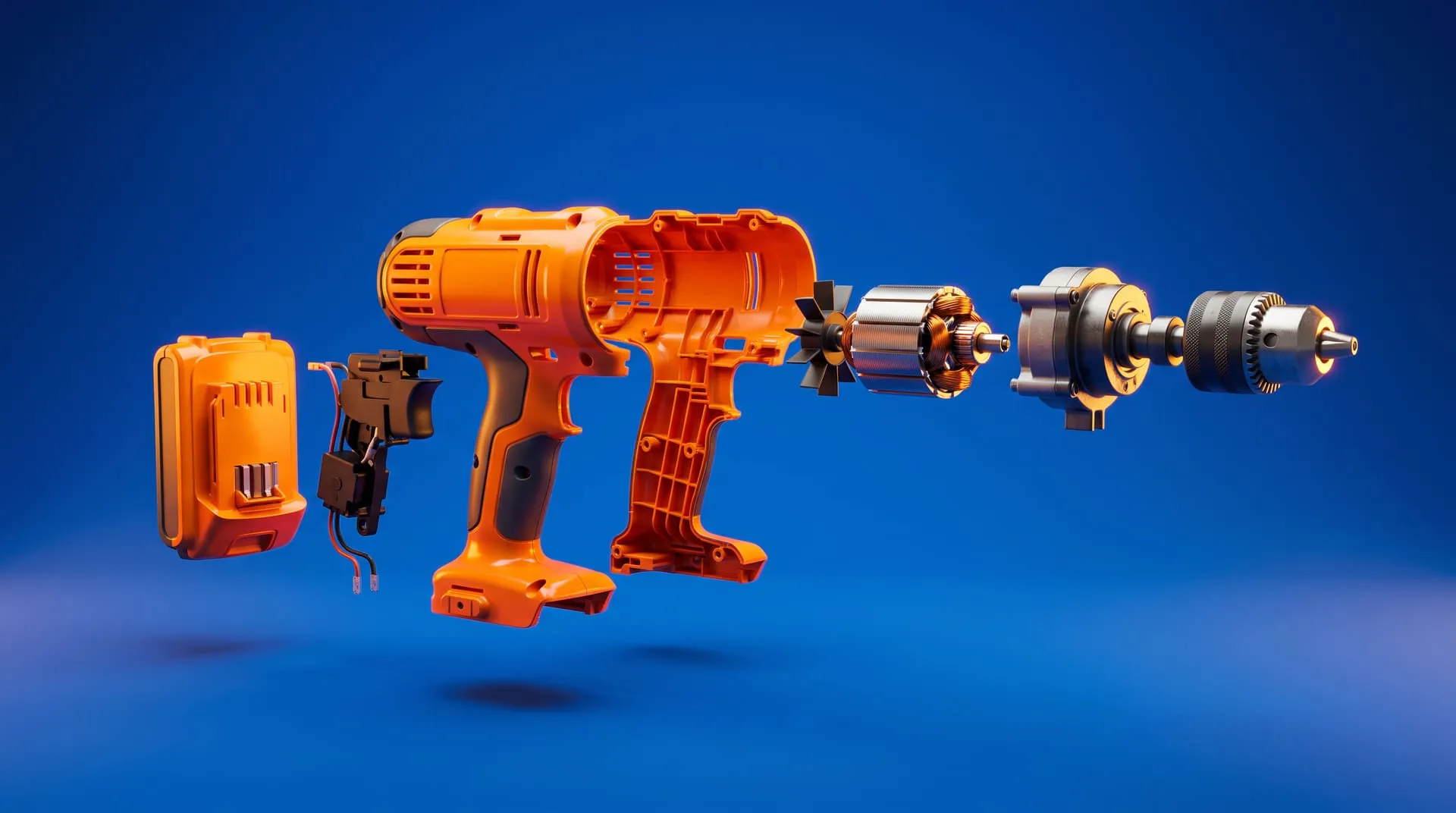
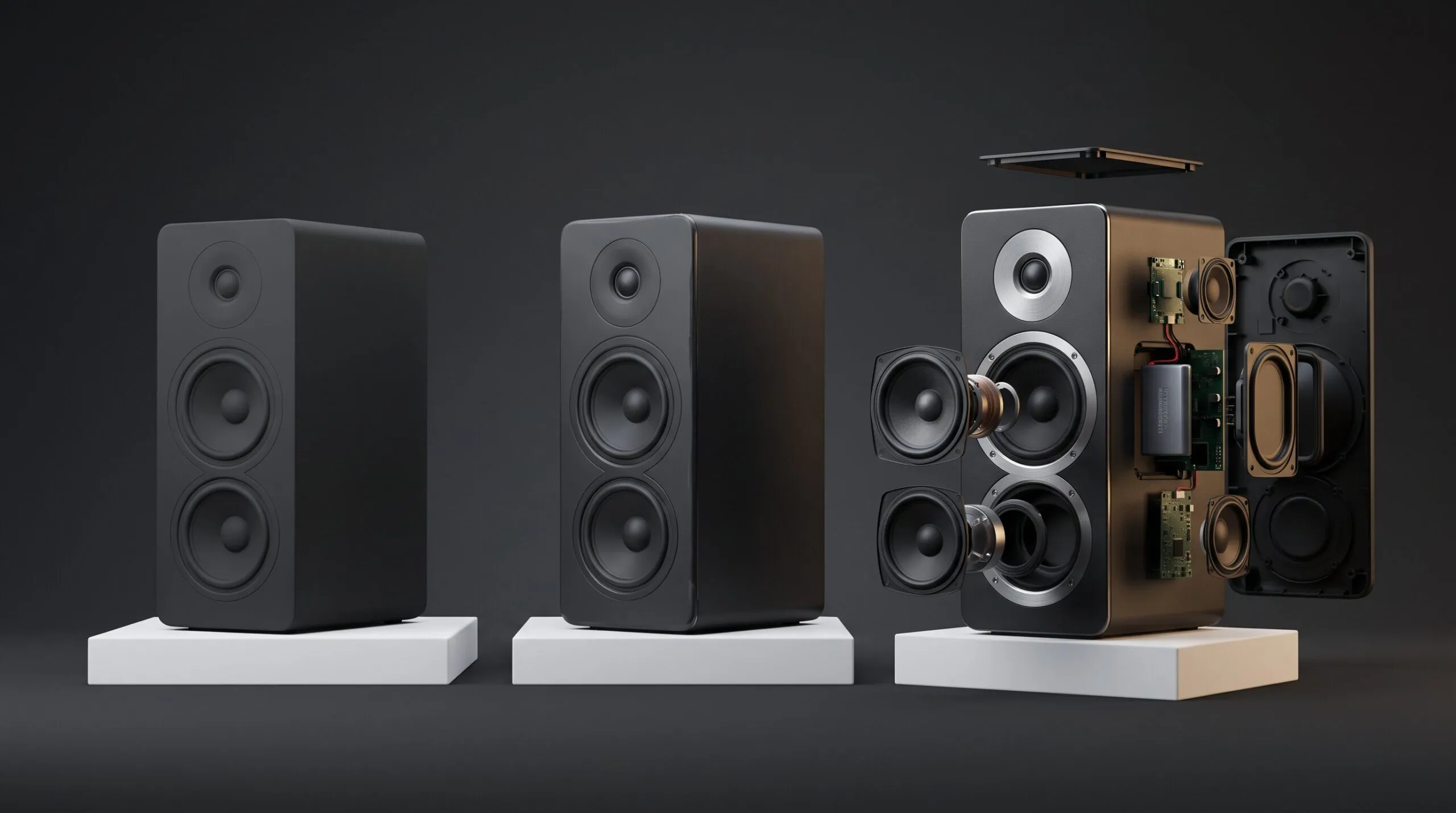
An exploded view animation is the standard fix. The product separates into its parts on screen, each one moving out along its own axis, so the viewer sees the layers, the seals, the mounting, the thing your competitor does not have. Then it comes back together.
We are seeing steady demand for exactly this. Across recent freelance job postings for 3D work, exploded views, assembly and disassembly sequences, and mechanical motion studies from CAD data come up again and again, from flooring systems to machinery to consumer hardware. It is one of the most requested formats in technical product marketing right now.
It is also the format where the gap between a cheap quote and an expensive one has almost nothing to do with the animation, and almost everything to do with the file you send.
What an exploded view animation actually is
It is an animation where each part moves independently, which makes it a different kind of job than a turntable. A turntable orbits one object. An exploded view treats your product as what it really is: a set of separate components with their own positions, their own order of assembly, and their own moment to appear on screen.
That distinction matters because it is what you are paying for. In a rendering tool like KeyShot, this is handled through what the official manual calls part animations, which “affect your model’s position, orientation, and visibility in the scene.” Every part that moves is something that has to exist as its own object, be given a direction, and be timed against the others.
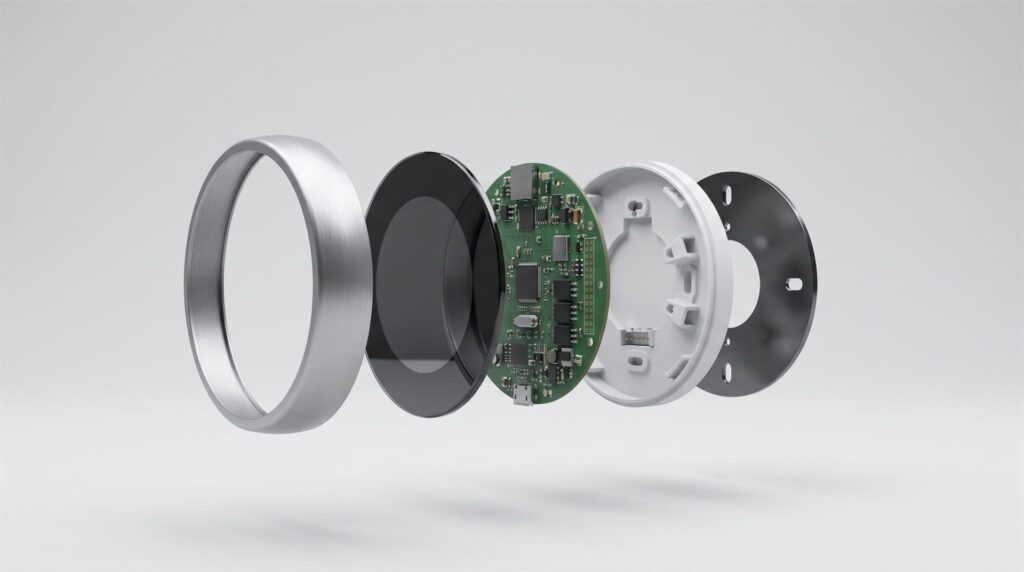
Each layer has its own direction and its own moment. That ordering is the work, not the separation itself.
Three jobs it does well:
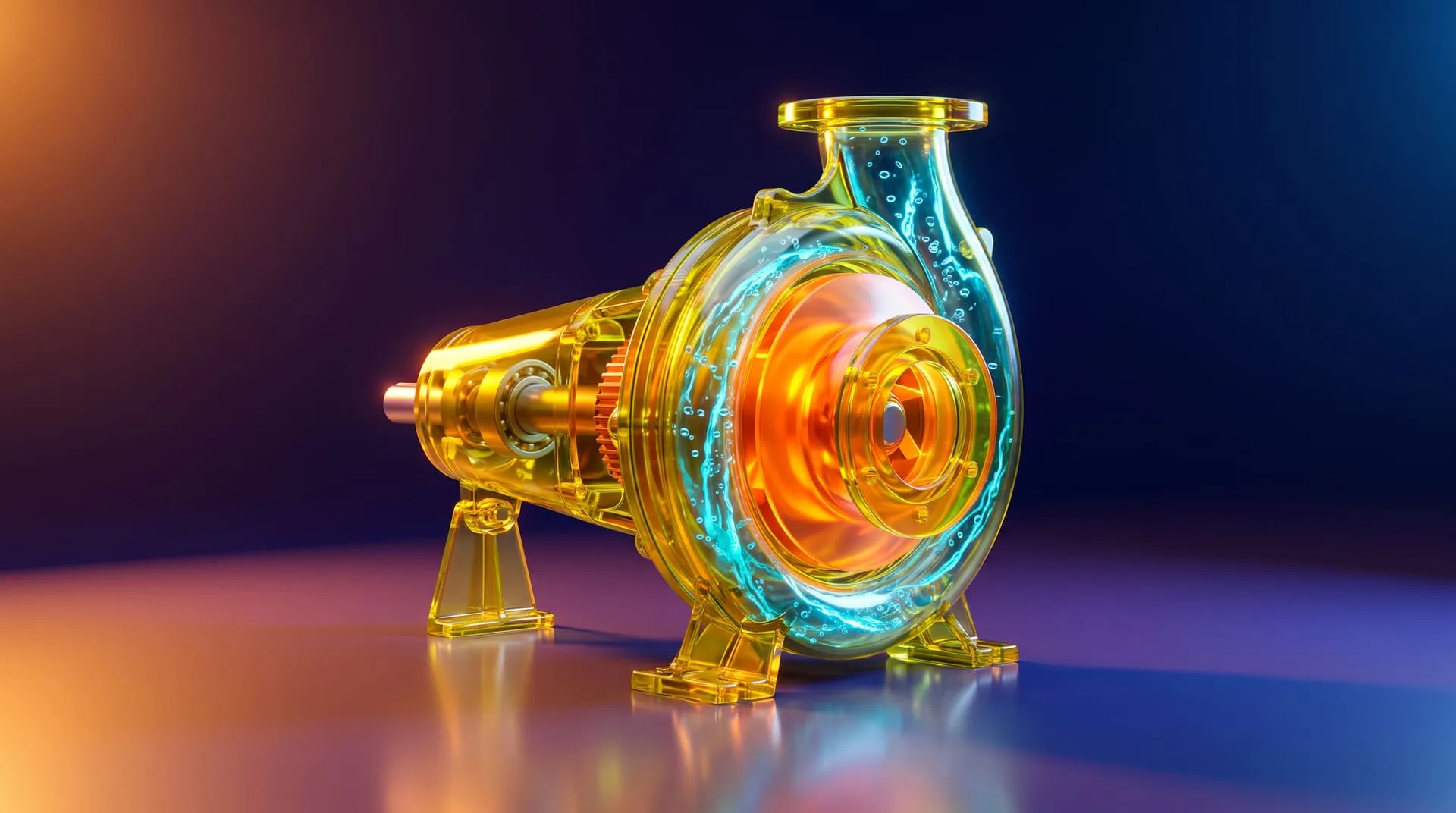
Explaining a mechanism. If your value is internal (filtration stages, damping, thermal management, a sealed bearing), this is the only honest way to show it short of cutting a unit in half. For industrial equipment this often sits alongside broader industrial product visualization work.
Showing assembly or installation. Field installers, distributors, and support teams all need the same sequence, and video travels better than a PDF diagram. This overlaps heavily with 3D animation for instructional videos, and the same build often serves both. The same footage often doubles as a product demo video for the sales team.
Proving build quality. Separating a product into fifteen well-machined components is a quality argument that a marketing sentence cannot make.
What it needs from your CAD file
The one thing that decides whether your quote is reasonable or painful is whether your file still has separate parts in it. An exploded view is, mechanically, a list of instructions for moving individual components. If the components are not individually addressable in the file you send, there is nothing to move, and somebody has to rebuild the separation by hand before the animation work even starts.
This is where a lot of projects go sideways, because the export that is most convenient for engineering is often the one that destroys exactly what the animator needs.
Native CAD and STEP keep your assembly. STEP is the standard the industry uses to move engineering data between different CAD systems. NIST describes it as “a foundational standard for integrating engineering and manufacturing systems today,” with the current AP242 version “deployed by all major computer-aided design (CAD) vendors.” If you send native files or a properly exported STEP assembly, the part structure arrives intact.
Mesh exports usually do not. STL and similar mesh formats carry triangulated surface geometry. Depending on how the export was done, you may get one merged shell where a forty-part assembly used to be, or a folder of loose meshes with no information about how they relate to each other. The industry knows this is a limitation: the 3MF specification, now an international standard, exists specifically so design applications can “send full-fidelity 3D models” with materials and structure rather than bare geometry.
Practical version: send the assembly, not the printout of the assembly.
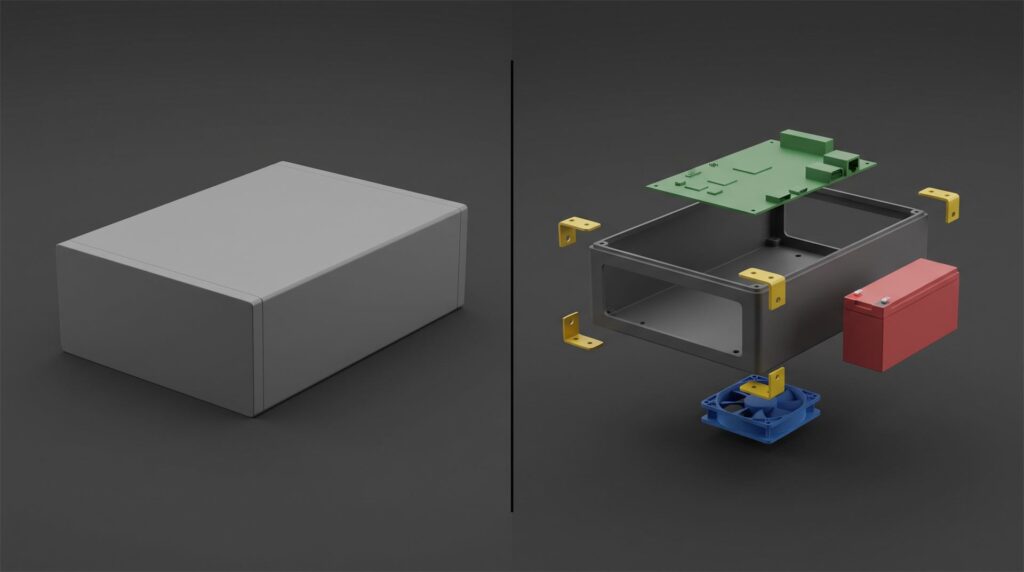
Both of these can arrive as a file that opens correctly. Only one of them can be animated without rebuilding it first.
| What you send | Parts stay separate | Materials and color | What it means for your quote |
|---|---|---|---|
| Native CAD assembly (SolidWorks, Fusion, Creo, Inventor) | Yes | Usually | Best case, work starts immediately |
| STEP assembly | Yes | Partly | Very good, the standard safe choice |
| KeyShot scene with model structure intact | Yes | Yes | Best case if you already render in house |
| Folder of separate mesh files | Separate, but unrelated | No | Workable, needs reassembly time |
| One merged STL or OBJ | No | No | Parts must be cut apart by hand, adds cost |
| 3D scan of a physical unit | No | No | Scan is one surface, not an assembly |
| Renders or photos only | No | No | The model gets rebuilt from scratch |
What an exploded view animation costs
With a usable CAD assembly in hand, a short exploded view sits in the same price band as any other short product animation. Our pricing is additive: the model, the length, and the background are priced separately, so you can see exactly what each decision costs.
| Scenario | Model | Length | Background | Total |
|---|---|---|---|---|
| You supply a usable CAD file, short sequence on a plain background | $200 | $500 (10-30s) | $500 (plain) | $1,200 |
| You supply a usable CAD file, longer sequence with narration room | $200 | $1,000 (31-60s) | $500 (plain) | $1,700 |
Two things move that number:
No usable CAD file. Then the model has to be built. That runs $400 for a simple object, $800 for something moderately complex, and $2,000 for a very technical object. A multi-part assembly with internal components is usually not the cheap end of that range, because every part you want to see separate is a part somebody has to model.
A 3D environment instead of a plain background. A plain background is $500. A built 3D setting is $2,000, and a full VFX environment is $5,000. For a technical exploded view, plain is often the right call anyway. The parts are the story, and a busy environment competes with them.
On timing: with a usable CAD file supplied, a roughly 30 second animation typically takes about 10 to 15 days.
When you do not need a studio for this
If the exploded view is for an internal document or a rough engineering explainer, your own team can probably make it. The CAD package your engineers already work in has exploded view and motion tools built in, and if you have a KeyShot license, KeyShot Pro includes animation for models, environments, materials, and cameras. For a service manual diagram, a training deck, or an internal review, that is genuinely enough. Nobody needs to hire us for that, and we would rather say so.
Bring in a studio when the sequence goes in front of customers and has to carry the brand: correct materials, controlled lighting, deliberate pacing, real typography, and a finish that matches the rest of your launch. The difference is not the explosion. It is everything around it. If you already have a scene built, our walkthrough of going from a KeyShot file to a finished product video covers what that handoff looks like.
How to scope an exploded view animation in five steps
- Decide the single thing the viewer must understand. Not five things. If someone finishes the video knowing only one fact about your product, what is it? Everything else is trimmed against that. Our free storyboard creator is a quick way to test that against a running order before you brief a studio.
- Count the parts that actually need to move. A 300 part assembly does not need 300 moving parts on screen. Usually 8 to 15 carry the story, and the rest can stay grouped. This decision affects your cost more than the video length does.
- Pick the level of finish. Engineering clear, where accuracy is the whole point, is a different budget than brand cinematic, where the shot also has to look like your launch campaign.
- Decide where it will live, including aspect ratios. A 9:16 or 1:1 version is not a crop of the 16:9 export. The camera has to be reframed inside the scene so the parts still read at that shape, which is why it is priced as its own deliverable at $250 per extra ratio.
- Lock down what you get back. Agree in writing whether you receive only the finished video or also the 3D scene. This matters more for exploded views than for anything else, because the same separated model feeds manuals, spare parts diagrams, training material, and next year’s product update. That is the whole logic behind building a reusable 3D product asset library instead of paying for a one-off render.
What to send when you hand it off
- The CAD assembly in native format or STEP, with the part structure intact, not a merged mesh
- A parts list or sub-assembly breakdown, so the sequence follows your real assembly order
- Which components matter and which can stay grouped
- Materials and finishes for the visible parts: anodized, powder coated, brushed, the actual spec
- Brand guidelines: colors, logo placement, typeface if callouts are needed
- Every deliverable and aspect ratio you need, listed upfront
- Whether you need callout labels, and in which languages
- Written confirmation of who owns the 3D scene after delivery
Common mistakes
Sending a merged STL because it was the fastest export. This is the single most common cause of a surprise line item. The file opens fine and looks correct, then turns out to be one solid shell with no separable parts. Check the export before you send it.
Assuming the finished video means you own the model. Receiving renders or a final video does not automatically give you the 3D scene behind them. If you expect to reuse the separated assembly for manuals or a future revision, agree on that before the project starts, not after.
Exploding everything. A sequence where 200 parts fly apart at once reads as chaos, not engineering. Restraint is what makes it legible.
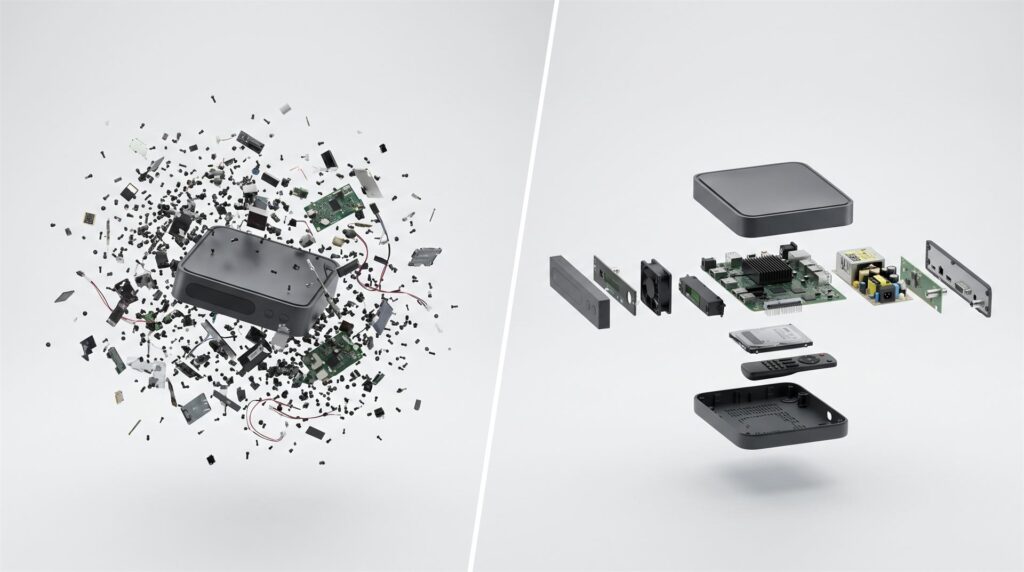
The version on the right is not a simpler product. It is the same construction with the small parts kept grouped.
Treating a vertical version as a free resize. Different aspect ratios need the camera reframed inside the scene, because parts that read clearly across a wide frame stack badly in a tall one.
Skipping the assembly order review. If the sequence separates parts in an order your product cannot actually be assembled in, every engineer who watches it will notice, and they are often the people your buyer forwards it to.
FAQ
What file should I send for an exploded view animation?
A native CAD assembly or a STEP file, with the part structure intact. Avoid a single merged STL, because the parts cannot be separated again without manual work.
Can you make an exploded view from a 3D scan?
Not directly. A scan captures the outer surface as one mesh, so there are no internal parts and no assembly structure. The internals have to be modeled from drawings or reference.
How many parts should actually move?
Usually between 8 and 15. Enough to show the real construction, few enough that a viewer can follow it. The rest can move as grouped sub-assemblies.
How long does one take?
With a usable CAD file supplied, a roughly 30 second animation typically takes about 10 to 15 days.
Can I reuse the same model for stills and manual diagrams?
Yes, and this is the main argument for doing it properly once. A separated 3D assembly can generate exploded stills, spare parts diagrams, and future revisions, as long as you have agreed that you receive the scene file.
Can our in-house KeyShot designer do this instead?
For internal or technical documentation use, often yes. KeyShot Pro supports part animations that move and hide components. For customer-facing brand work, the gap tends to show up in lighting, pacing, and finish rather than in the explosion itself.
Where to go from here
Send us the CAD file and tell us what the viewer needs to understand. We will tell you which parts should move, what it would cost, and whether your own team could handle this one in house instead.
Related Articles
3D Product Explainer Videos: Examples, Cost and How They Are Made (2026)
Industrial 3D Animation: How Equipment Makers Explain Machines You Cannot Film (Examples, Cost, Process)
3D Product Demo Videos for Physical Products: Examples, Cost and Process
You Have a KeyShot File but No Animator. Here Is How to Get a Product Video Made
3D Product Animation Trends in 2026: What Brands Are Doing Now
How to Choose a 3D Product Animation Studio: A Buyer’s Checklist

 Rachel A