
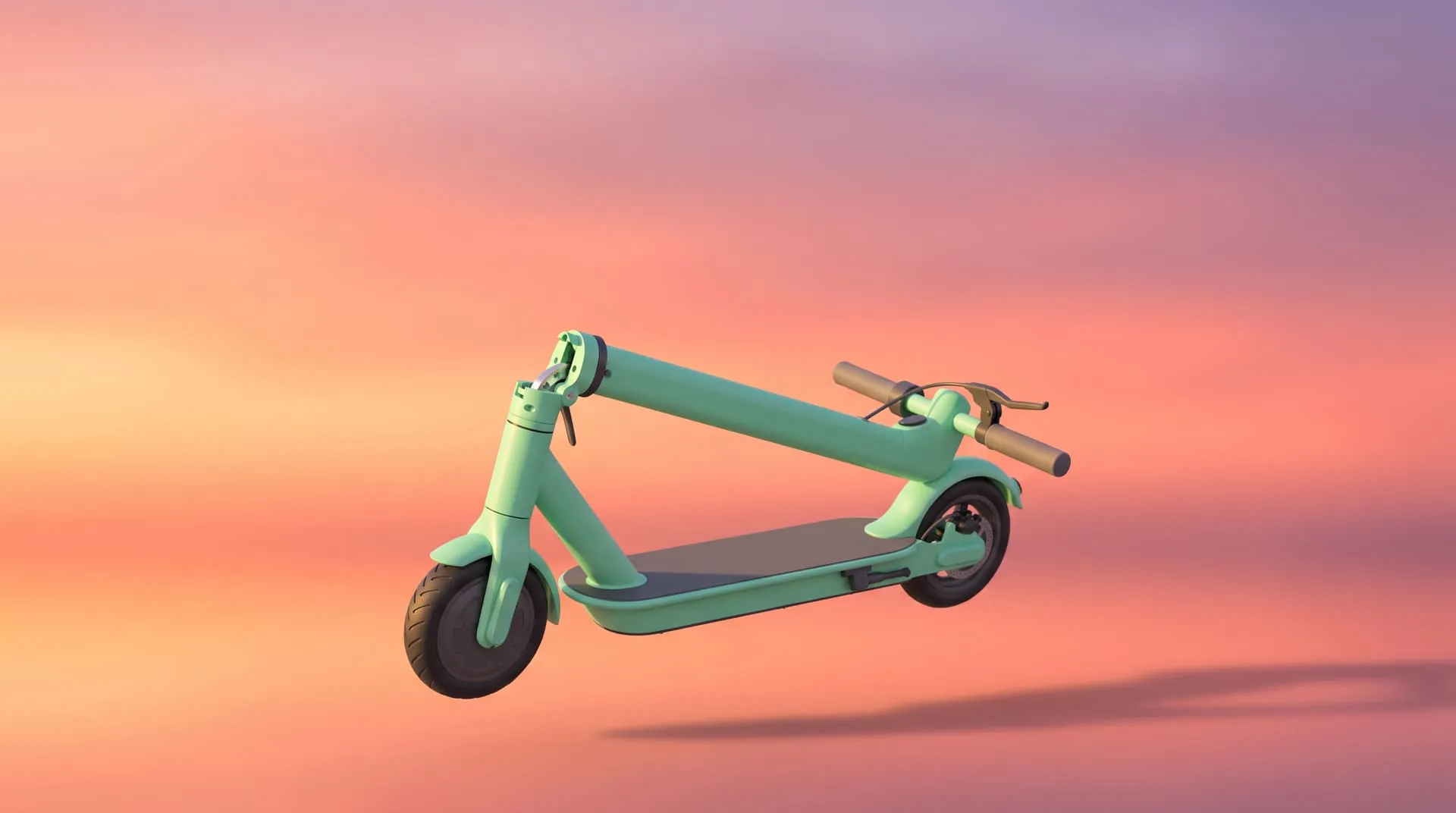
3D Product Demo Videos for Physical Products: Examples, Cost and Process
Search for “product demo video” and almost everything you find is about software. Screen recorders, click-path tools, talking avatars. All of it useful, none of it any help when the thing you need to demonstrate is a car seat that folds, a grill handle someone has to reach, or a router whose whole value is a signal nobody can see.
Physical products have a specific problem. The demo everyone wants is the product doing its job, and the camera is often the worst tool for the job. You cannot film inside a sealed housing. You cannot film a product that is still in tooling. You cannot film eight color variants that do not exist yet without eight physical samples.
A 3D product demo video solves that by building the product once and then showing it working, from any angle, including angles no camera could reach.
What is a 3D product demo video?
It is a short video, built from your product’s 3D data, that shows the product in operation rather than just in frame. A turntable shows what a product looks like. A demo shows what it does: the lid opening, the mechanism folding, the signal spreading, the feature actually functioning.
The distinction matters commercially, because “what does it look like” is answered by a photo and “what does it do” is the question standing between a buyer and a purchase.
Most demos run between 30 and 90 seconds. Long enough to show an action end to end, short enough that nobody scrubs ahead.
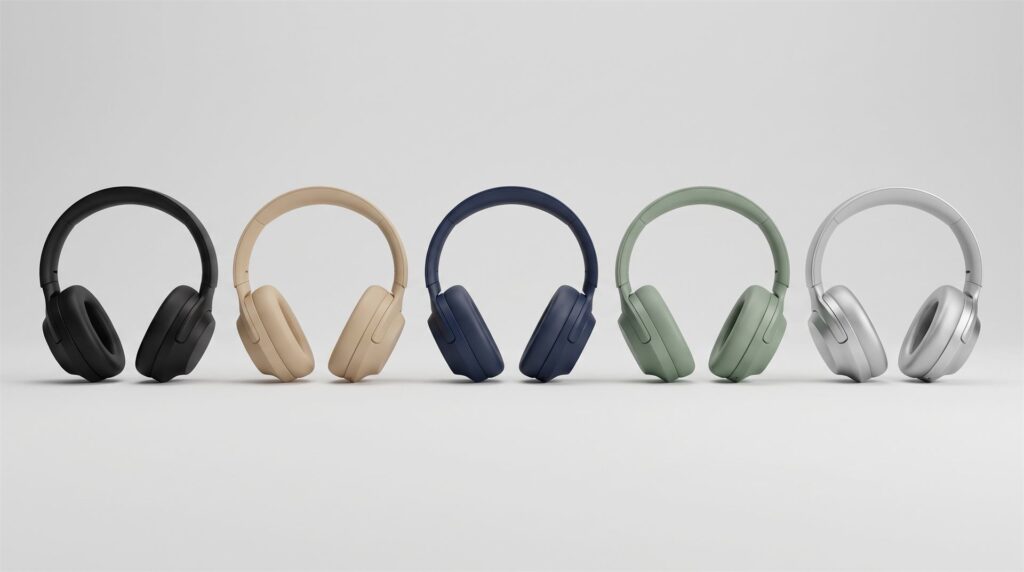
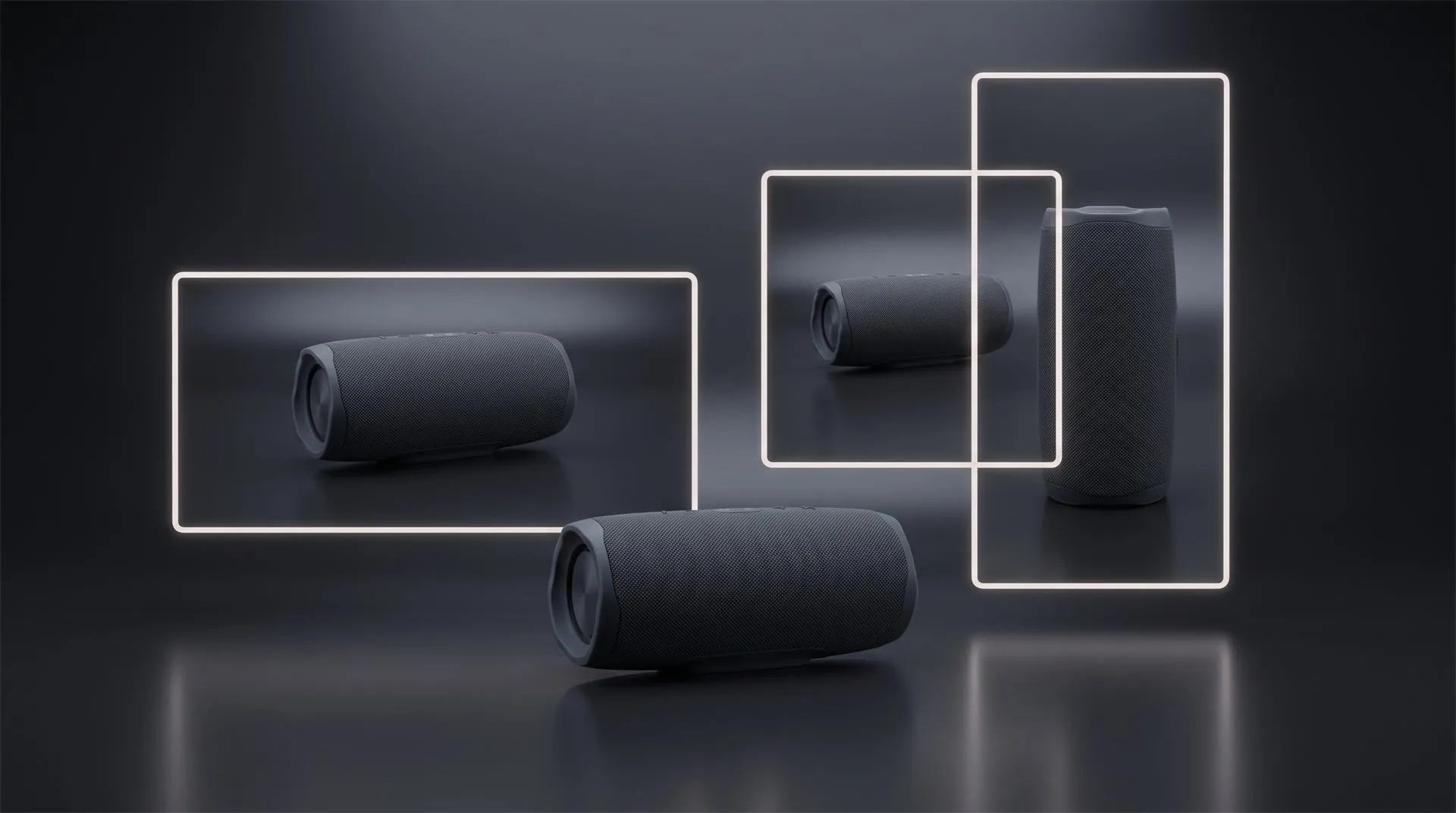
Once the model and lighting exist, a new finish is a render setting. Photography would need five physical samples and a second shoot day.
Demo, explainer or teaser? They are not the same video
Studios and clients use these three words interchangeably, and then get surprised by the result. They answer different questions and they cost different amounts, so it is worth being precise before you brief anyone. If you already know you need an explainer specifically, our guide to 3D product explainer videos goes deeper on that format alone.
| Teaser | Demo | Explainer | |
|---|---|---|---|
| Question it answers | Is this interesting? | What does it do? | How does it work, and why is it better? |
| Typical length | 5 to 30 seconds | 30 to 90 seconds | 60 seconds to 2 minutes |
| What is on screen | The product, styled | The product operating | Cutaways, internals, mechanism |
| Usual home | Social, launch countdown | Product page, listing, sales deck | Technical pages, support, trade |
| Needs narration | Rarely | Sometimes | Usually |
If you brief a teaser and expect a demo, you get a beautiful 10 second clip that does not answer a single buyer question. If you brief a demo and expect an explainer, you get the product working but not the reason it works better than a competitor.
When 3D beats filming, and when it does not
If you can put the finished product on a table and film it doing the thing, film it. That is usually cheaper and faster, and we would rather tell you that than take the project. Video production of a real unit beats animation on realism every time, because it is real.
3D earns its place in five specific situations:
- The product does not exist yet. Pre-tooling, pre-production, or under embargo. If the CAD file exists, the demo can exist. If that demo is feeding a crowdfunding launch, our Kickstarter launch planner works backwards from your launch date to show when to book it.
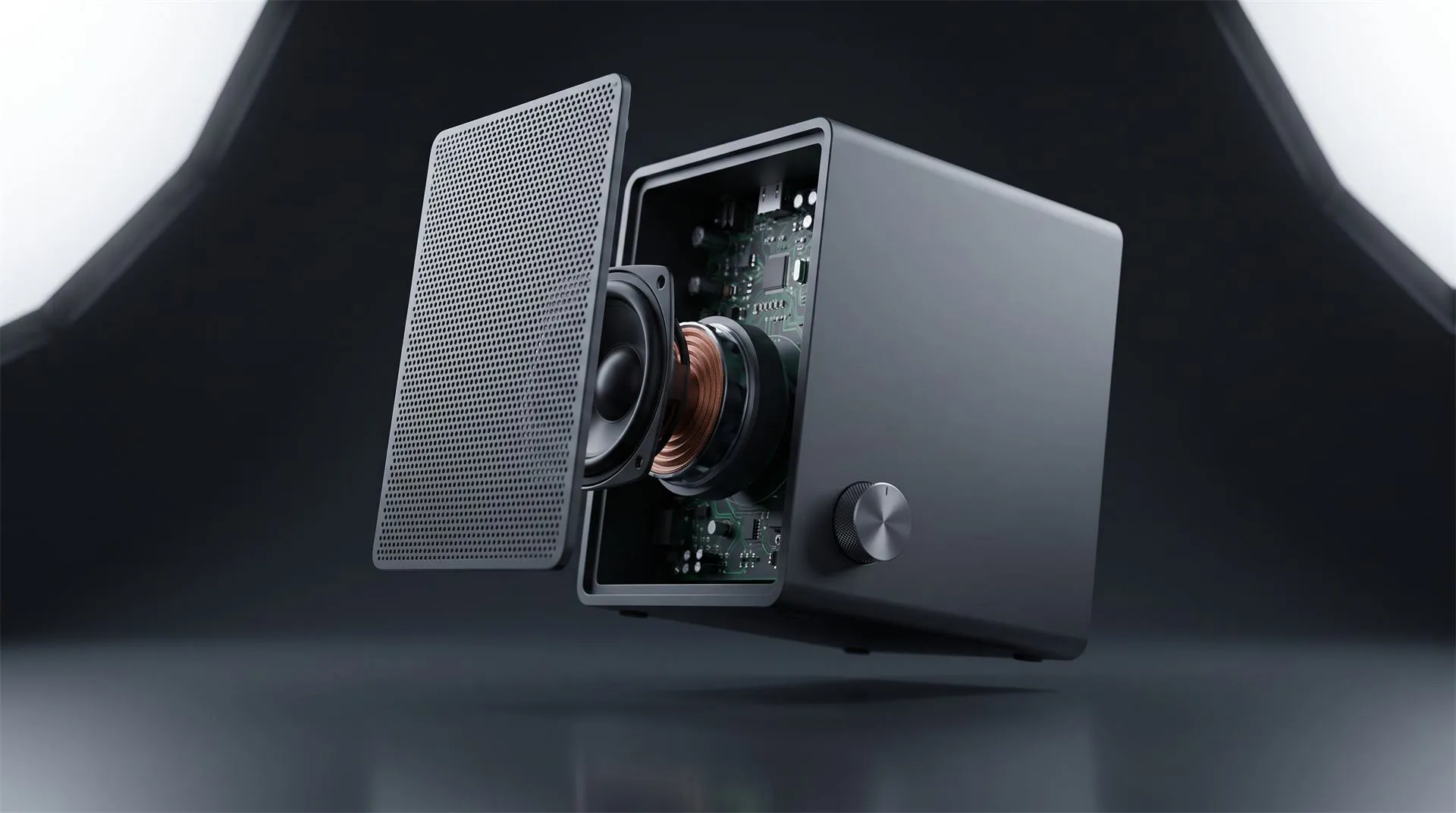
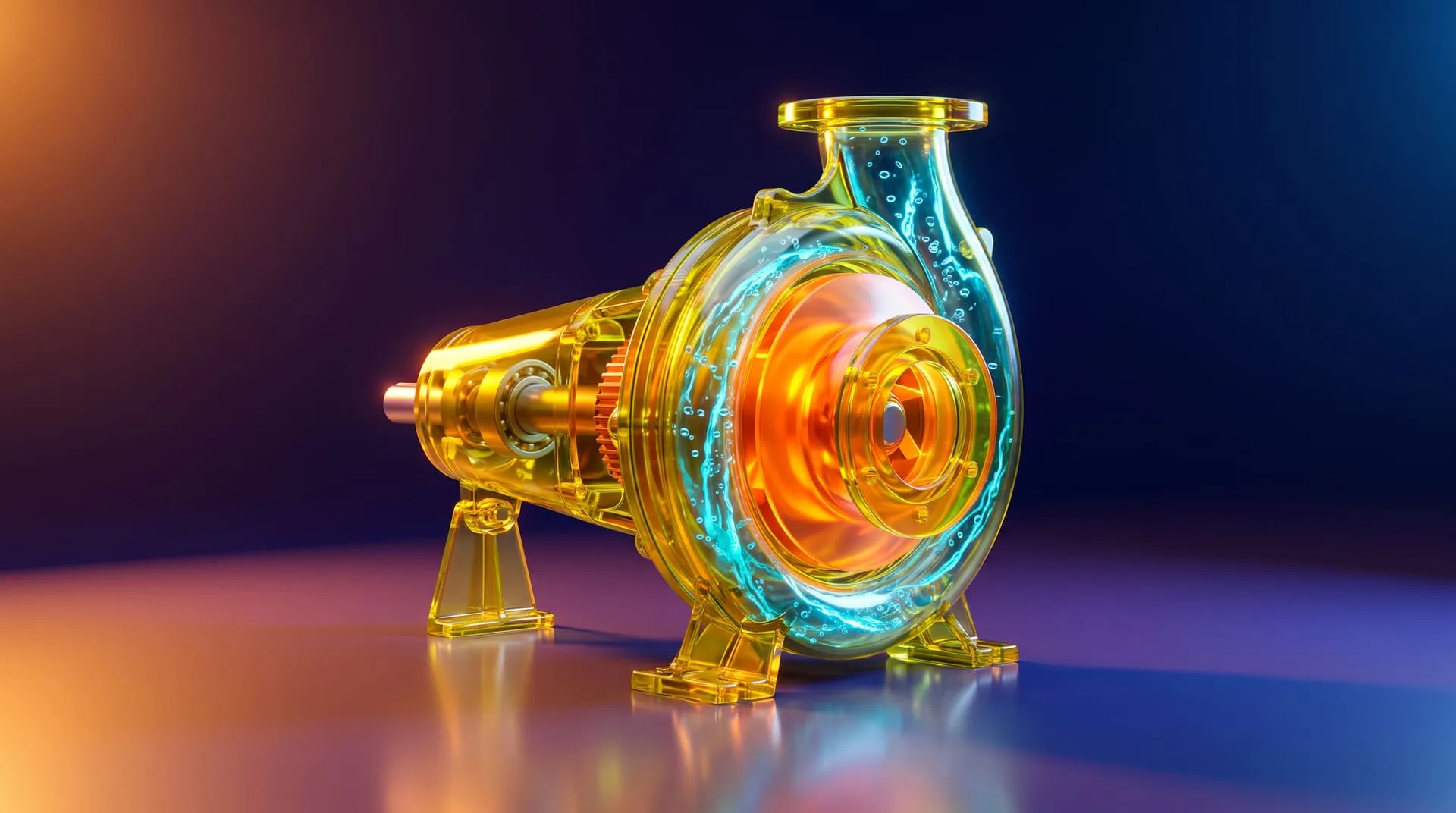
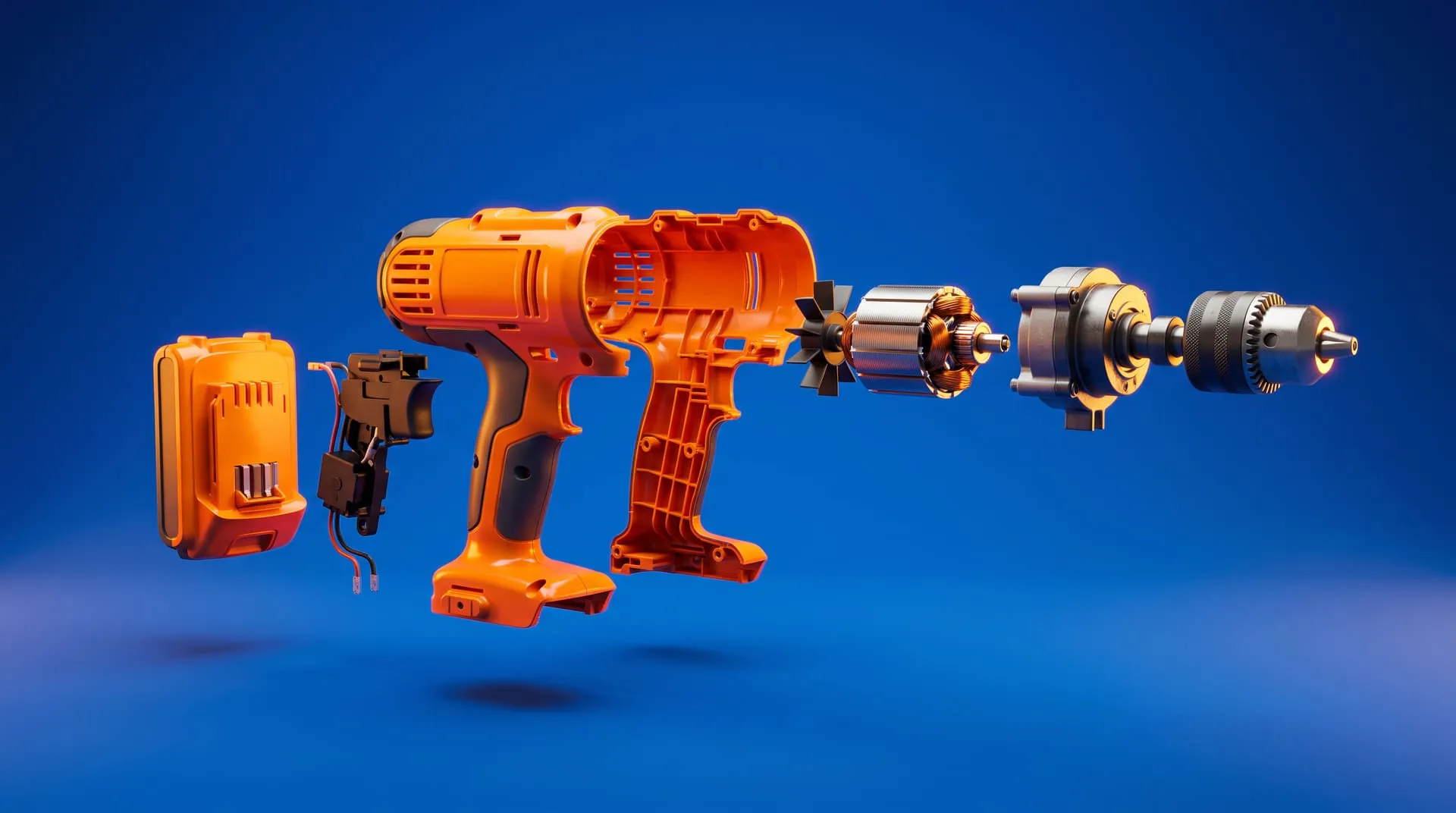
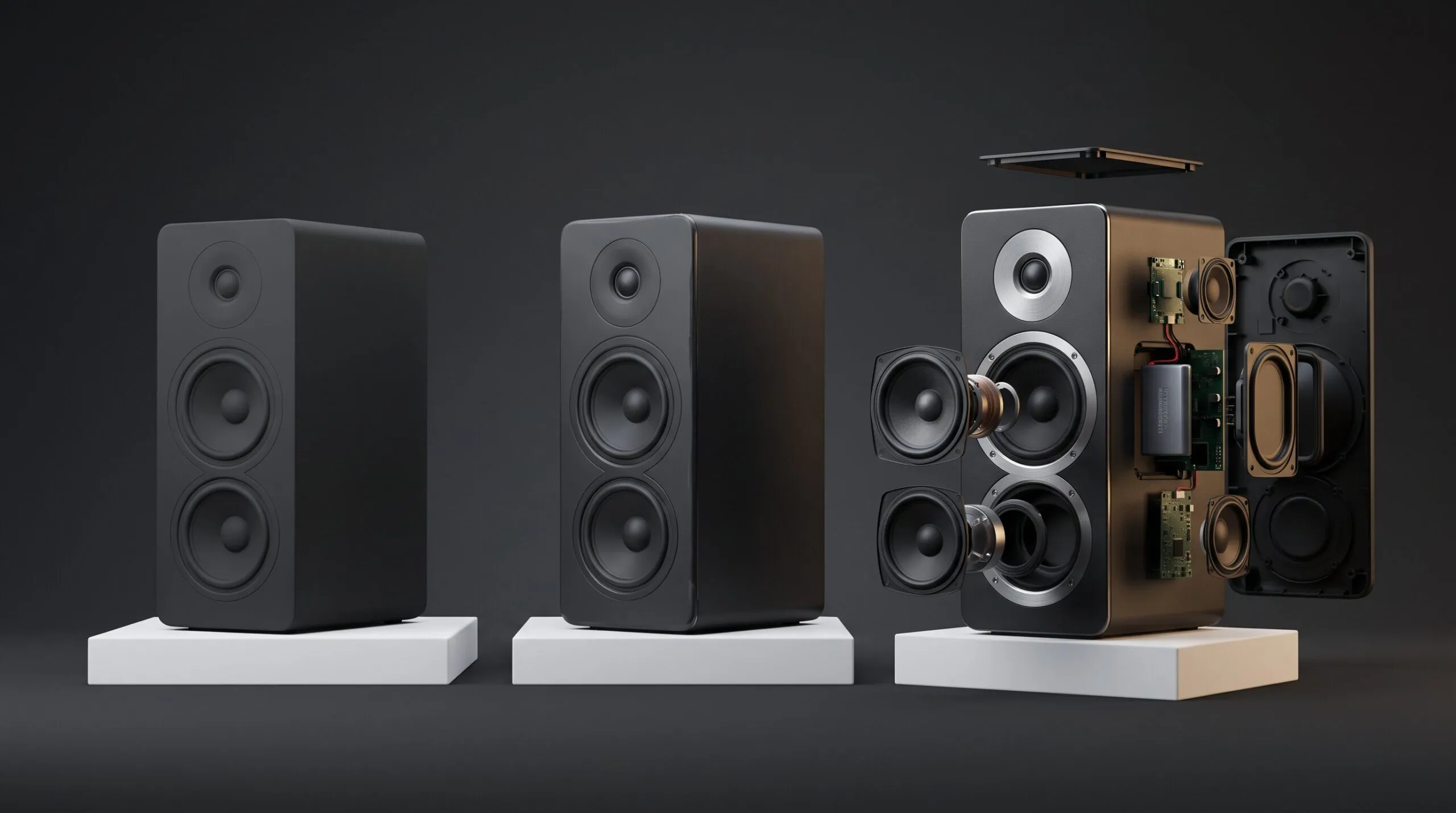
- The action is hidden inside the housing. A pump cycle, a locking mechanism, a filtration path. A camera would need the product destroyed, which is exactly the case our exploded view animation guide covers.
- The value is invisible. Signal coverage, airflow, insulation, heat distribution. There is nothing for a lens to capture.
- There are many variants. Once the model and lighting exist, a new color or finish is a render setting rather than another physical sample and another shoot day.
- You need it to loop silently on a page. Clean background, no crew, no reshoot when the product revision lands.
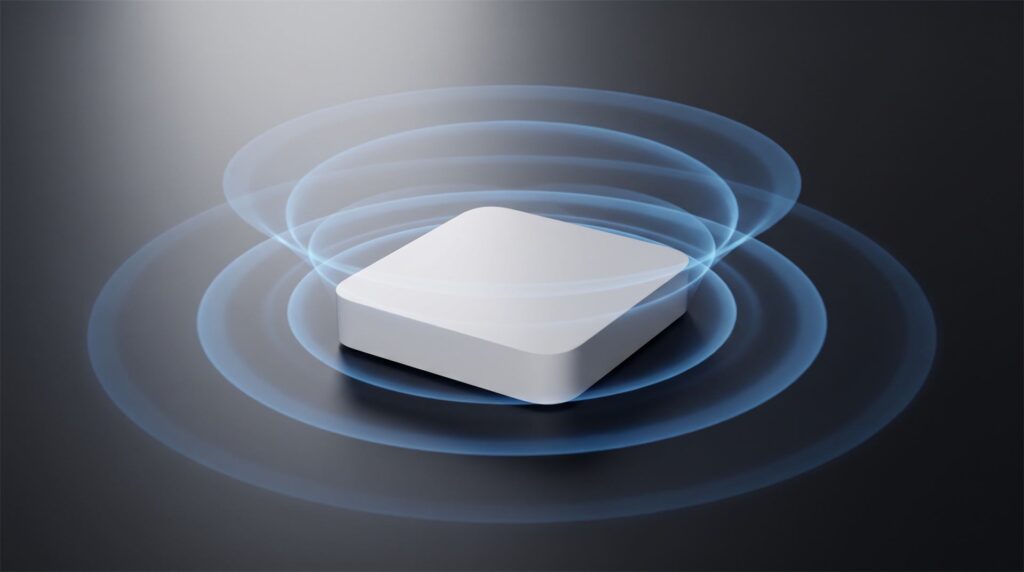
There is nothing here for a camera to photograph. The product’s entire value is the part you cannot see.
Outside those five, be honest with yourself about whether you are buying a demo or buying gloss.
Six demos we have made, and what each one shows
The useful question is not “what did it look like” but “what did the video have to prove”. Here is that for six projects.
A travel car seat, proving it folds. WAYB needed the Pico travel seat’s lightweight build, aerospace grade frame, compact fold and washable mesh communicated in a single automatically playing website video, without ever showing the product in real life. The animation rotates the seat, folds and unfolds it, and raises and lowers the headrest, delivered both as a full color scene and a transparent variant for flexible page placement. The original runs 1:05. The work later grew into an interactive 3D web experience with a live color selector, vertical 9:16 cutdowns, and web ready GLB files their developers maintain themselves. See the project.
A Wi-Fi router, proving coverage you cannot photograph. For ADI Global Distribution we produced a 1:38 CGI launch video for the Araknis router, mixing high tech motion graphics with photoreal rendering, including animated networking signals, UI overlays, voiceover and on screen text. It shows the internal chips and electronics alongside radio waves traveling between houses, delivered in 4K in both 16:9 and 1:1. The demo exists because the product’s value is a signal, and a signal has nothing to film. See the project.
A built-in grill, proving one accessibility feature in 17 seconds. Across an 18 month partnership, Kenyon’s built-in electric grills and cooktops got e-commerce and lifestyle renders placed in a hotel kitchenette, a yacht galley, an RV and a sailboat. The launch video itself runs :17 and demonstrates an ADA accessible grill handle, carried by on screen text with an accessibility focused title and copy points. A demo does not have to be long. It has to be about one thing. See the project.
A watch bracelet, proving a mechanism and a finish. Steel Reef makes luxury bracelet links and bezel inserts, where the difference between a polished surface and a brushed one is subtle but critical to how the product reads. Alongside photorealistic stills across dozens of finish combinations, we animated the rotating bracelet link mechanism, running 56 seconds, plus web ready interactive models in glTF. See the project.
Gaming monitors, proving specs on a launch cadence. Pixio USA needed a steady stream of product videos matched to their launch schedule. Between January 2021 and July 2024 we delivered more than twenty items covering eleven plus monitor models, each going storyboard to animatic to final 4K, highlighting refresh rates, viewing angles and OLED panel technology, including textless variants for regional distribution. Reusing proven storyboards and changing only theme, palette or on screen text is what made that cadence possible. See the project.
A pickleball paddle, which is honestly a teaser, not a demo. Vatic Pro wanted a 3D teaser to highlight a new paddle’s standout features and give it a premium look for their site and social channels: an initial 15 to 30 second launch piece, then a 5 to 10 second follow up with smoke effects. The animations feature the paddles themselves rather than gameplay. We include it here as the honest counterexample. A paddle is a solid object with no mechanism and no hidden internals, so there is little to demonstrate, and a teaser was the right call. See the project.
How to structure a 60 to 90 second demo
- Hook, 0 to 5 seconds. The product doing the single most interesting thing it does. Not a logo, not a slow fade from black. Assume the viewer decides here.
- Problem, 5 to 20 seconds. The situation your product exists to fix, shown rather than narrated. Cramped trunk, unreachable handle, dead zone upstairs.
- Mechanism, 20 to 55 seconds. The product solving it, in real operating order. This is the part that earns the budget, and the part people cut first when the timeline slips.
- Result, 55 to 80 seconds. The finished state, in context, at the quality your brand needs elsewhere.
- Close, last 10 seconds. One claim and one action. A demo that ends without telling the viewer what to do next is a brand film.
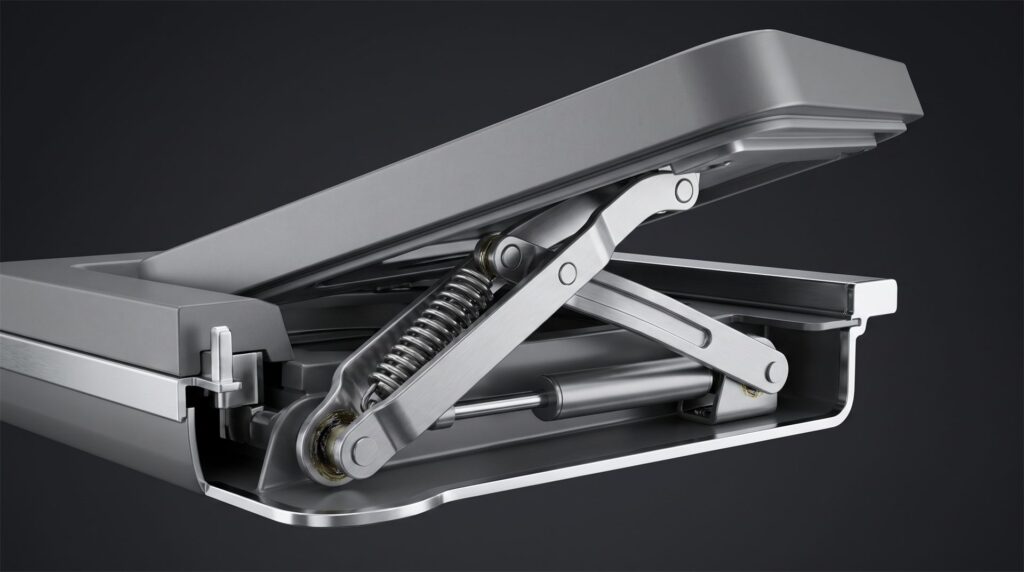
Step three is the one people cut when the schedule slips. It is also the only step that makes the video a demo.
The sequence matters more than the runtime. A 40 second demo with those five beats works. A 90 second demo missing the mechanism is a product photo that moves. Our free storyboard creator maps those five beats into a running order and a rough budget before you brief anyone.
What to send when you commission one
- Your CAD file or 3D model, with the assembly structure intact if anything has to move or come apart
- The one action the video has to prove, written as a sentence
- The real operating sequence, in the order the product actually works
- Materials and finishes by actual spec: anodized, powder coated, brushed, matte
- Brand guidelines, including on screen text rules and any third party logos
- Whether you need a voiceover, and in which languages
- Every aspect ratio, resolution and textless variant you need, listed upfront – our free asset planner lists them per channel if you are not sure yet
- Written confirmation of who owns the 3D scene and model after delivery
What a 3D product demo video costs
Pricing is additive: the model, the length and the background are separate lines, so you can see what each choice costs. Demos usually land in the 31 to 60 or 61 to 120 second bands.
| Scenario | Model | Length | Background | Total |
|---|---|---|---|---|
| CAD supplied, short demo, plain background | $200 | $1,000 (31-60s) | $500 | $1,700 |
| CAD supplied, full demo, plain background | $200 | $2,000 (61-120s) | $500 | $2,700 |
| No CAD, moderately complex product, full demo, plain background | $800 | $2,000 (61-120s) | $500 | $3,300 |
Without a usable CAD file the model has to be built: $400 for a simple object, $800 for moderately complex, $2,000 for a very technical one. Common demo add-ons are priced separately: $100 for a voiceover, $250 for 4K, and $250 for each extra aspect ratio. A built 3D environment instead of a plain background is $2,000, and a full VFX environment is $5,000, though for a demo a plain background usually serves the product better.
On timing, a roughly 30 second animation with a usable CAD file supplied typically takes about 10 to 15 days. For longer demos, ask for a schedule against your launch date rather than assuming a multiple. The combinations are on our pricing page.
Where the demo actually runs
Plan the destination before the edit, because the destination changes the cut. A demo on a product page behaves differently from one in a sales deck.
On your own site, the most common placement is a looping video near the top of the product page. Browsers allow that, but on terms: Chrome’s autoplay policy states plainly that “muted autoplay is always allowed,” while autoplay with sound depends on user interaction and engagement history. In practice, design the demo to work with sound off and treat audio as a bonus. Shopify’s product media documentation makes the commercial case for having it there at all, noting that media gives the customer “a better understanding of the function and size of an item, and increases your customers’ confidence.”
If the demo lives on a page you want found, it is worth following Google’s video indexing guidance, which asks for a stable thumbnail URL, a standard embed element, and structured data consistent with the actual video.
Common mistakes
Briefing a demo and describing a teaser. If the brief is full of adjectives about mood and empty of the action to be proven, you will get mood. Write the action down first.
Assuming the finished video means you own the model. Receiving renders and an exported video does not automatically give you the 3D scene behind them. For demo work this matters more than usual, since the next product revision and the next aspect ratio both start from that scene.
Treating a 9:16 or 1:1 version as a crop. A vertical cut is not an automatic resize. The camera has to be reframed inside the scene so the action and any on screen text still read, which is why each extra ratio is its own $250 deliverable.
Animating a sequence the product cannot actually perform. Engineers notice immediately when parts move in an impossible order, and engineers are often who your buyer forwards the video to.
Leaving the mechanism on the cutting room floor. When timelines slip, the hardest section to animate is the first one cut, and it is the only section that made the video a demo.
FAQ
What is a product demo video?
A short video showing a product performing its actual function, rather than simply appearing on screen. For physical products it usually runs 30 to 90 seconds and centers on one action: folding, opening, installing, operating, covering a space.
What is the best product demo video?
There is no single best one, and any studio naming its own work is answering a different question. The best demo for you is the shortest video that removes the one objection your sales team hears most. If you can name that objection, you can judge any example yourself.
Can AI create a product demo video?
Not an accurate one of your specific product. Generative video tools work from prompts and reference images rather than your CAD geometry, so details drift between shots, which is disqualifying for a video whose entire job is to show your product working correctly. They are useful for mood and concept exploration. We covered the limits of that in why an AI product image cannot become a 3D video.
How long should a product demo video be?
Between 30 and 90 seconds for most physical products. Under 30 seconds you are usually making a teaser. Over two minutes you are making training material, which is a different brief.
What is the difference between a demo video and an instructional video?
A demo persuades a buyer by showing what the product does. An instructional video helps an existing owner complete a task, like assembly or installation. The same 3D model usually serves both, which we covered in 3D animation for instructional videos.
Do we need a studio, or can our in-house team do this?
If you already have a 3D artist producing clean stills and the demo is simple, your team can likely handle it. Studios earn their fee on moving mechanisms, controlled lighting, pacing and finish. Our guide on how to choose a 3D product animation studio covers what to ask before you commit.
Where to go from here
Send us the CAD file and the one action your buyer needs to see. We will tell you how long it should run, what it would cost, and whether filming the real unit would do the job for less.
Related Articles
3D Product Explainer Videos: Examples, Cost and How They Are Made (2026)
Industrial 3D Animation: How Equipment Makers Explain Machines You Cannot Film (Examples, Cost, Process)
3D Product Animation Trends in 2026: What Brands Are Doing Now
Exploded View Animation From CAD: What It Takes, What It Costs, and When You Do Not Need a Studio
How to Choose a 3D Product Animation Studio: A Buyer’s Checklist
You Have a KeyShot File but No Animator. Here Is How to Get a Product Video Made
 Rachel A