
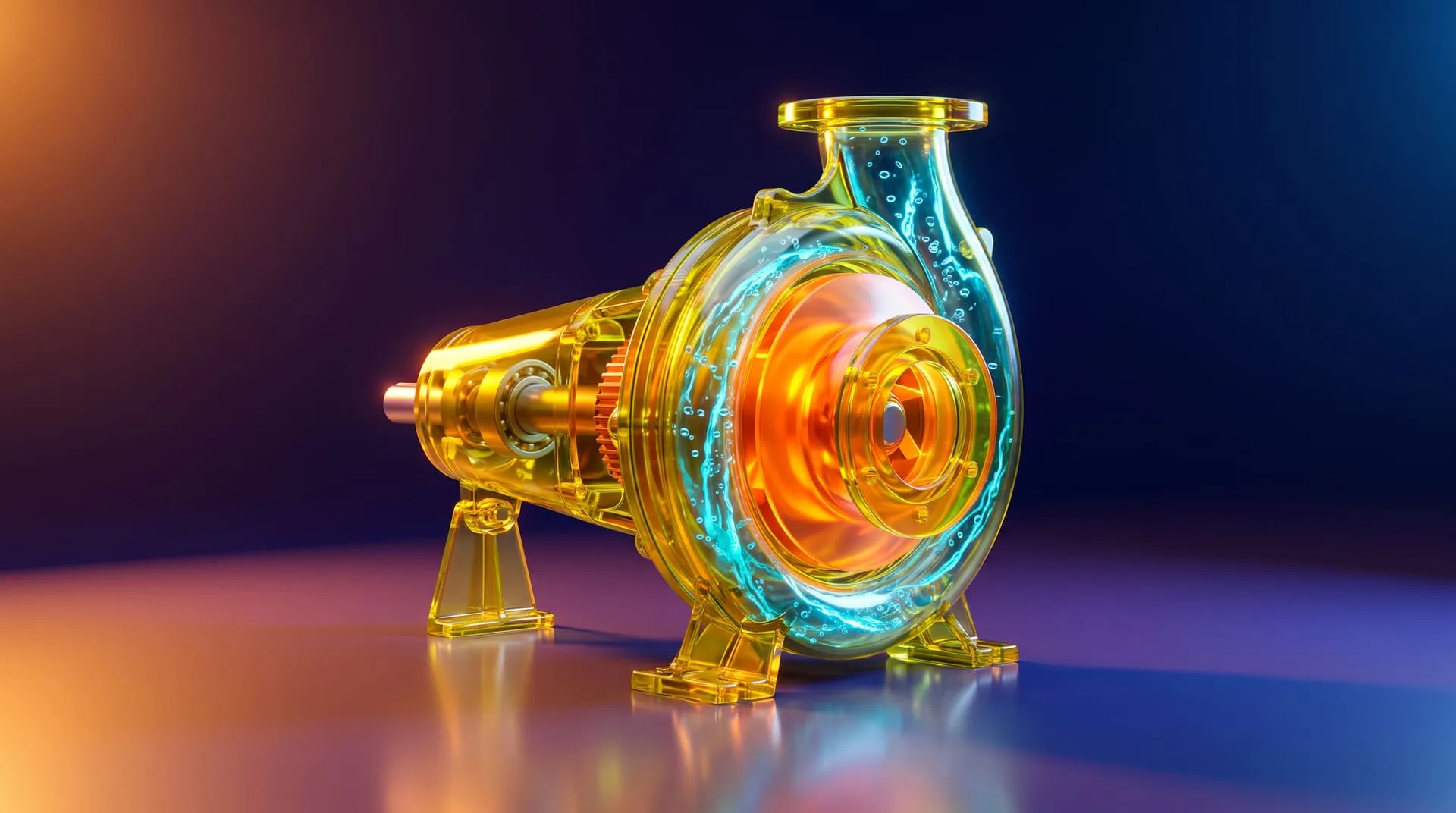
Industrial 3D Animation: How Equipment Makers Explain Machines You Cannot Film (Examples, Cost, Process)
Industrial 3D animation is a video built from the CAD model of a machine, made to show how it works. It can cut the housing open, pull the assembly apart, and make airflow, fluid or heat visible. Manufacturers use it when what matters is inside the machine, or when the machine has not been built yet.
If you make pumps, inverters, battery systems, HVAC or ventilation units, or robots, you know the problem. Your best engineering sits inside a steel box. A camera pointed at that box records paint, a nameplate and a few fittings. The reason a customer should pay more for yours never appears on screen.
This guide covers where industrial animation is used, what it can show that filming cannot, two real projects, what a studio needs from you, and what it costs.
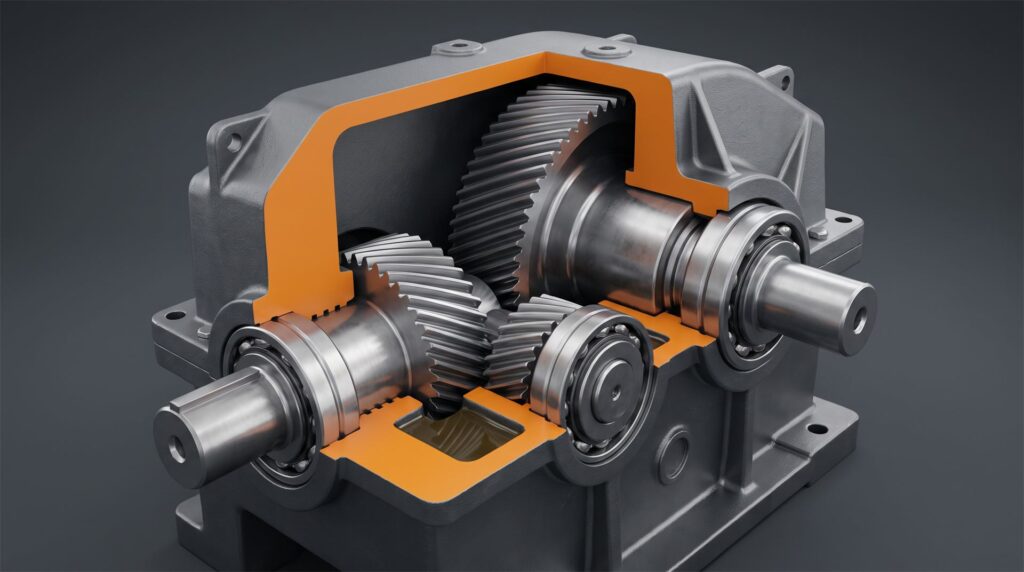
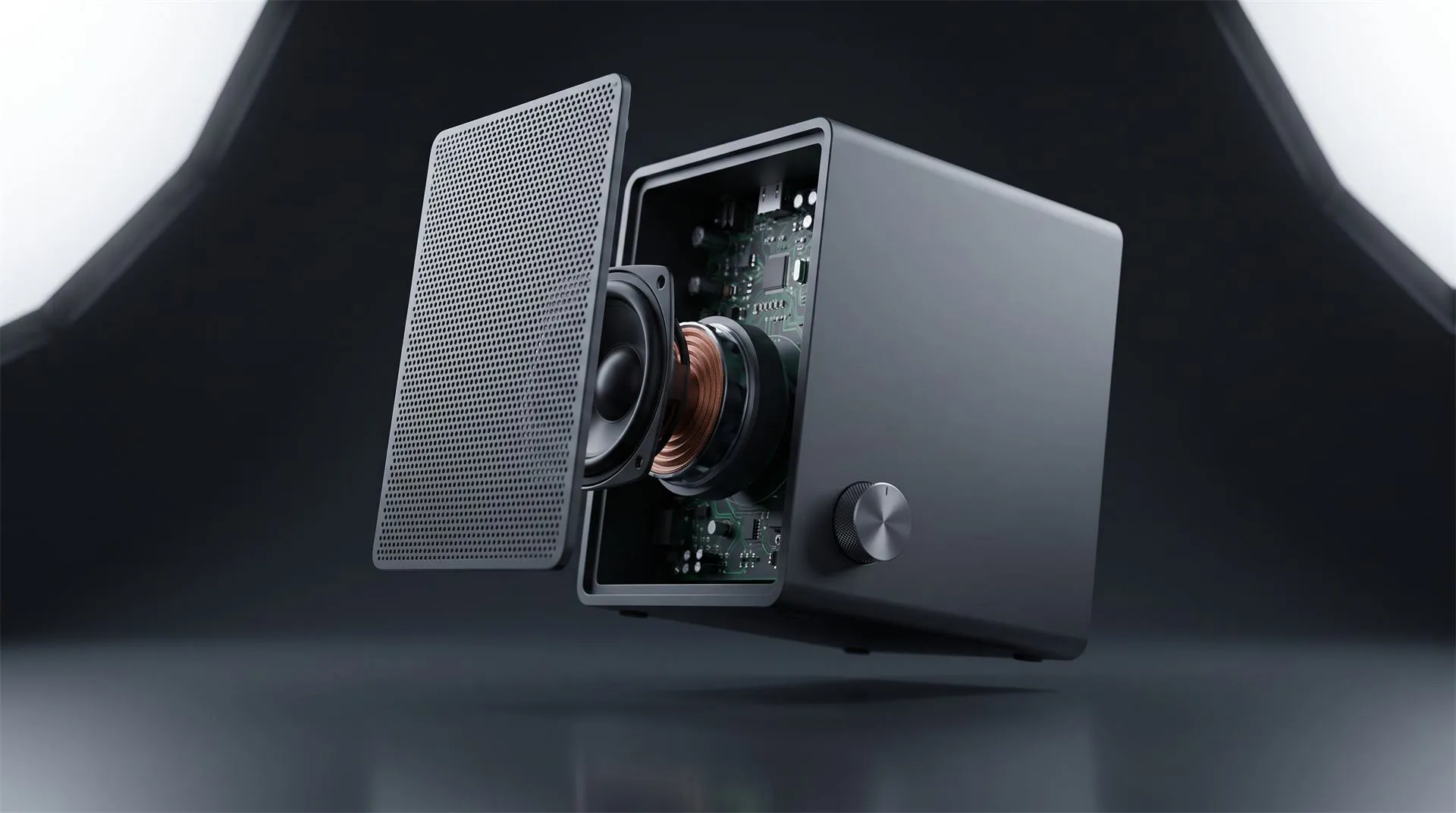
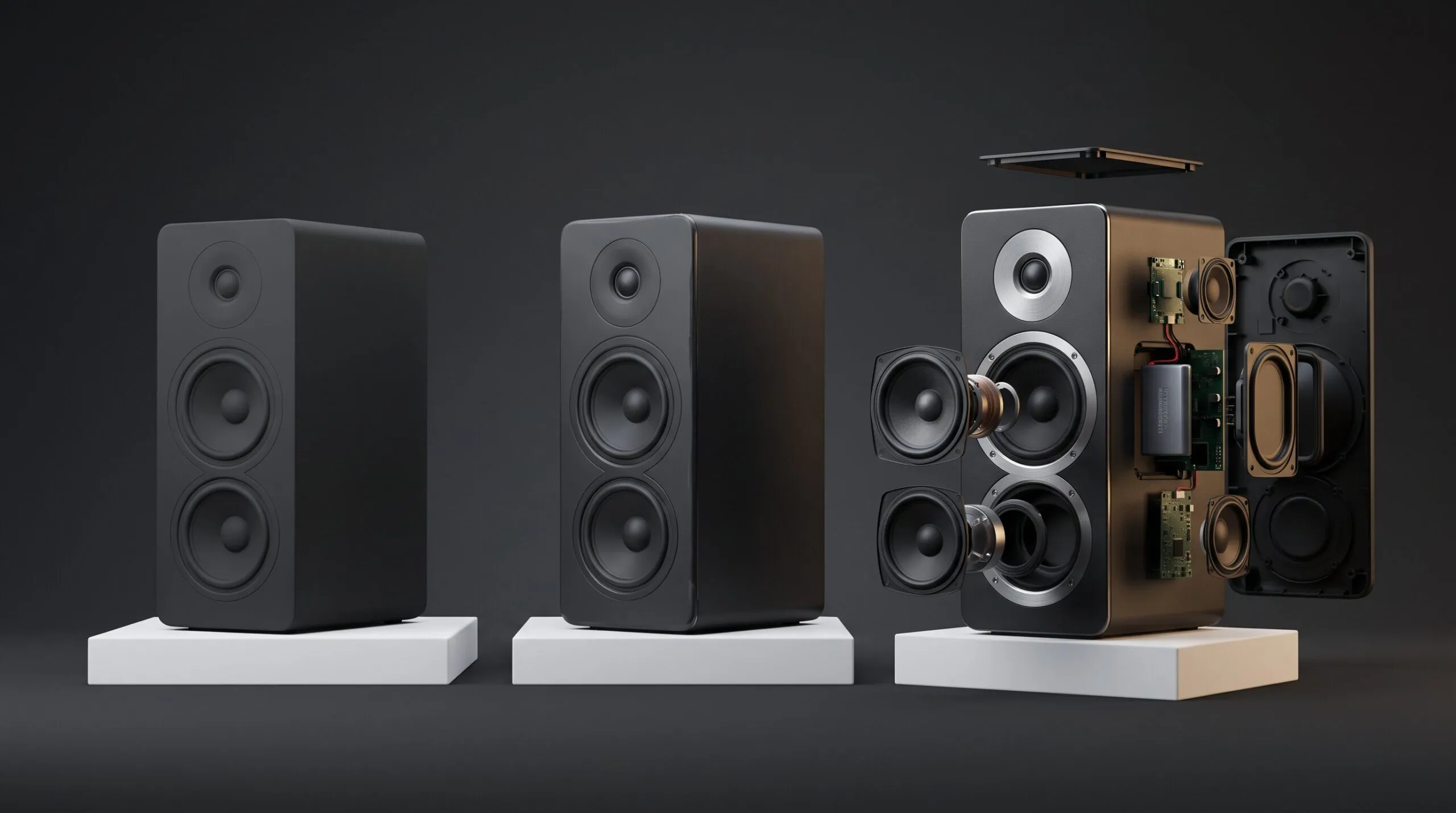
A section cut like this means destroying a unit in real life. In 3D the housing is simply told to stop where the cut begins.
Where is industrial 3D animation used?
Wherever someone has to understand a machine without standing in front of it. The same film usually ends up doing several of these jobs.
| Where | What it has to do | What that means for the film |
|---|---|---|
| Trade show | Stop people walking past the booth | A loop that works with no sound and no start point |
| Sales meeting | Help a rep explain the mechanism | Short chapters that can be paused and replayed |
| Website | Answer the technical buyer before they call | A clear sequence, often with on-screen labels |
| Training | Show operation or service steps | Slower pacing and exact order of operations |
| Investors and partners | Prove the design before the first unit exists | Accuracy to CAD, and an honest picture of scale |
Decide which of these comes first before you brief anyone. A trade show loop and a training sequence can share one 3D model, but they are not the same edit.
What does 3D show that a camera cannot?
Four things: the inside, the assembly, the invisible, and the machine that does not exist yet.
-
Cutaways. Part of the housing is removed so the mechanism is visible while it runs. In a renderer this is a material setting. KeyShot’s manual describes its Cutaway material as one that “enables you to non-destructively subtract geometry from your model.”
-
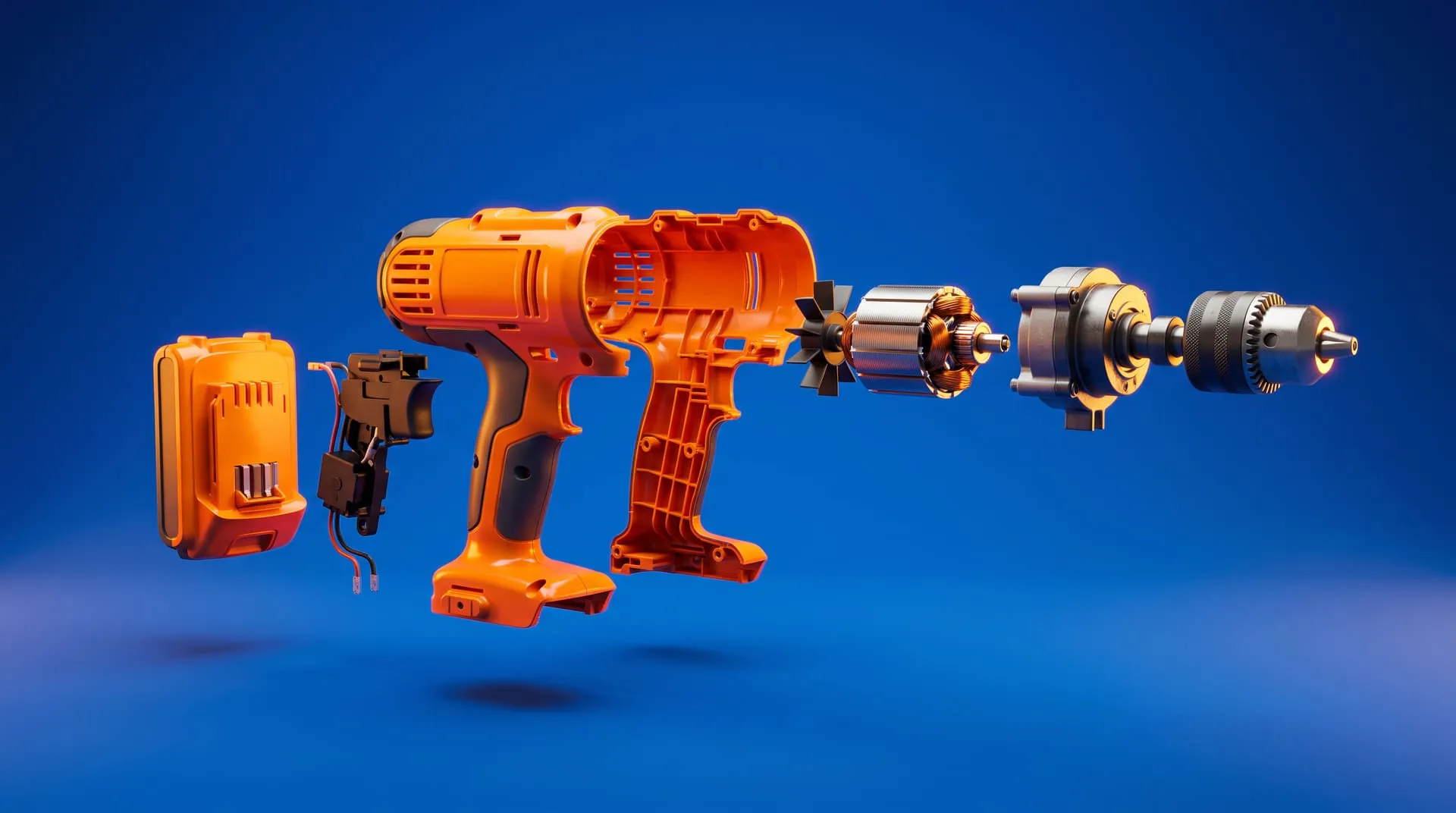
Exploded views. Every component separates along its own axis and comes back together, so a buyer sees the build quality and an installer sees the order. We cover what that takes in exploded view animation from CAD.
-
Flow. Air through a filter, coolant through a loop, heat across an exchanger. None of it can be photographed, and all of it can be drawn as moving streamlines, particles or color.
-
Operation in place. The unit installed in a plant, a rooftop or a vehicle, before any of those installations exist.
There is also a practical reason filming the inside of working equipment rarely happens. To open a machine safely it has to be locked out, and OSHA’s lockout/tagout rules exist to “safeguard workers from hazardous energy releases.” A machine that is locked out is not running, so the one moment worth filming is the one you cannot film.
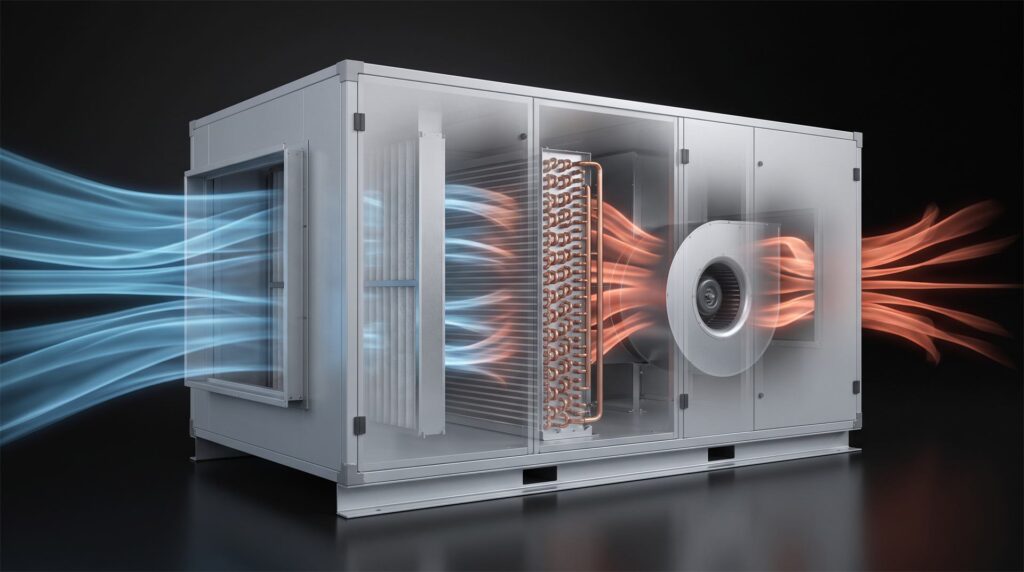
Airflow and heat exchange are the product. They are also invisible, which is why this kind of shot only exists in 3D.
Examples from our work
A ventilation system, explained from the inside. Schweigen needed a 4K animation to launch a rangehood ventilation system under a new name, EnviroShield, together with its external motor unit. They supplied CAD and STP files, a script and a recorded voiceover. The film runs 1:43. The camera moves through the product to show its internal workings, a transparent cut shows particles flowing, and the color shifts from cool to warm to make the insulation benefit visible, alongside an animated graph of insulation performance.
Two details from that project are typical of industrial work. Some components, such as the internal mesh and the motor housing, were not in the CAD data, so they were built from reference photos the client sent. And the most useful round of feedback was about clarity: people who saw an early cut were not immediately sure which product was being sold. The fix was to isolate the unit on its own at the start, before showing it inside the ducting system. Afterward the client asked for product stills on white, which were produced from the same 3D assets with no new modeling. Read the case study or watch the animation.
A network router, where the function is a signal. For ADI Global Distribution we produced a 1:38 launch film for an Araknis Wi-Fi router. It shows the internal components, the chips and electronics, and then the thing no camera can record: wave patterns radiating from the device. The film mixes photoreal rendering with motion graphics, on-screen text and voiceover, delivered in 4K in both 16:9 and 1:1. The quote assumed the client would supply CAD rather than have the product modeled from scratch, which is the single biggest factor in cost. Read the case study.
Neither of these is heavy machinery. The method is the same for a pump or a robot cell: start from CAD, find the one thing the viewer must understand, and build every shot around it.
What do we need from you?
The CAD, a clear idea of what the film must prove, and a note on what is confidential.
-
CAD files. STEP is the safest format, and NIST describes it as “broadly used for sharing engineering and manufacturing data.” Native files from SolidWorks, Inventor or similar also work.
-
The assembly, not a single merged part. Anything that has to move, open or come apart needs to arrive as separate components.
-
Reference photos of anything the CAD leaves out. Hoses, wiring, meshes and bought-in parts are often missing from the model.
-
The operating sequence. What moves first, which way the fluid goes, what the operator does.
-
Materials and finishes by actual spec, plus brand guidelines for on-screen text.
-
What is confidential. If the machine is unreleased or the internals are proprietary, say so at the start. We regularly work on products that have not been announced, and an NDA before files change hands is normal.
Expect the CAD to be simplified before it is animated. Engineering models are built for manufacturing. They carry every fastener and internal thread, far more than a render needs, and they are prepared for the camera by repairing the mesh, softening edges and removing parts nobody will see. That also works in your favor on confidentiality, because you can strip sensitive internals from the file before you send it.
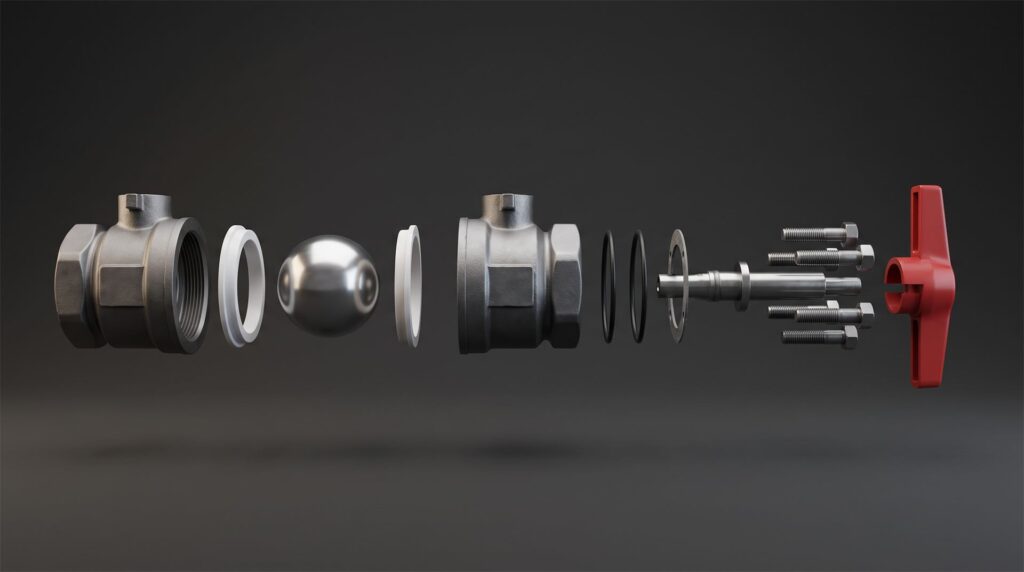
Every part that moves on screen has to exist as its own part in the file. A single merged shell cannot be taken apart.
How much does industrial 3D animation cost, and how long does it take?
With usable CAD, most industrial films land between $1,700 and about $4,500 at our pricing. The price is additive: the model, the length and the background are separate lines.
| Scenario | Model | Length | Background | Total |
|---|---|---|---|---|
| CAD supplied, 31 to 60 seconds, plain background | $200 | $1,000 | $500 | $1,700 |
| CAD supplied, 61 to 120 seconds, plain background | $200 | $2,000 | $500 | $2,700 |
| CAD supplied, 61 to 120 seconds, simple 3D environment | $200 | $2,000 | $2,000 | $4,200 |
| No CAD, very technical machine, 61 to 120 seconds, plain background | $2,000 | $2,000 | $500 | $4,500 |
A detailed environment or simulation work uses a $5,000 background line instead. Add-ons are priced separately: $250 for 4K, $100 for a voiceover, and $250 for each extra aspect ratio such as a square or vertical cut. You can try your own combination on the pricing page.
The row that matters most is the last one. A machine with no CAD has to be modeled by hand, and a very technical object is $2,000 before a single frame is animated. If the CAD exists anywhere in your company, finding it is the cheapest thing you can do.
On time, a roughly 30 second animation from supplied CAD typically takes about 10 to 15 days, and a standard one minute film about 20 business days. Complex launch films take longer. The router film above, with motion graphics and blended stock footage, was quoted with a two to three month production window.
Industrial animation vs a digital twin
An animation is a finished film. A digital twin is a live model of running equipment. They get confused because both start from 3D data, but they answer different questions.
An operational digital twin is fed by sensors and tells an engineer what a specific machine is doing right now. An industrial animation tells a buyer, an operator or an investor how the machine works in general. One is a monitoring tool, the other is a communication tool, and a twin cannot sell anything. We go through the difference in the two digital twins.
Common mistakes
Sending one merged file. An export that fuses the assembly into a single shell looks fine when it opens and cannot be exploded or cut cleanly.
Showing everything. A film that explains twelve features explains none. Pick the one mechanism the sale depends on.
Starting with the system instead of the product. If the viewer cannot tell which unit you are selling in the first seconds, the rest is wasted. Isolate it first.
Rendering what should be filmed. If the plant exists and the result is visible, film the result and animate only the inside.
Assuming you own the 3D scene. Receiving the finished video does not mean you received the model and scene files. If your team wants them for manuals or the next revision, ask in the quote.
Treating a vertical or square version as a crop. A new aspect ratio means reframing the camera in the scene, which is why it is a separate $250 item.
FAQ
What is industrial 3D animation?
A video made from the CAD model of a machine or equipment that shows how it works, including the parts and processes a camera cannot reach. Typical shots are cutaways, exploded views and visualized flow of air, fluid or heat.
How much does an industrial 3D animation cost?
At our pricing, $1,700 for a 31 to 60 second film from your CAD on a plain background, and $2,700 for 61 to 120 seconds. Without CAD, modeling a very technical machine adds $2,000. Built environments and simulation work cost more.
Can you animate a machine from CAD files?
Yes, and it is the best starting point. STEP or a native assembly from SolidWorks, Inventor or similar gives the most accurate result. The CAD is simplified and prepared for rendering first.
How long does an industrial animation take?
About 10 to 15 days for a roughly 30 second animation from supplied CAD, and about 20 business days for a standard one minute film. Complex launch films with many scenes can take two to three months.
Is 3D animation better than filming equipment on site?
Not always. If the machine exists and its value is visible from the outside, filming it is usually faster and cheaper. 3D is better when the important part is inside the housing, invisible, or not built yet. Many companies use both: real footage of the plant, and animation for the inside.
Where to go from here
Send us the CAD and one sentence about what the viewer has to understand. We will tell you what it would take, what it would cost, and whether filming the real machine would do the job for less.
Related Articles
3D Product Explainer Videos: Examples, Cost and How They Are Made (2026)
Exploded View Animation From CAD: What It Takes, What It Costs, and When You Do Not Need a Studio
3D Product Demo Videos for Physical Products: Examples, Cost and Process
The Two Digital Twins: Why the 3D Master Model is the One That Sells
How to Choose a 3D Product Animation Studio: A Buyer’s Checklist
3D Product Animation Trends in 2026: What Brands Are Doing Now
 Rachel A