
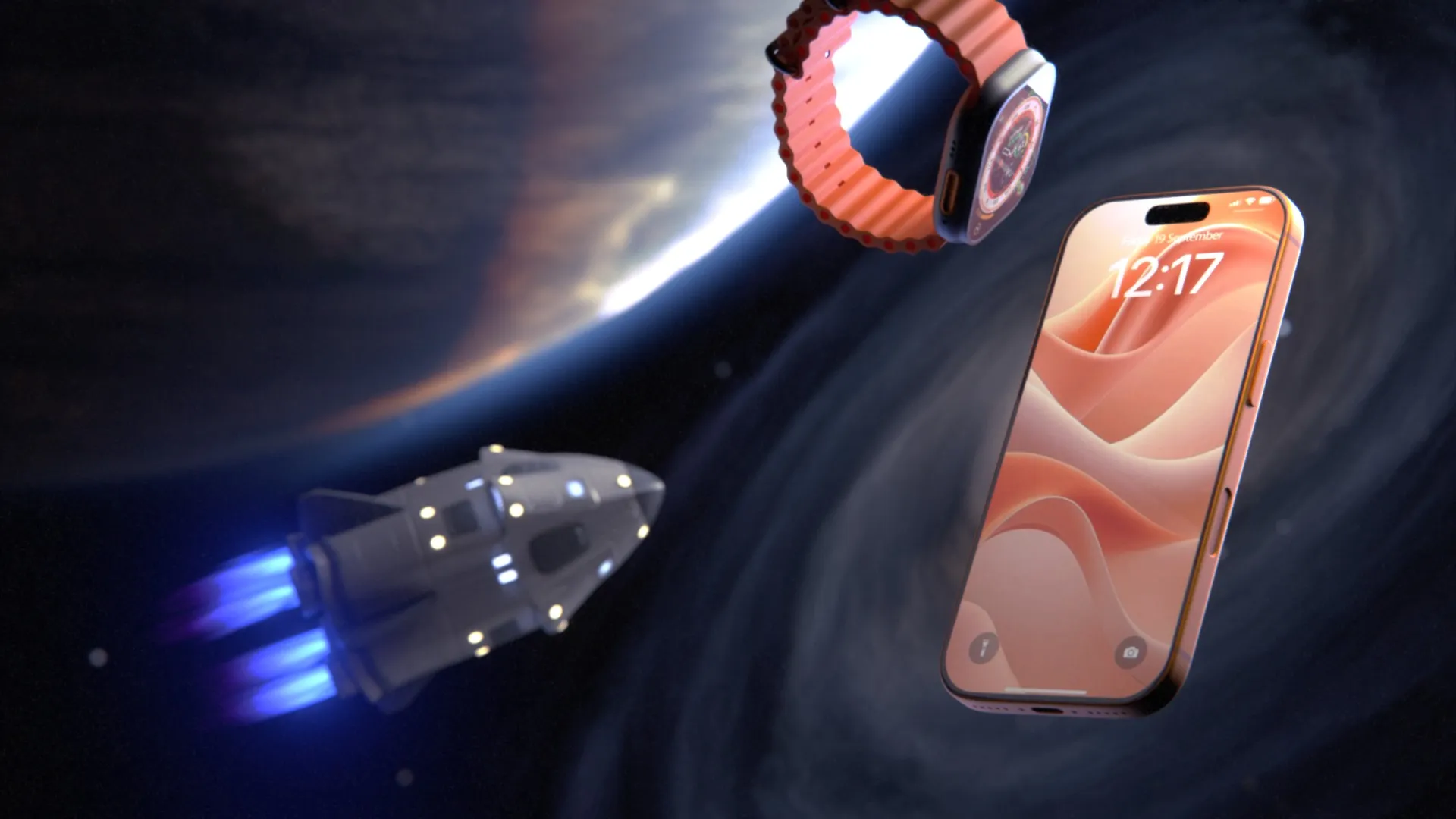
It Is 2026, Apple Puts AI in Every Device, and It Still Launched Its New Hardware With 3D Animation
In the space of fifteen days Apple launched a new Mac Studio, the iPhone 18 Pro and Pro Max, its first foldable phone (iPhone Duo), Apple Watch Series 12 and Ultra 4, and AirPods 5. It was the first product event with John Ternus as CEO, and AI was everywhere in the script: Siri AI, on-device models on the A20 Pro, and an Image Playground that now generates photorealistic images. Apple even announced support for SynthID so people can tell which images were made or edited with AI.
Then it came time to show the hardware, and the product was 3D. Full CG product sequences, or CG product elements cut into live action. The iPhone Duo hinge cover in micro-blasted titanium between mirror-polished rails. The six aperture blades inside the iPhone 18 Pro camera. The Mac Studio rear panel so close you can read the bead-blast grain. Aluminum, titanium, ceramic and knit fabric catching light that no physical set could hold that steadily across a moving camera.
This is not nostalgia and it is not a budget problem. Apple could generate its launch films with any model on the market, or train its own. It chose CAD-based 3D product animation for the product itself. Here is the reasoning, product by product, and what it means for a hardware brand launching something this year with a fraction of Apple’s budget.
What each launch had to prove
Every product in this cycle had a different job to do on screen. Almost none of those jobs can be done with a camera, and none can be done reliably with a generative video model. We went through Apple’s own launch films frame by frame for iPhone Duo, iPhone 18 Pro, Apple Watch Series 12, AirPods 5 and Mac Studio, and added AirPods Max 2 from March to check that the pattern is not a one-event habit.
iPhone Duo: selling a shape nobody has held yet
According to Apple’s iPhone Duo announcement, the enclosure is grade 5 titanium with a mirror-polished finish, the hinge cover is 3D-printed titanium with a contrasting micro-blasted finish, the hinge itself is built from more than 100 components, and antenna splits with ceramic fiber inserts stiffen the frame. The Duo is the only product in this cycle with a genuinely new shape, so its film has a different job from the others. It is not selling what changed inside. It is teaching people what the object is.
Two finishes, one frame. The Ceramic Shield card stands the phone half open in a V, looking straight down the spine. The hinge cover sits in the middle with a soft satin sheen, flanked by rails polished to a mirror. That is the exact pairing from the spec sheet, and it is a lighting problem: a mirror polish shows whatever surrounds it, while a micro-blasted surface scatters light into a soft glow. Getting both to read correctly in the same frame means designing the reflections themselves, placing bright cards and environments exactly where they flatter each surface, then keeping them locked as the camera moves.
Materials made visible. In that same shot, both glass surfaces carry a faint iridescent dot pattern, as if the ceramic structure inside the glass were showing through. Real Ceramic Shield looks like clear glass. The film adds a visual layer that turns an invisible material claim into something you can see, while every edge and button around it stays literal.
Thinness in pure profile. The thinness claim is made with the phone fully open and seen exactly side-on against white: the camera plateau, the buttons, the speaker holes, the hinge segments at the center, and the antenna splits breaking the polished rail at regular intervals. A dead-level profile like that is where any error in geometry shows instantly, and it is the same orthographic logic as the Mac Studio title card.
One model, three postures. A single frame lines up three Duos on white: propped like a tent for a hands-free FaceTime call, bent like a small laptop, and open flat in StandBy with a clock and a photo. It is the Watch finish lineup and the AirPods Max 2 color ring applied to a hinge. One model, one rig driving the hinge angle, three configurations rendered in one composition.
The camera plateau, bright and dark. A clean macro on the star white back shows the two lenses in polished rings, the microphone mesh and the flash with its fine concentric pattern. Then the film cuts to black for a single rim-lit shot of the closed phone from the side, the two stacked rails catching a hot highlight next to the lenses. It is the only dark frame in the set, used as punctuation.
Screens, hands and a wallpaper. The film opens on a desert landscape under the display claim. A few shots later the same dunes and mountains turn out to be the Home Screen wallpaper, on a Duo held in a hand. The Home Screen shows iOS 27 as described in the press release, with the Dock on the side and the circular status indicator in the corner, and the Calendar and StandBy screens read Wed Apr 1 again: three films, one date. The hands look like filmed hands, and from stills you cannot tell whether the phone in them is a physical unit with its screens replaced or a rendered phone tracked into the footage. Apple uses both techniques. Either way, the screen content is composited, and when the phone folds open in a hand the swinging half carries honest motion blur.
The chip, a third way. The A20 Pro appears here as a frosted metal tile with gold and silver lettering over a soft pastel swirl. The iPhone 18 Pro film shows the same chip as a physical package on its board, and the Mac Studio film shows its chip as a dark glowing badge. Same company, same season, the same silicon treated three ways to match each film’s look.
The look. Bright white, soft shadows, plenty of air around the product: the classic side of Apple’s range, close to AirPods Max 2, with one dark macro for contrast. Apple’s newsroom page for the Duo also carries separate short clips dedicated to the hinge, the Ceramic Shield back and the A20 Pro with its custom vapor chamber, for press and partners to use on their own.
Likely production method: full exterior CAD including the hinge cover and antenna splits; a single rig driving the hinge angle so every posture comes from one model; a two-finish material setup with designed reflection environments; a stylized overlay on the glass for the Ceramic Shield shot; iOS UI composited onto both displays; filmed hands with either a tracked CG phone or a physical unit with screen replacement; and one photographed landscape used both as an environment and as the wallpaper.
Comparable cost for a mid-market brand: a film that introduces a new form factor, with a posture rig, multiple screens and a hands sequence, sits in the mid four figures and up. Filmed hands and screen replacement add a shoot day and compositing time. Typical timeline is 3 to 6 weeks.
iPhone 18 Pro: same exterior, so the film opens the phone
The iPhone 18 Pro announcement keeps the aluminum unibody introduced with the 17 Pro, with Ceramic Shield on the back and Ceramic Shield 2 on the front, and an enclosure made with 85 percent recycled aluminum. The big changes are internal and optical: the 2nm A20 Pro, and a main camera with a variable aperture that moves between four stops. When the outside barely changes, the film has to sell what is underneath, and Apple’s iPhone 18 Pro film spends most of its running time inside the phone.
The product in a world, not a void. Where the Mac Studio film sits on black, this one puts the phone in places: drifting weightless past switch panels and a glowing display in what reads as a cockpit, standing on a bench in a dim workshop with shelving and machinery behind it. From a still you cannot tell whether those sets were built in 3D or shot as plates, but the phone is not resting on anything, and a real phone does not float.
One feature, three shots. The variable aperture gets a macro on the lens with the iris blades visible inside it, the fine grain of the anodized ring picking up a thin highlight. Then an exploded camera module with the lens barrel pushed out of its housing. Then the six blades isolated in solid metal, each with its cam slot and pivot hole, while the lens elements around them drop to glowing outlines. That last shot only exists if someone modeled the mechanism part by part. One accurate model, three completely different shots.
The full exploded view, twice. Once in the new burgundy finish, every layer floating above a table edge lit by a strip light: unibody, back glass, camera modules, boards, shields, the MagSafe coil. Once front-on against pale gray, with the display, a perforated shield plate, the internal chassis, the battery and the logic board separated, the A20 Pro visible on the board.
Assembly from the inside. A low camera sits behind the USB-C port and speaker holes while components settle into the frame above it. The Taptic Engine label on its housing is legible. This is the shot that tells a viewer the product is engineered, and it is built entirely from internal CAD.
CAD made visible. A dimpled internal plate, most likely the vapor chamber, is drawn with glowing edges, construction lines and small dimension-style labels, as if the engineering drawing were laid over the part. It is a style, but it only works because the underlying geometry is the real part.
The chip, physical this time. Unlike the Mac Studio film, the chip here is a real object: the A20 Pro package on its logic board, laser-etched logo, connectors and passives around it in shallow focus. Then the camera pushes through into a glowing blue die map. The blocks in that map count out to the published spec: two large blocks and four smaller ones for the 6-core CPU, seven columns for the 7-core GPU, and 32 small cells for the Dual 16-core Neural Engine. A stylized graphic that doubles as a spec sheet.
Even the screen is set dressing. When the display lights up, the lock screen reads Wed Apr 1. In 2026 that is Apple’s 50th anniversary. Every pixel on that screen is a deliberate choice, composited onto a rendered display.
The look. Grain, chromatic fringing on high-contrast edges, lens distortion toward the corners, vignetting, very shallow depth of field and a little haze in the light. This is CG deliberately roughened so it feels photographed. The Mac Studio film, from the same company in the same season, is clean and graphic. Two completely different looks, and in both the product is exact.
Likely production method: a full internal CAD assembly down to boards, shields and fasteners; a rig for the aperture blades; exploded and assembly animation with staggered timing per part; an outline or edge render pass combined with the beauty pass for the technical shots; lens and film emulation in compositing; and either CG environments or photographed plates for the sets.
Comparable cost for a mid-market brand: an exploded view or assembly sequence from full internal CAD is low to mid four figures per sequence. A 60 to 90 second film in this style is mid four figures and up, and the biggest variable is whether you can supply internal CAD or only the exterior shell. Typical timeline is 3 to 6 weeks.
Apple Watch Series 12: one shape, a catalog of materials
Apple Watch Series 12 comes in four aluminum finishes, two titanium finishes on a 3D-printed titanium case, and a new ceramic version in two colors, across two case sizes. The headline feature is a redesigned Health Sensing System on the underside, which Apple describes on its product page as more capable optical and electrical sensors with larger, more power-efficient green LEDs.
This is where the economics of 3D are easiest to see. Photographing eight finishes in two sizes means sourcing sixteen flawless physical units and matching lighting across all of them. In 3D it is one model and a library of materials, with the finish difference coming from measured material properties rather than whatever the photographer’s lights happened to do that day. Apple’s Watch film shows exactly that.
Four finishes in nine frames. In the frames we pulled, the same case shape appears in dark bronze aluminum, black aluminum, a pale gold case and what looks like the new pearl white ceramic. Same geometry, same crown, same button, different materials. The bronze reads matte with a soft sheen along the edges, the ceramic reads glossy with a hard reflection, and nothing about the shape changes between them.
Reflections as a design decision. The finishes shot is a macro on the Digital Crown against white. The knurled ridges catch light individually, and the mirror-polished cap shows a clean split reflection, bright above and dark below, like a horizon. That split does not happen by accident. Someone placed a bright environment above the crown and a dark one below it so the cap would read as a polished dome instead of a gray disc.
The sensor, from the inside. The Series 12 title card sits between two cropped watches: the front showing a heart rate screen, the back showing the sensor window with its green LEDs lit and the engraved ring of text around it, down to the water resistance rating. Then the camera goes inside the sensor array, where the LED clusters are shown oversized as intricate lens structures throwing shafts of green light. No camera fits there. The claim is larger LEDs, and the film makes the LEDs physically large.
People as graphics, the product as the only real object. The workout sequence puts the watch on a wrist and a runner, but the body is reduced to a glowing orange-to-magenta gradient, closer to a heat map than to skin. Whether that is filmed performance graded into a gradient or a CG body with a gradient shader, the result is the same: the watch is the only object in frame rendered literally. In one shot the runner’s arm passes in front of the headline type while the type sits in front of the background, placing the graphics inside the depth of the scene rather than on top of it.
Every screen is controlled. The watch faces all read 10:09, the convention watch brands have used for decades because it frames the dial and reads as a smile. The Ceramic Shield 2 shot shows a face dated Wed Apr 1, the same date as the iPhone 18 Pro lock screen. The workout screens are dense with legible numbers: elapsed time, heart rate, time in zone, average BPM. Small, accurate, readable text on a product screen is one of the things generative video still handles badly, and on a fitness product the numbers are the product.
Claims come with footnotes. Two of the frames are pure claim cards, one for battery life and one for heart rate accuracy, and both carry legal footnotes on screen explaining the testing behind them. A company that footnotes its battery number is not going to let a model improvise the product that number describes.
The look. A third visual language in the same season: clean white and black product frames, bold graphic type, and flat color fields for the motion graphics. Mac Studio is dark and graphic, iPhone 18 Pro is gritty and cinematic, the Watch is bright and poster-like. The product is exact in all three.
Likely production method: one master watch model with a material library per finish; macro cameras with designed reflection environments for the crown and case edges; a separate high-detail model of the sensor array for the interior shots; UI animated separately and mapped onto the display with reflections layered over it; a performer, either filmed or CG, treated with a gradient, with the rendered watch tracked onto the wrist; and type composited into scene depth.
Comparable cost for a mid-market brand: a finish showcase from one master model is incremental per finish once the scene exists. A 45 to 60 second film in this style, with screen content and one stylized human sequence, sits in the mid four figures. Filmed talent or a CG body is the variable that moves the budget most. Typical timeline is 3 to 6 weeks.
AirPods 5: an upgrade you cannot see
AirPods 5 introduce a new multiport acoustic architecture and open-ear noise cancellation that Apple says removes up to 50 percent more external noise than AirPods 4 with Active Noise Cancellation. Every one of those changes is invisible from the outside. You might expect a cutaway through the earbud showing ports and air paths. In the frames we pulled there is none, and how Apple solved the problem instead is the useful part.
The ports, strand by strand. The macro that carries the acoustic story goes into one of the openings on the earbud: a slot in glossy white with a woven mesh behind it, every strand modeled with depth and catching its own highlight. It is the same yarn-level approach as the AirPods Max 2 knit, applied to a grille a few millimeters wide. The architecture itself is internal, so the film shows the one part of it you can see, at a scale where the craft is obvious.
Sound as graphics, not a cutaway. Noise cancellation and sound are shown as concentric rings of light around dancers, deep blue in one sequence and purple in another. No section planes, no simulated air. When the physics is abstract, a clean graphic idea can carry the claim, and it costs far less than an acoustic simulation.
People dark, product lit. The dancers are black silhouettes. The only lit, detailed object in frame is the white earbud in the ear, and in the wide shot it is a single small highlight on a dark figure. It is the same rule as the gradient bodies in the Watch film: the person is a graphic, the product is the only literal object.
Out of the case. The lid is open, one earbud rises out of the case while the other lifts from its slot, and the status light glows green. A simple part animation, and one that almost every earbud brand needs in some form.
A system, not a one-off. Live Translation is shown with a Chinese greeting emerging from behind the earbud, the same device used with a Korean greeting behind the AirPods Max 2 ear cup six months earlier. The battery card puts the case, seen from below with its USB-C port, over a glowing green lightning bolt, the same green the Watch film uses for its battery claim, with its own footnote on screen. Across launches, Apple is running a visual system: recurring devices, recurring colors, recurring footnote discipline. A system like that only holds together when the product assets behind it are consistent, reusable 3D scenes.
Likely production method: product CAD for the buds and case with a detailed mesh model for the grilles; part animation for the case opening and the buds lifting; dancers, filmed or CG, kept in silhouette inside CG light environments with the rendered earbud tracked into the ear; motion graphics for the sound rings and the battery card; and type composited into scene depth.
Comparable cost for a mid-market brand: a 30 to 45 second film in this style from your CAD is low to mid four figures without the dancer sequences. Silhouette talent sequences push it into the mid four figures. Typical timeline is 2 to 4 weeks.
AirPods Max 2: the spring launch, same playbook
AirPods Max 2 arrived on March 16 by press release, six months before the September event. The upgrade is inside: the H2 chip, Active Noise Cancellation up to 1.5x more effective than the previous generation, and new features like Adaptive Audio and Live Translation, in five colors: midnight, starlight, orange, purple and blue. The outside is the same design as the original. An unchanged shape and a story that lives inside is the same situation as Mac Studio and iPhone 18 Pro, and Apple reached for the same answer.
Textiles resolved to the yarn. The opening frame floats a midnight pair between two enormous close-ups of the blue knit headband canopy, the fabric scaled up until individual yarns read like architecture. The knit on the ear cushions holds up in every shot after that. Soft goods are harder to render than metal. The knit needs real geometry or displacement detailed enough to survive a macro lens, and a fabric shader with the right sheen, or it reads as a printed texture.
Polished steel meets matte aluminum. A macro follows the mirror-polished stainless steel arm down into the anodized aluminum ear cup, with the noise control button on the cup’s edge. It is the same polished-against-matte problem as the iPhone Duo, solved by keeping the reflection environment bright and simple so the steel reads as a clean gradient rather than a busy mirror. The ANC claim sits in type beside the part.
The Digital Crown macro. The knurled ring catches light ridge by ridge, the steel arm curves away behind it, and the knit cushion sits soft and out of focus in the foreground. Three materials at three focal depths in one frame.
Type that lives in the scene. Live Translation is shown with a Korean greeting emerging from behind a blue ear cup, the letters appearing as they clear the edge of the product. It is the same depth compositing used for the runner in the Watch film.
All five colors in one frame. The Personalized Spatial Audio card arranges five pairs in a ring around the headline, one in each color. One model, five material sets, one composition. It is the finish-variant argument from the Watch section, made in a single frame.
The look. Soft gray gradients, no environment, no grain: Apple’s classic product look. Close to the Watch film in brightness, but softer and without the flat color fields. Four films, four treatments, and the product exact in every one.
Likely production method: the existing product model carried over from the previous generation, knit modeled or displaced at yarn scale with a dedicated fabric shader, five material sets on one model, macro cameras with simple bright reflection environments, and type composited into scene depth.
Comparable cost for a mid-market brand: a 30 to 45 second film in this style from your CAD sits in the low to mid four figures. Textiles are the variable: fabric that has to hold up at macro distance adds look development time that a hard-surface product does not need. Typical timeline is 2 to 4 weeks.
Mac Studio: same box, so the film sells the surface
The new Mac Studio arrived on August 25 as a press release rather than an event, in a case that is visually unchanged from the previous generation. The news is the M5 Ultra and up to 512GB of unified memory, so you would expect the film to be all chip. It is not. Going through Apple’s Mac Studio film frame by frame, the photoreal work goes to the exterior, and the chip is treated as a brand graphic.
Macro material passes. The tightest shots sit a couple of inches from the rear panel. You can read the bead-blasted grain of the aluminum, the small chamfer on every port cutout catching a thin line of light, the etched Thunderbolt and Ethernet icons, and the polished pins inside the power socket. In the straight-on rear shot, the Mac Studio lettering molded into the dark base is visible only because a grazing light was placed to pick it up. That is a lighting decision about a detail most owners never notice, and it was possible because the whole object exists as a controllable scene.
The hero three-quarter. One large soft source from above, the highlight rolling off along the corner radius of the case, the Apple logo reading as a darker, glossier inset against the matte top, and the front status light glowing. It is the classic hardware beauty shot, and on a black void there is nothing to hide an error in the geometry.
Product inside the typography. A title card locks flat, perfectly orthographic front and rear views of the machine into a grid of heavy condensed type, with grain laid over the whole frame. A true orthographic view is a single setting in 3D. In photography it takes a long lens from a distance and retouching to straighten the perspective.
Part animation over motion graphics. The rear of the machine faces camera while the power cable pushes into the socket and light streaks rush past behind it. The product is rendered, the plug-in is a simple part animation, and the background is pure motion design.
The chip as a badge. The M5 Ultra never appears as a photoreal die. It appears as Apple’s glowing chip tile, once on clean black and once over a dark, symmetrical, fibrous form that reads as a mirrored particle or volume simulation.
3D type and a CG character. Workloads are named in 3D type, one frame spelling out CODE in a soft purple material with rounded bevels, and one sequence cuts to a mirrored robot in scratched chrome with glowing eyes, the kind of hard-surface model a Mac Studio owner might render on the machine itself. Even the part of the film about what the computer can do is told in 3D.
Across the frames we pulled, the photoreal product carries more than half of them, the chip badge two, 3D type one and the character one. None of them is live action. That is the split worth copying for any product that did not change shape: realism wherever the viewer can check the image against the object on their desk, stylization where the subject, a chip or an abstract idea like power, cannot be seen anyway.
It also shows the long-term value of a 3D product scene. When the exterior is unchanged, a properly built model from the previous generation can carry straight into the new film, and the budget moves to lighting, motion design and the new story. A photo shoot cannot be reused like that. A 3D scene can.
Likely production method: exterior CAD with measured finish shaders, macro cameras with grazing light rigs, orthographic render passes for the type layouts, a simple part animation for the cable, motion graphics and 3D type built in parallel, and a separate hard-surface character asset.
Comparable cost for a mid-market brand: a 60 to 90 second film in this style, starting from your own CAD, sits in the mid four figures. The character and simulation shots are the ones that push it higher. Typical timeline is 3 to 6 weeks.
Why Apple did not hand this to AI video
1. A generative model draws something plausible, not your part
Generative video predicts what pixels are likely to appear given a prompt and some reference. A hinge with more than 100 components has one correct answer, and the model has never seen it, because until September 9 nobody outside Apple had. It will invent a hinge that looks like a hinge. For a buyer who cares about the product, an invented chamfer or a wrong port position is not a stylistic choice. It is a false claim about the product. Apple holds that line even in its most stylized shots: the glowing die map in the iPhone 18 Pro film still counts out to the real CPU, GPU and Neural Engine core configuration.
2. The product barely existed when the films were made
Apple’s own footnotes say its battery and charging testing ran on preproduction units in July and August 2026. Launch films are produced months ahead of that. The one thing that exists early and accurately is the engineering CAD, and 3D animation built from CAD is how you film a product before it is manufactured in any volume. To get an AI model anywhere close, you would have to feed it confidential renders of the unreleased product, at which point you already have the 3D.
3. Materials are physics, not style
Mirror-polished titanium, micro-blasted titanium, anodized aluminum, ceramic and Ceramic Shield glass all respond to light differently, and those differences are what premium hardware is selling. A physically based renderer computes that response from measured properties like roughness, index of refraction and anisotropy, so the reflection moves correctly as the camera moves. Generative models approximate appearance from what they have seen before, which tends to average every metal into generic “metal” and lets the finish drift from frame to frame. The macro frames in the Mac Studio film hold the bead-blast grain, the port chamfers and the etched icons sharp across the full frame. That scale of detail is exactly where generative video tends to smear or invent. The AirPods Max 2 film resolves the knit of the headband and ear cushions down to individual yarns, and fine repeating patterns like knit and perforation are where generative video tends to shimmer and swim from frame to frame.
4. One scene, a hundred deliverables
Apple does not make one film. The newsroom page for iPhone Duo alone carries several product clips plus downloadable media packs for the press, and the same product appears across the keynote, the website, retail screens, paid ads and social in every aspect ratio. A 3D scene can be re-rendered with a new camera, a new color or a new format, and the product stays identical every time. Each format still needs its own camera reframing rather than a crop, but the product never changes shape between them. Regenerate an AI clip and you get a slightly different product.
5. Disclosure is now a legal question in Europe
The transparency obligations in Article 50 of the EU AI Act have applied since 2 August 2026. Among other things, Article 50 requires deployers to disclose deepfakes, and the Act defines a deepfake as AI-generated or manipulated image, audio or video that resembles existing persons, objects, places, entities or events and would falsely appear authentic. A photoreal AI clip of a real product can plausibly fall inside that definition. A conventional 3D render built from CAD is not AI-generated content in that sense. This is not legal advice, and brands advertising in the EU with AI-generated product footage should ask counsel, but it is one more reason a company building AI labeling into its own operating system would keep its product shots out of that category.
Where AI does belong in a product video pipeline
None of this means AI is absent from 3D production. It is already in the pipeline, just not in charge of the product.
AI denoisers in modern renderers cut render times sharply. AI upscaling and frame interpolation help with delivery. Generative tools are useful for mood frames, color exploration and background concepts early on, and for rotoscoping and cleanup in compositing. We would be surprised if Apple’s pipeline did not use some of this.
The rule that holds across all of it: AI can touch everything around the product, but not the product. Geometry, proportions, materials, finishes and mechanisms come from engineering data, because that is the part the viewer is being asked to trust.
Apple’s launch shots, taken apart
Costs below are what a comparable shot costs a mid-market hardware brand working from its own CAD, not what Apple spent. Apple does not publish its production budgets.
| Shot type | Apple example | Likely production method | Could AI video do it accurately? | Comparable cost for your brand | Typical timeline |
|---|---|---|---|---|---|
| Hero orbit in a lit void | iPhone 18 Pro in a new finish | CAD geometry, PBR materials, studio HDRI plus light cards, orbit camera | No. Finish and reflections drift between frames | From about $1,200 with usable CAD | 1 to 2 weeks |
| Mechanism sequence | iPhone Duo hinge folding, iPhone 18 Pro aperture blades | Part animation matched to real kinematics, macro lens, depth of field | No. The mechanism would be invented | Low to mid four figures | 1 to 2 weeks |
| Cutaway or X-ray reveal | iPhone 18 Pro camera module and A20 Pro die map, Watch sensor system | Section planes, transparency shaders, internal CAD, glow passes | No | Low to mid four figures, depending on internal CAD availability | 1 to 3 weeks |
| Exploded view and assembly | iPhone 18 Pro full teardown, parts settling into the frame | Full internal CAD, per-part animation with staggered timing | No. Every internal part would be invented | Low to mid four figures per sequence, depending on internal CAD | 1 to 3 weeks |
| Technical outline overlay | iPhone 18 Pro iris blades with ghosted lens elements, vapor chamber with dimension lines | Edge or outline render pass layered over the beauty render | No. The drawing only works if the geometry is real | Adds days to a cutaway shot | Days |
| Macro material detail | Mac Studio rear panel: bead-blasted grain, port chamfers, etched icons; AirPods Max 2 knit | Macro camera, grazing light rig, surface detail in the finish shader, yarn-level knit geometry for textiles, shallow depth of field | No. Micro detail is where generative video smears or invents | Low four figures as part of a film | Days per shot once the scene exists |
| Product inside motion graphics | Mac Studio title card with orthographic views, cable plug-in over light streaks | Orthographic render passes and simple part animation composited with kinetic type and graphics | The graphics, yes. The product, no | Low to mid four figures | 1 to 2 weeks |
| Screen content composite | 10:09 watch faces, workout data screens, the Wed Apr 1 lock screen | UI animated separately, mapped to the display in 3D, reflections layered on top | No. Small text and numbers garble | Quoted by amount of UI animation | Days |
| Stylized human with photoreal product | Watch Series 12 wrist and runner shots | Filmed or CG performer treated as a gradient, rendered watch tracked onto the wrist | The body, possibly. The watch, no | Mid four figures, depending on filmed talent or a CG body | 2 to 4 weeks |
| Material, finish and posture variants | Watch Series 12 in four finishes; all five AirPods Max 2 colors in one frame; iPhone Duo in three hinge positions | One master model, swapped materials or rig positions, identical camera and lighting | Only for mood, not for accurate finishes | Incremental per finish once the scene exists | Days per variant |
| Invisible features | AirPods 5 port macro, sound shown as rings of light around silhouettes | Macro of the real port geometry plus motion graphics for the effect, or a cutaway with simulation when the physics must be literal | Graphics, possibly. Port geometry, no | Low to mid four figures with graphics, mid four figures and up with simulation | 2 to 4 weeks |
| Full launch film | iPhone Duo, iPhone 18 Pro and Mac Studio films | All of the above, plus 3D animatic, edit, music and sound | No | Mid four figures and up | 3 to 6 weeks |
What this means if you are not Apple
You already own the expensive part. Apple’s launch films start from engineering CAD, and so does yours. In most 3D video quotes, building the product model is the largest variable cost. On our own pricing, a client arriving with usable CAD pays $200 for the model tier instead of $400 to $2,000, and a short video on a clean background starts around $1,200 all in rather than $1,800 to $3,400.
Build the scene once and use it for years. The Mac Studio is the example. A properly built product scene carries into the next colorway, the next generation, the next campaign. That only works if you actually hold the scene. Owning the rendered video is not the same as owning the 3D scene and model files, and many brands find this out when they come back for a new version and have to start from scratch. Put scene file ownership and archiving in writing before production starts.
Plan the formats before the film. Apple ships the same product across dozens of placements. Decide your aspect ratios up front, because each one needs its camera reframed in the 3D scene rather than cropped from the 16:9 master, and that is real work with a real cost.
Approve motion before anything is rendered. We work from 3D animatics instead of storyboards: simple, fast renders of the actual product geometry moving with the actual camera and timing. You approve how the film moves using the real object, which removes most of the surprises from final rendering.
An Apple-style launch kit, sized for a normal budget
- One hero film. 45 to 90 seconds, 16:9, for the launch page and YouTube.
- Three to five feature clips. 8 to 15 seconds each, one claim per clip: the mechanism, the material, the inside.
- A product page loop. 10 to 15 seconds, no sound needed.
- Vertical versions. 9:16 and 4:5 cuts with cameras reframed for each format, for Reels, TikTok and Shorts.
- Stills from the same scene. Colorways, angles and cutaways for the store, Amazon listing and press.
- A press and retail pack. Clean renders and clips without type, so partners can use them.
- An archived scene file. With written ownership, so next year’s version starts from this year’s work.
Common mistakes
Feeding product photos to an AI video tool and publishing the result. Any detail the model invents becomes a claim about your product, and customers do notice when the port is on the wrong side.
Filming a prototype. Pre-production units carry tooling marks, color mismatches and parts that will change. CAD is closer to the shipping product than the prototype on your desk.
Commissioning the hero film and forgetting the rest. The hero film gets watched once. The feature clips, loops and vertical cuts do most of the work across the launch.
Letting the scene file disappear. Without the scene, next year’s colorway is a new project at full price.
Trying to show everything in one shot. Apple’s clips each carry one idea: the hinge, the glass, the chip. That discipline is free to copy.
FAQ
Did Apple use any AI in these launch films?
Apple does not publish its production pipeline, so nobody outside knows exactly. AI tools are standard in modern rendering and compositing for denoising, upscaling and cleanup, so some use would not be surprising. What the product shots show is geometry, finishes and mechanisms that match the engineering, which is what a CAD-based 3D pipeline produces and what generative video cannot guarantee.
Is 3D product animation more expensive than AI video?
Per generated clip, AI video is cheaper. Per accurate, reusable asset, usually not. A 3D scene built once can produce the hero film, feature clips, every aspect ratio and every colorway, and it can be reused for the next generation.
Can an AI tool animate our existing 3D renders?
It can move pixels around them, but it cannot guarantee the product stays geometrically correct from frame to frame. For anything that shows how the product works, animate the 3D scene itself.
Do we need Apple’s budget to get this look?
No. Apple’s advantage is taste and discipline more than spend. The techniques in the table above are standard 3D production, and your existing CAD removes the largest single cost.
What should we send a studio to get a quote?
Your CAD in STEP or native format, finish references (a CMF sheet, physical samples or approved photos), brand assets, the three things the viewer should understand by the end, and your list of placements and aspect ratios.
Does the EU AI Act apply to 3D product animation?
Article 50 targets AI systems that generate or manipulate synthetic content. A conventional 3D render built from CAD is not that. If generative AI substantially creates or alters the product imagery in your ads, check the disclosure requirements with counsel.
Launching hardware this year?
Send us your CAD and tell us what the launch has to prove. We will tell you which shots from the table above your product actually needs, build it from your engineering data so every chamfer and finish is right, and hand over a scene you own for the next launch too.
Related Articles
How Oura Uses 3D Product Animation to Sell a Titanium Ring
3D Product Animation Trends in 2026: What Brands Are Doing Now
Product Hero Shots: What They Are, Why Brands Now Render Them in CGI, and What They Cost
CGI vs AI for Product Visuals: Key Differences, Cost and When to Use Each (2026)
How to Choose a 3D Product Animation Studio: A Buyer’s Checklist
How DJI Uses 3D Product Animation to Launch a Product Almost Every Month
 Rachel A