
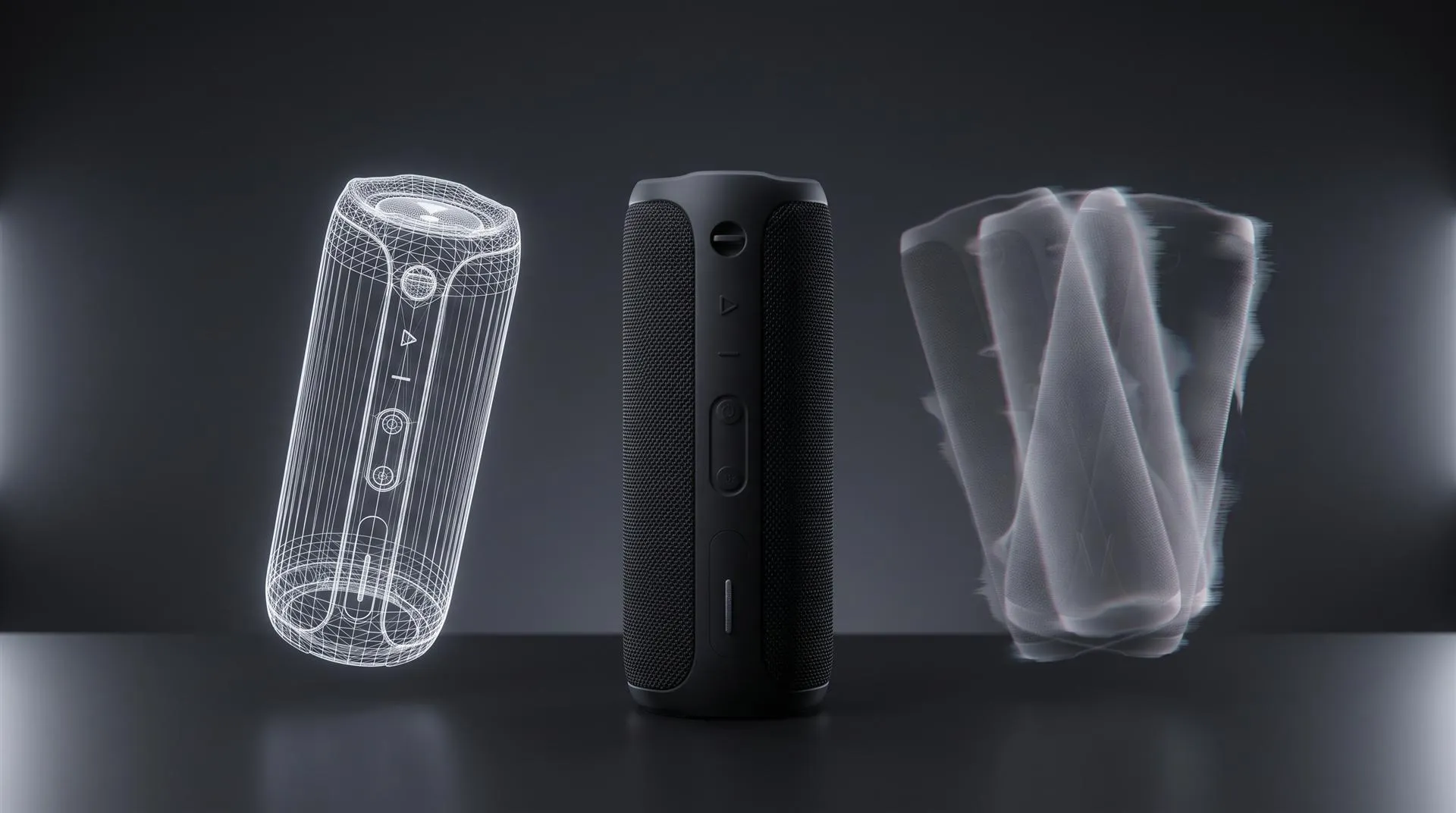
AI Product Video Generators vs 3D Animation: What They Get Right and Wrong for Physical Products (2026)
Short answer: An AI product video generator turns a photo, a prompt or a product page link into a short clip in minutes. That works well for social ad tests, UGC style spots and mood boards. But the tool never sees your real product. It predicts what it probably looks like, so on a physical product with a logo, printed labels, buttons and an exact shape, it will get some of those wrong. When the video has to match what ships in the box, 3D animation from your CAD is still the safer route.
You have probably already tried one. Someone on the team uploaded a product shot, picked a template, and got back a clip that looked fine at phone size. Then you watched it on a laptop and noticed the logo was a little off, a button had moved, and the back of the product looked like a different product. This article explains why that happens, where these tools are worth using anyway, and how to decide.
Here is the quick comparison of the tools that show up most when people search for this.
| Tool | What it does well | Where it breaks on a physical product | Price at the time of writing |
|---|---|---|---|
| HeyGen | Puts your product photo into a scene with an AI presenter who talks about it | Small printed text on the product can come out distorted, and the product is only as accurate as the one photo you upload | Free plan, paid from $29/month (pricing) |
| InVideo | Fast edits from a script, stock footage, voiceover, many ad variations | Mostly assembles stock and generated shots, so your product rarely becomes the hero of a real close-up | Basic from $9/month billed monthly, no free plan listed |
| Higgsfield | Ad presets with dramatic camera moves from product images or a product page | Camera moves around the back and sides of a product it has never seen, so it invents them | See the pricing page |
| Adobe Firefly | Short clips and b-roll, with Adobe stating outputs from its own models are safe for commercial use | Clips are short (the plans count them in 5-second videos), and geometry still drifts between frames | Free daily generations, paid from $9.99/month |
| Renderforest | Template based promos and slideshows from your existing photos | Templates move your photos around, they do not show the product in real 3D | Free to start, see the pricing page |
| Kling | Realistic motion and lighting from an image or a prompt | Shape, proportions and small parts can change from frame to frame, more so on rotation | See the official site |
What do AI product video generators actually do?
They generate new pixels that look like your product, based on the images and words you give them. There is no 3D model of your product inside the tool.
Most of them work in one of three ways. Some place a product photo into a generated scene, often next to an AI presenter. HeyGen’s product placement tool asks for a product image of “720p or higher with the item front and center” and builds the scene around it. Some take a product page URL, pull the photos and copy, and turn them into an ad with a preset camera move. And some are general image-to-video models, where you upload one frame and describe the motion.
In all three cases, the tool only knows what is in the pictures you gave it. If you upload a front view and ask for a slow orbit, the side and back views are guesses. We wrote about the image side of this in CGI vs AI for product visuals. The video version is the same problem, repeated 24 or 30 times per second.
Where do AI product video generators work well?
They work when the viewer is not studying the product, and when you need volume more than precision. Here is where we would honestly use them.
UGC style ads and talking presenter spots. A presenter holding a product, talking to camera, in a feed where people scroll fast. Nobody is reading the button labels. For a DTC brand testing ten hooks, that is a real use.
Testing angles before you spend money. Generate five quick concepts, run them as low budget social tests, see which message gets clicks. Then put real money into the winning idea.
Mood boards and direction. Lighting, color, setting, pace. A generator is a fast way to show a studio or your own team what “dark and moody” or “bright kitchen morning” means to you.
Backgrounds and b-roll without the product in it. Water, smoke, abstract light, a city at night. The product is not in the shot, so there is nothing to get wrong.
If your product is a simple shape with no printed detail, like a plain bottle or a solid color case, AI will also do better than average. The trouble starts with detail.
Where do AI product video generators fail for physical products?
They fail on anything that has to be exact: logos, printed text, buttons, ports, proportions and moving parts. These are also the things a hardware buyer looks at first.
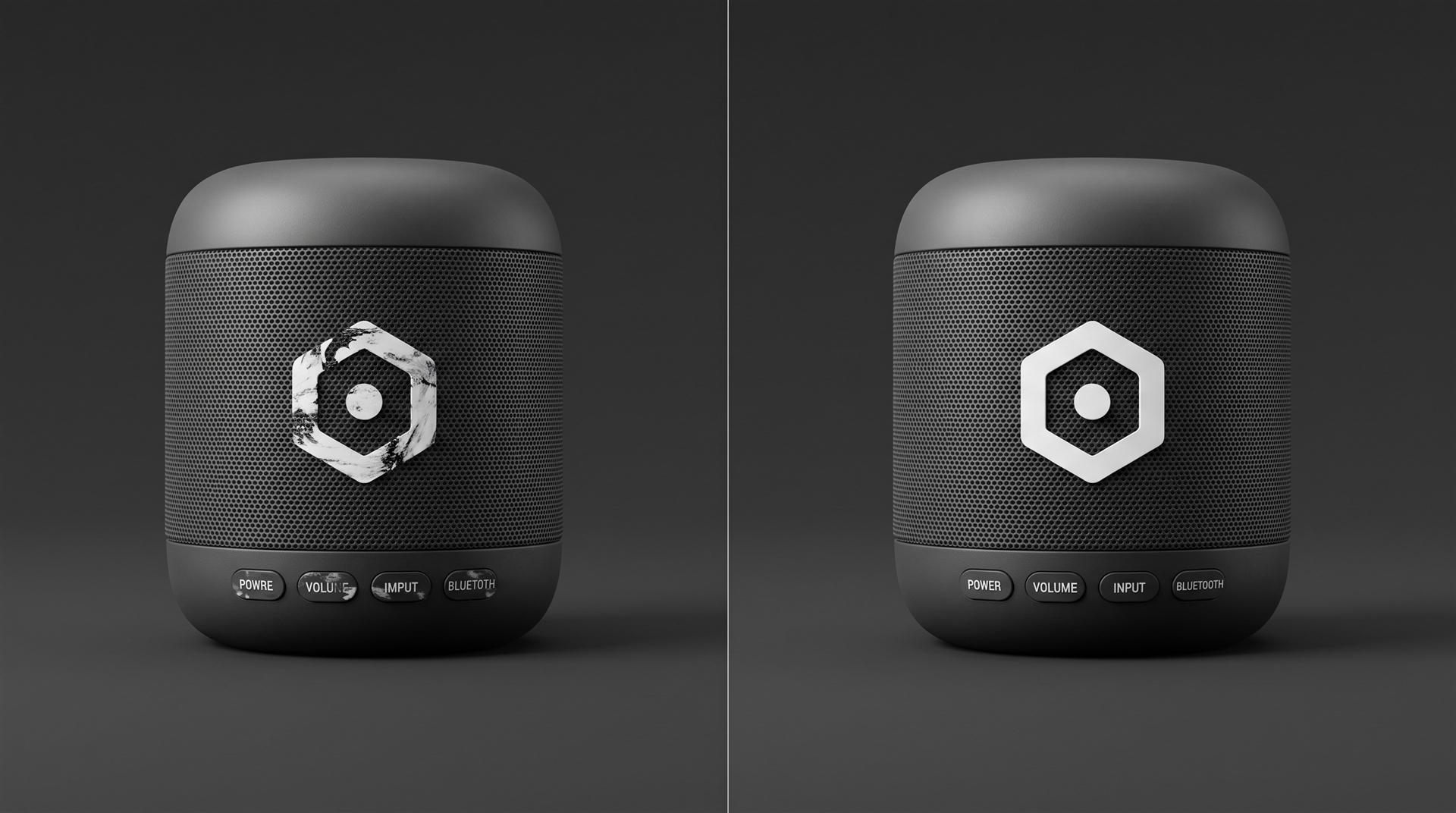
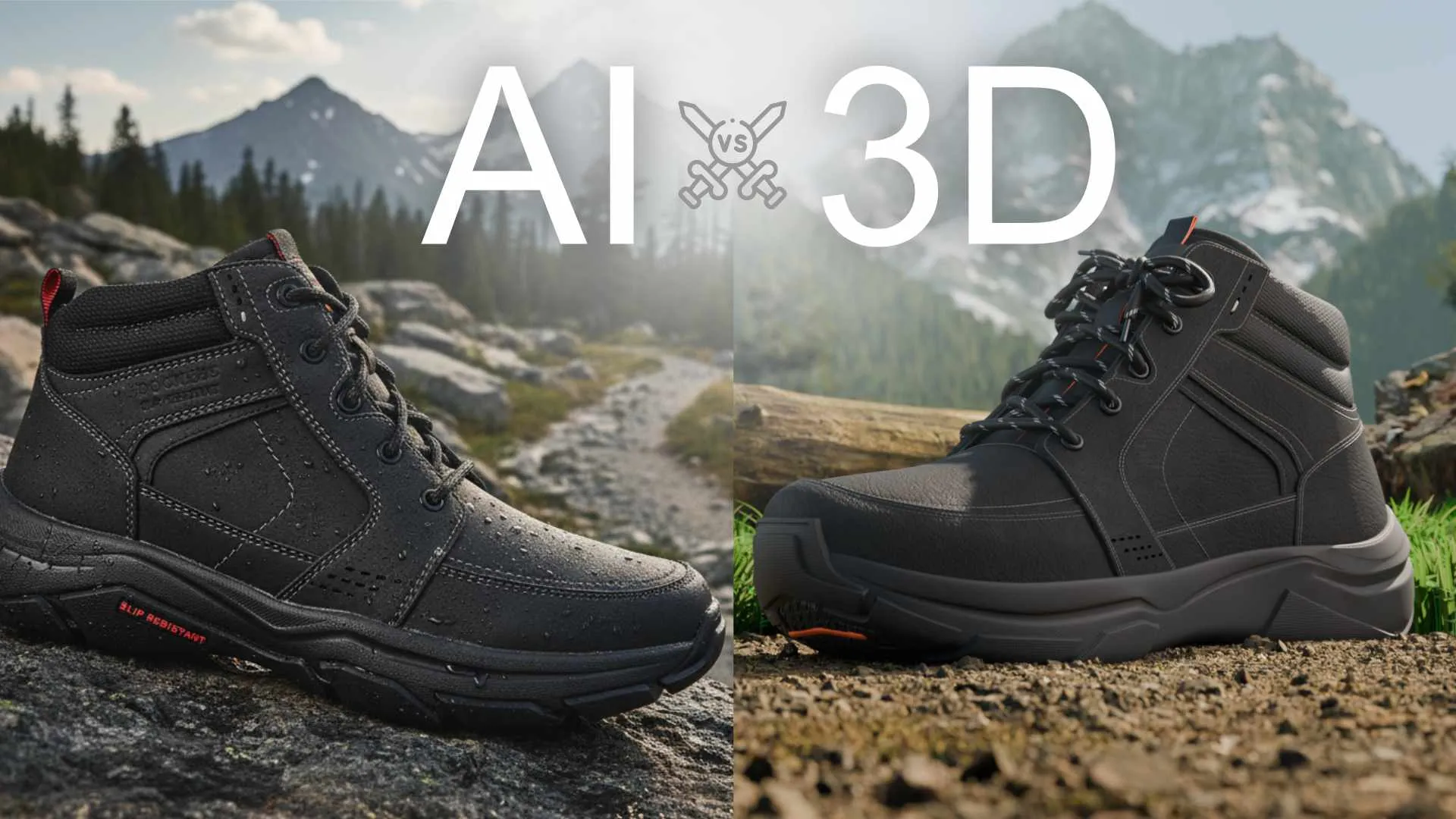
Same speaker, same angle. A generator guesses at printed detail, so labels turn into near-words. A 3D model carries the real artwork, so it stays correct in every frame.
1. Logos and printed text. This is the most common failure. In a hands-on test of HeyGen’s product placement tool, ProVideo Coalition’s reviewer noted that “the text on the can is distorted and illegible when zoomed in” (full review). On a speaker, a remote or a control panel, the labels are the product. A misspelled “VOLUNE” in a launch video is not a small thing.
2. Invented or moved parts. Ask for a rotation and the generator has to make up the sides it never saw. A port may appear on the wrong side. A row of four buttons can become three. A seam line drifts. These are all plausible guesses, which is exactly why they slip through review.
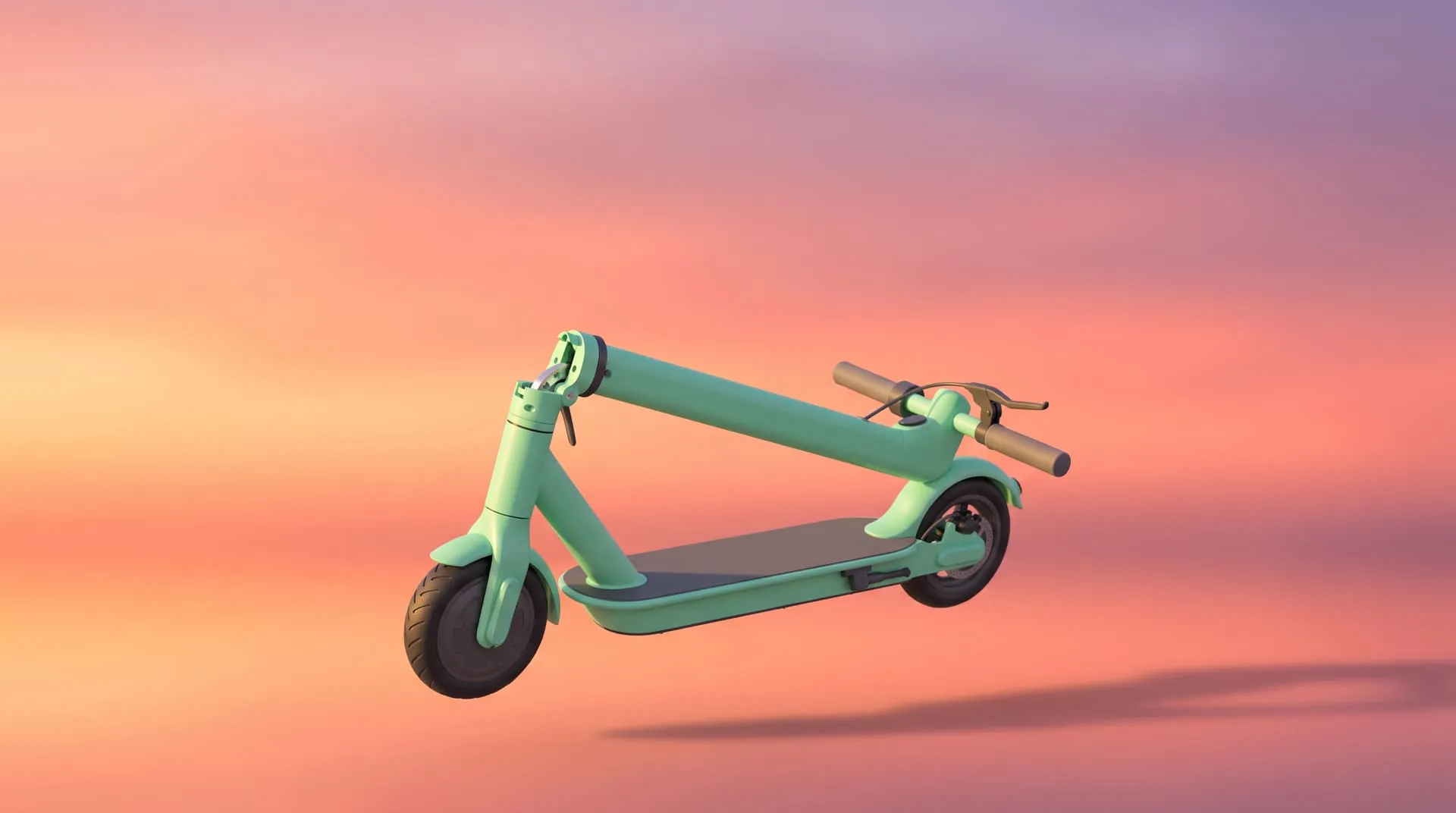
3. Rotations and mechanisms that are physically impossible. A hinge that bends, a lid that opens through itself, a folding mechanism that does not fold the way the real one does. For a product whose selling point is how it works, that is the one shot you cannot fake. Compare it with a fold sequence built from the real model, like this one from our work on the WAYB Pico car seat:
4. Consistency between shots. Even when each clip looks fine on its own, the product often looks slightly different in clip two than in clip one. In a 30 second ad cut from six generations, the viewer sees six cousins of your product.
If you already have AI stills and wonder whether they can just be animated, we covered that exact case in why an AI product image cannot become your product video.
What does each route cost, and how long does it take?
AI is cheaper and faster per clip. 3D costs more up front, but every shot after that is accurate and reusable. Here is the honest side by side.
| AI product video generator | 3D animation from your CAD | |
|---|---|---|
| Typical cost | A subscription, plus your team’s time to generate, pick and fix | From $1,200 for a 10 to 30 second video with your CAD file and a plain background, at our pricing |
| Without a CAD file | Same subscription | $1,400 to $3,000 for the same video, depending on how complex the model is |
| Time to first result | Minutes | About 10 to 15 days for a 30 second animation, with CAD supplied |
| Accuracy to the real product | Approximate, changes on every run | Exact, because the geometry is your CAD |
| Logos and labels | Often garbled | Applied as real artwork |
| New angle or format later | Generate again and hope it matches | Re-render from the same scene. A 9:16 version is $250 extra at our pricing, because it needs its own camera framing |
| What you own | The clips | The clips, and the 3D scene if you agree that in the contract |
That last row matters. Owning the finished video is not the same as owning the 3D scene and model. If you want to make more videos and stills later, put the scene files in the contract from the start. Our full calculator is on the pricing page.
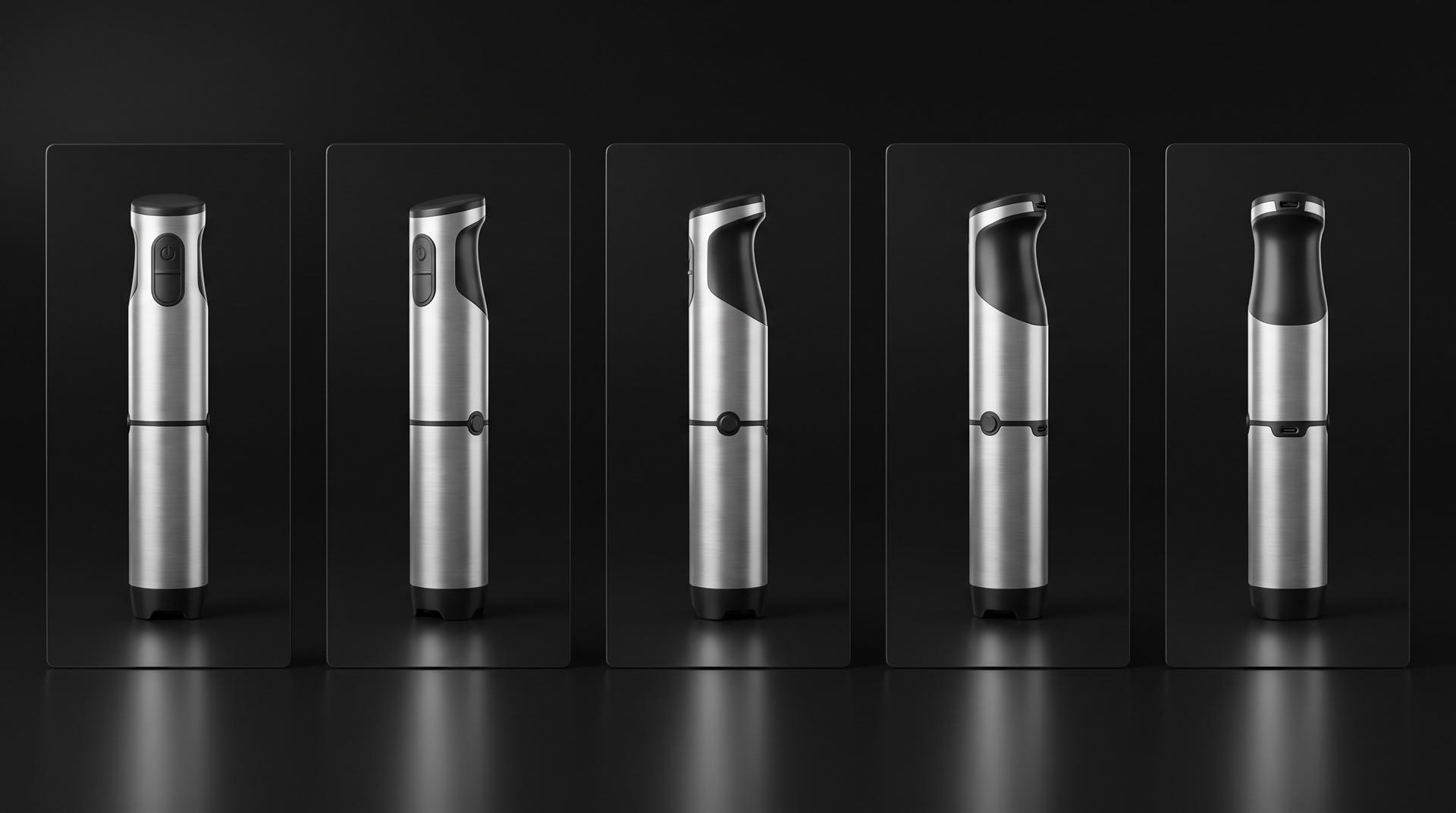
What a 3D model gives you: every angle is the same product, because every frame is rendered from the same geometry.
Can you combine AI and 3D animation?
Yes, and for most brands that is the best answer. Use AI where accuracy does not matter, and 3D where it does.
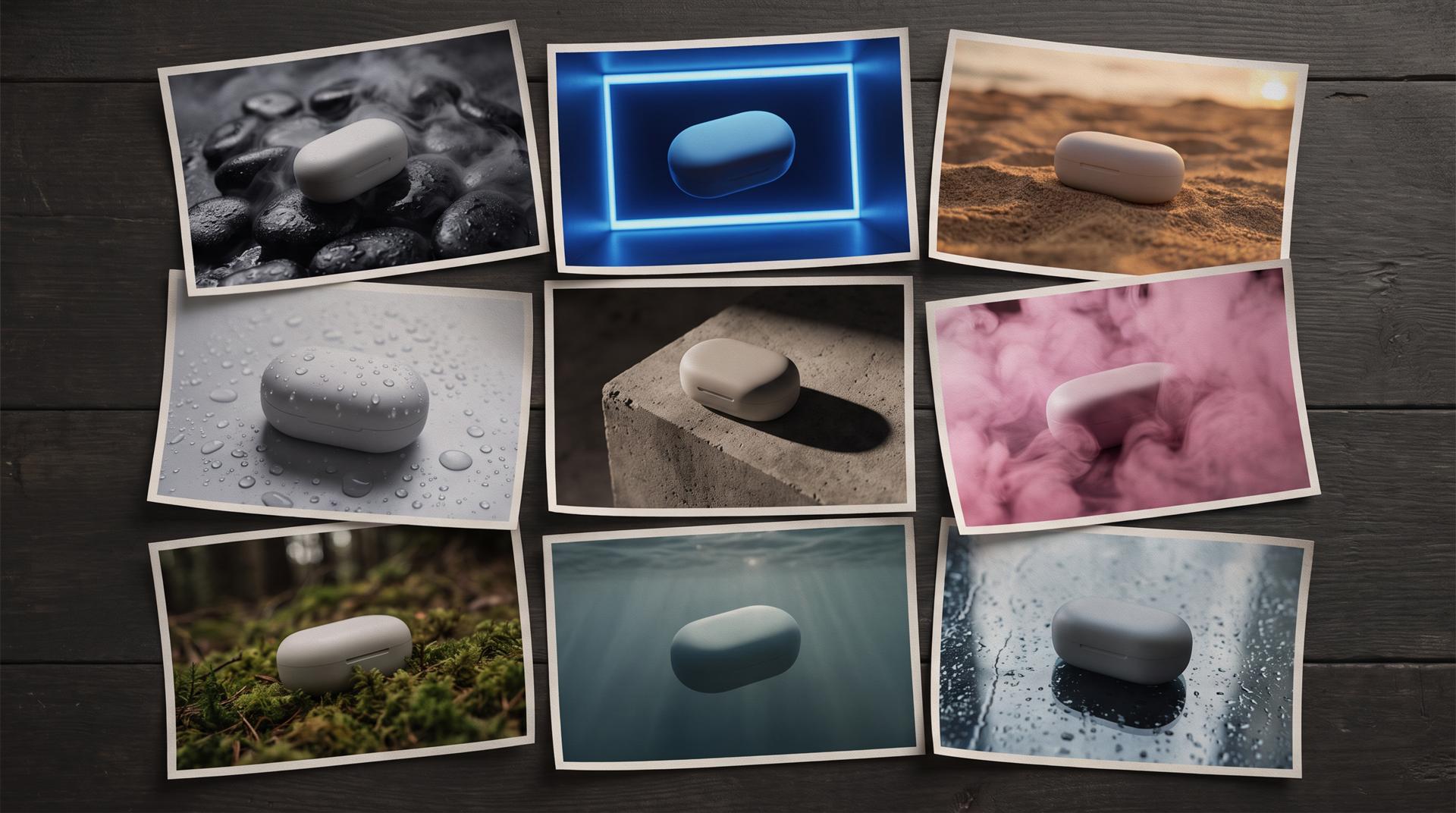
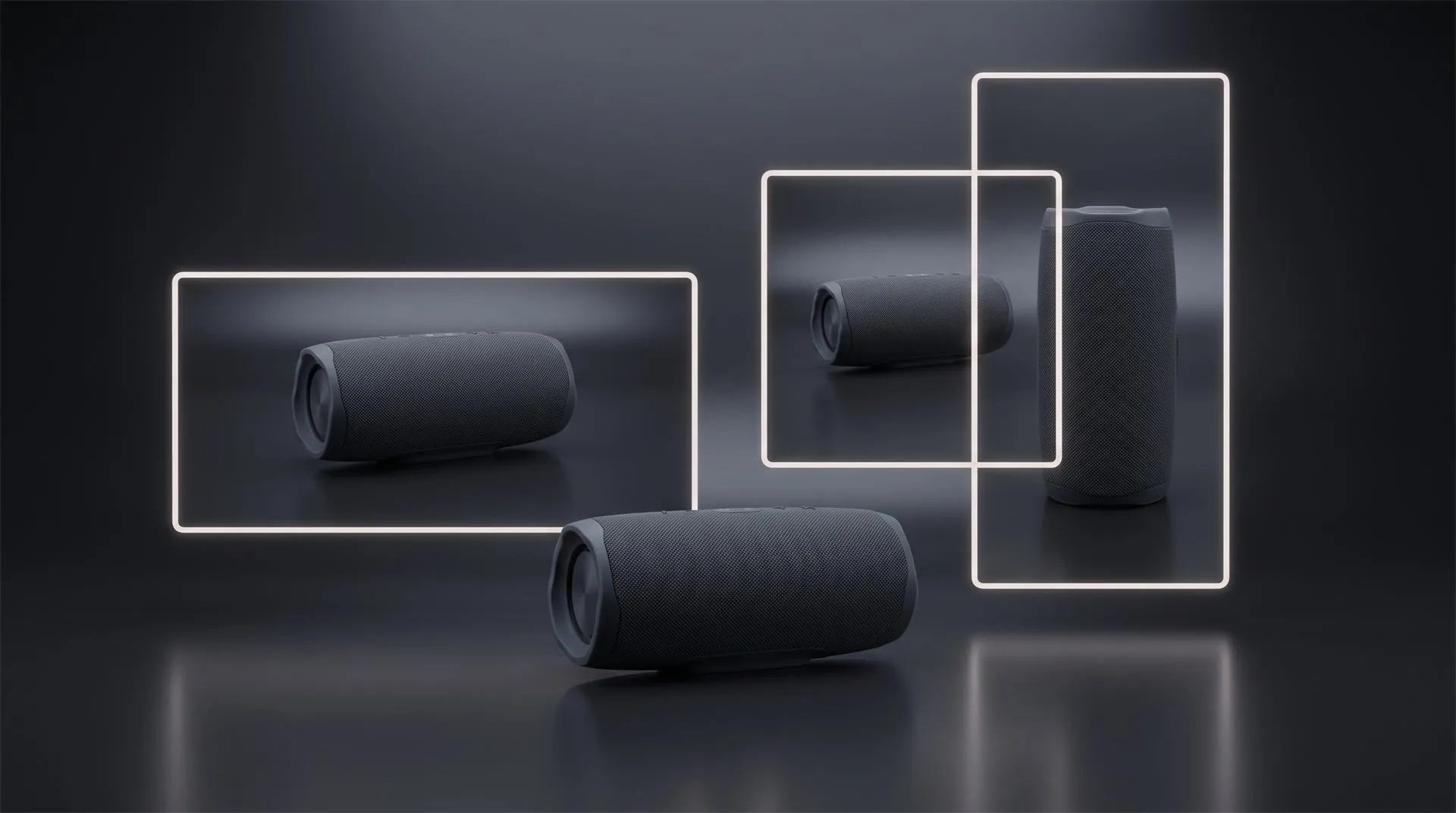
AI is a fast way to explore look and setting. Notice the case shape changes slightly from card to card, which is fine for a mood board and not fine for a final video.
A workflow that works:
- Explore with AI. Generate mood frames and rough clips for setting, light and pace. Pick a direction.
- Write the storyboard. Turn the chosen direction into shots: hero reveal, feature close-ups, how it works, end card. Our free product video storyboard creator helps with that step.
- Build the product in 3D from CAD. The product, its materials, logo and labels are exact.
- Animate and render the product shots. Close-ups, rotations, exploded views and mechanisms, all from the real model.
- Use AI for the rest, if you want. Generated backgrounds, b-roll or presenter clips can sit around the 3D shots, as long as the product itself comes from the model.
This is also how you get both a cinematic launch film and a stream of social ads. Once the 3D scene exists, cutting short ads for Meta and TikTok from it is far cheaper than starting over.
Which one should you pick?
Answer these five questions. If you say yes to two or more, the product shots should come from 3D.
- Does the product have a logo, printed labels or a screen that will be visible in close-up?
- Will the video show the back, sides or underside, or rotate the product?
- Does the video need to show how something works: a hinge, a fold, a lid, an assembly?
- Will this video live on your product page, Amazon listing, crowdfunding page or a retail screen, not only in a feed for a week?
- Do you need the same product to look identical across many videos, colors and formats over the next year?
If all five are no, an AI product video generator is a reasonable choice, and you probably do not need a studio. Test it, keep the budget small, and look at every frame at full size before it goes out.
Common mistakes
- Judging AI output at phone size only. Watch it full screen on a laptop. That is where the wrong logo shows.
- Uploading one front photo and asking for a 360. The tool will make up everything you did not show it.
- Using AI shots on the product page. A feed ad is gone in a week. A product page video is a claim about what the buyer will receive.
- Mixing generations without checking consistency. Line up stills from each clip and compare buttons, ports and proportions.
- Assuming you own a 3D scene because you paid for a video. If you want the model and scene files, put it in the contract up front.
- Thinking a vertical version is just an export. Moving from 16:9 to 9:16 needs the camera reframed for every shot, in AI and in 3D.
FAQ
What is the best AI product video generator?
It depends on the job. HeyGen is strong for presenter style ads with your product in the scene, InVideo for fast script based edits, Adobe Firefly for short commercially safe clips, and Higgsfield or Kling for dramatic generated motion. None of them reads your CAD, so none is accurate on detailed hardware.
Can AI make a product video from one photo?
Yes, it can make a short clip from one photo. But it only knows the side you photographed. Any rotation shows sides it invented, so the back and sides of your product may not match the real thing.
Is there a free AI product video generator?
Yes, at the time of writing HeyGen has a free plan and Adobe Firefly offers free daily generations. Free tiers usually limit length, resolution, watermarks or commercial features, so check the plan before you use the output in an ad.
Will AI replace 3D product animation?
For quick social tests and generic b-roll, it is already a practical option. For product shots that must match the real object, logo, labels and mechanism, not yet, because the generator predicts what the product looks like instead of rendering the actual geometry.
Why does AI change my product shape or logo?
Because it does not have your product. It has learned what products in general look like and generates a plausible version of yours. Text and logos are hard for these models, and every new frame is a new guess, so small details drift.
Not sure which route fits?
Send us your CAD file or a few product photos and tell us where the video will run. We will tell you which route fits, including when an AI tool is enough and you do not need us. Talk to us.
Related Articles
CGI vs AI for Product Visuals: Key Differences, Cost and When to Use Each (2026)
You Made a Product Image with AI. Here Is Why It Cannot Become Your Product Video.
Your Product Renders Are Sitting in a Folder. Here Is How to Turn Them Into Ads That Convert on Meta and TikTok
3D Product Animation Trends in 2026: What Brands Are Doing Now
3D Product Demo Videos for Physical Products: Examples, Cost and Process
What Software Can You Use to Create 3D Product Images for Amazon Listings?

 Rachel A